

Malfoid AI: Create AI Art & Videos of Female Draco Malfoy
October 16, 2026 | AVON
Malfoid AI: How to Create Female Draco Malfoy AI Art and Videos
Have you seen the Malfoid trend appearing in fan art, anime illustrations, and AI-generated videos? Inspired by Draco Malfoy from the Harry Potter universe, Malfoid reimagines the familiar character through a feminine, stylized appearance that has caught the attention of online fan communities.
With Free AI image generators(Click Here to Generate) and image-to-video tools, creators can explore this aesthetic in new ways. From designing elegant fantasy portraits to animating magical scenes, AI makes it easier to bring creative ideas to life without advanced drawing or animation skills.
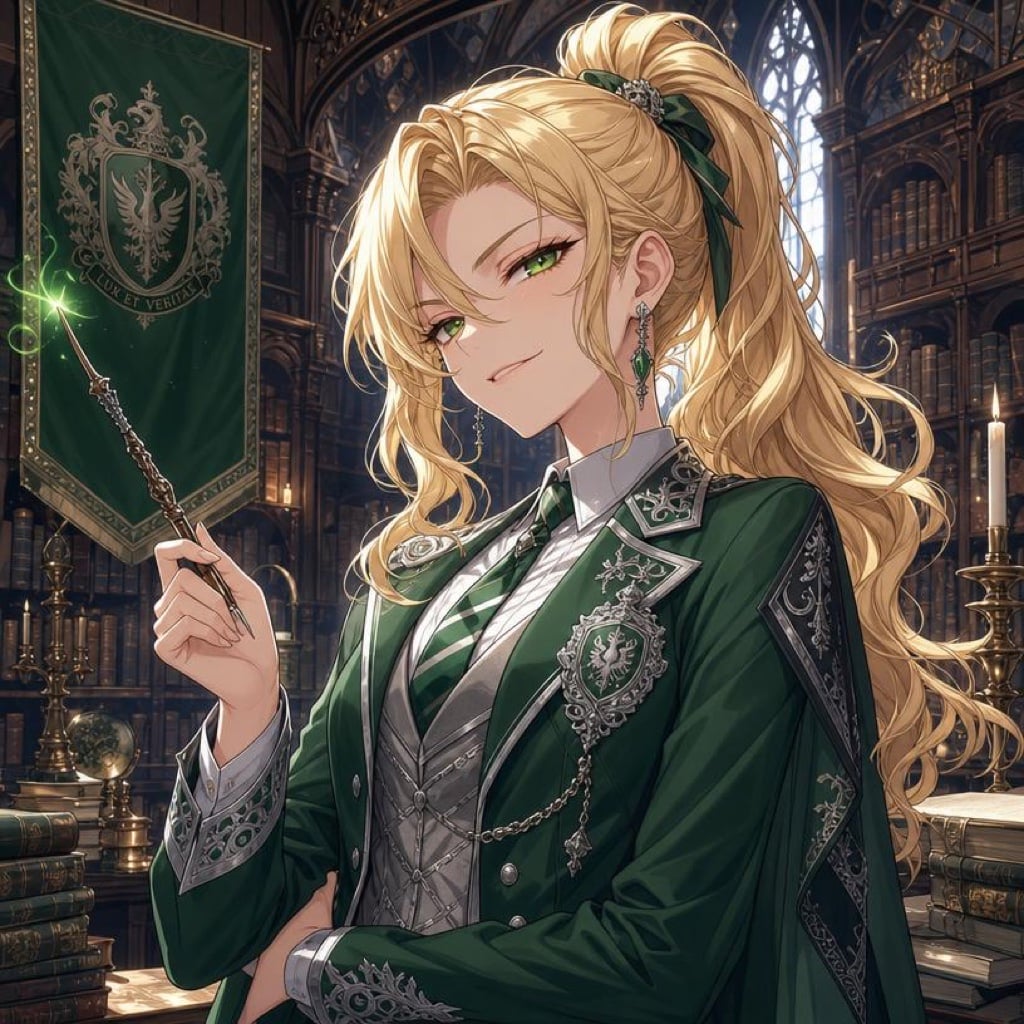
In this guide, you'll learn what Malfoid AI means, why creators are interested in it, how to generate Malfoid-inspired artwork, and how to turn a still image into an animated video.
What Is Malfoid AI?
Malfoid AI generally refers to AI-generated images and videos inspired by the female version of Draco Malfoy, the well-known character from the Harry Potter series.
Rather than representing an official character or product, Malfoid is a fan-created interpretation that explores an alternative character design. Depending on the artist, the result may look like anime fan art, a cinematic fantasy portrait, a digital painting, or a stylized animation.
Common visual elements include:
-
Platinum-blonde hair: A recognizable feature of the Draco-inspired character design.
-
Cool facial expressions: Confident, aloof, mysterious, or slightly mischievous expressions.
-
Fantasy school uniforms: Green and silver accents, tailored robes, and elegant academic clothing.
-
Magical environments: Gothic corridors, enchanted libraries, candlelit halls, and atmospheric castles.
-
Anime and cinematic aesthetics: Detailed eyes, dramatic lighting, soft highlights, and polished character designs.
AI tools allow creators to experiment with these visual elements and develop their own interpretations of the trend.
Why Is the Malfoid Trend Interesting to AI Creators?
Character transformations have long been popular in fan communities. AI image generation adds another creative dimension by allowing users to explore alternative appearances, outfits, art styles, and fictional scenarios quickly.
The Malfoid aesthetic combines several elements that work particularly well with AI generation.
1. Character Transformation
Creators can explore how a familiar fictional character might look with a different gender presentation, hairstyle, wardrobe, or artistic style.
2. Anime and Fantasy Art
The combination of platinum-blonde hair, expressive eyes, magical clothing, and atmospheric settings provides plenty of opportunities for visually distinctive artwork.
3. Personalized Character Design
Instead of using the same reference image, creators can experiment with different expressions, poses, accessories, backgrounds, and lighting to produce a more personalized result.
4. Animated Fan-Inspired Scenes
A still portrait can become the starting point for a short animation. Subtle movements, flowing hair, magical particles, and cinematic camera motion can make a character feel more dynamic.
These possibilities make Malfoid-inspired content relevant to both AI image creation and AI video generation.
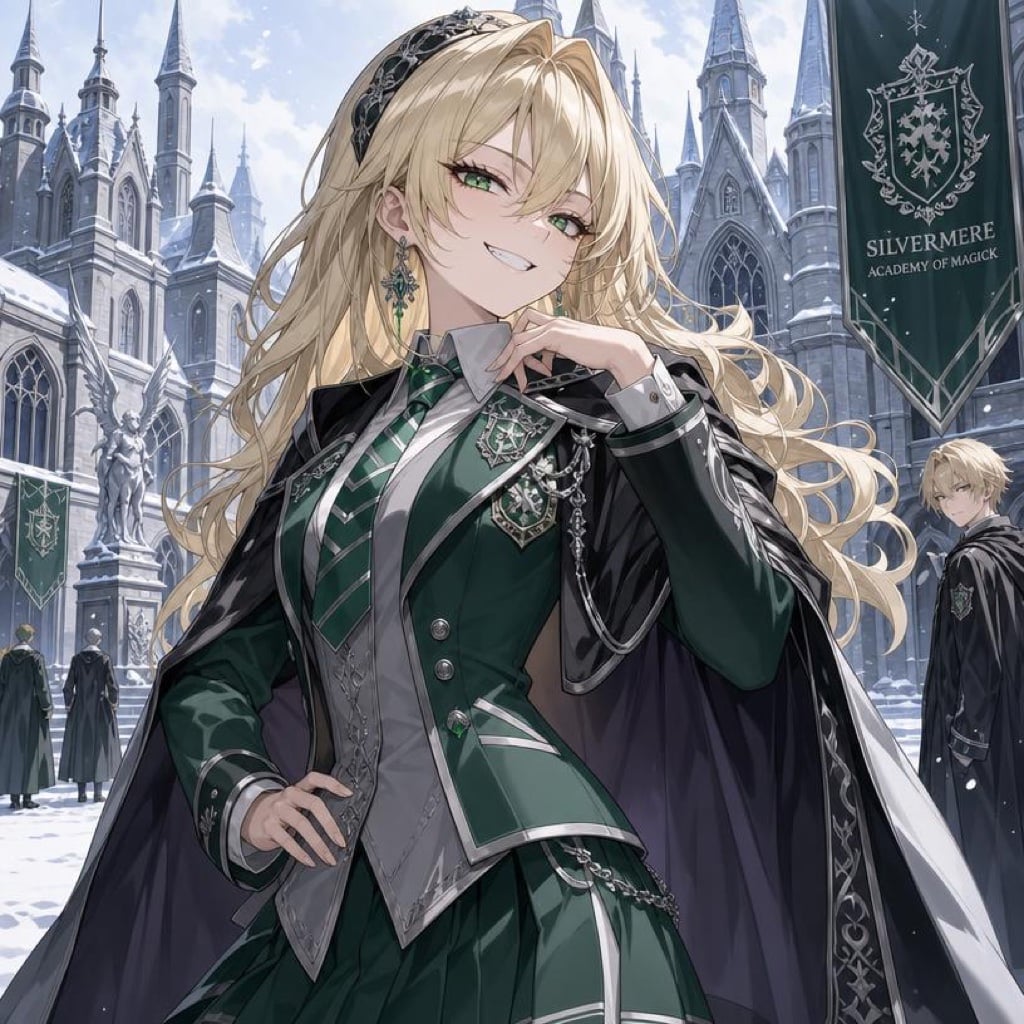
How to Create Malfoid AI Art with Viddo AI
You don't need professional illustration skills to create a fantasy character portrait. An AI image generator can turn a detailed text prompt into a visual concept in a few steps.
Step 1: Choose an AI Image Generator
Open Viddo AI's image generation tool and choose an image model that suits your preferred style.
For example, you might want a photorealistic fantasy portrait, a detailed anime illustration, or a cinematic digital painting.
Step 2: Describe the Character's Appearance
A useful prompt should specify the character's appearance, clothing, expression, environment, lighting, and artistic style.
For more original results, describe the visual characteristics you want rather than relying entirely on a character name.
Step 3: Generate and Refine the Image
Review the first result and adjust individual details. If the hair color is wrong, specify platinum-blonde hair more clearly. If the outfit looks too modern, describe traditional fantasy-school robes and tailored clothing.
Small, targeted adjustments can help improve consistency.
Step 4: Save Your Favorite Result
Once you have an image you like, save it as a finished illustration or use it as the starting point for an AI animation.
Try it with Viddo AI: Open the image generation tool, enter your prompt, and experiment with different fantasy and anime styles.
5 Malfoid AI Prompts to Try
The following prompts are designed to explore the visual aesthetic associated with the trend. They can also be adapted to create original fantasy characters.
1. Anime-Style Fantasy Portrait
Prompt:
Create a detailed anime-style portrait of an original platinum-blonde female fantasy student with pale skin, sharp gray eyes, an elegant expression, and long, silky hair. She wears a sophisticated dark academic robe with emerald-green and silver accents. Soft candlelight illuminates her face, while a grand gothic castle corridor creates a mysterious background. Intricate linework, expressive eyes, polished shading, cinematic composition, high detail.
Best for: Anime illustrations, profile pictures, and character concept art.
2. Photorealistic Fantasy Character
Prompt:
Create a cinematic fantasy portrait of an original blonde young adult woman with platinum hair, cool gray eyes, refined facial features, and a confident, slightly aloof expression. She wears an elegant dark green velvet robe with subtle silver embroidery. An ancient magical library with floating candles appears in the background. Realistic skin texture, detailed fabric, soft rim lighting, shallow depth of field, professional fantasy photography.
Best for: Realistic portraits and cinematic character concepts.
3. Dark Academia Aesthetic
Prompt:
Design an original platinum-blonde female fantasy character standing in an ancient stone library. She wears a tailored black academic uniform with green accents, holds an old leather-bound spellbook, and looks toward the camera with a mysterious expression. Tall bookshelves, warm candlelight, drifting dust particles, moody shadows, dark academia aesthetic, intricate textures, elegant composition.
Best for: Social media artwork and atmospheric fantasy illustrations.
4. Magical Spell-Casting Scene
Prompt:
Create an original blonde female fantasy student casting a glowing emerald spell in a dimly lit stone hall. Her long platinum hair moves gently in the magical wind, and tiny green particles swirl around her hand. She wears a flowing dark robe with silver details. Dramatic lighting, cinematic perspective, dynamic pose, detailed magical effects, fantasy concept art.
Best for: Action-oriented illustrations that can later be animated.
5. Cute Anime Character Design
Prompt:
Create a charming anime-style female fantasy student with platinum-blonde hair, expressive gray eyes, a playful smirk, and an elegant green-and-silver school outfit. She stands in a sunlit magical academy courtyard surrounded by floating leaves and tiny glowing particles. Clean linework, beautiful color balance, soft lighting, expressive character design, polished anime illustration.
Best for: Cute character art, avatars, and stylized fan-inspired designs.
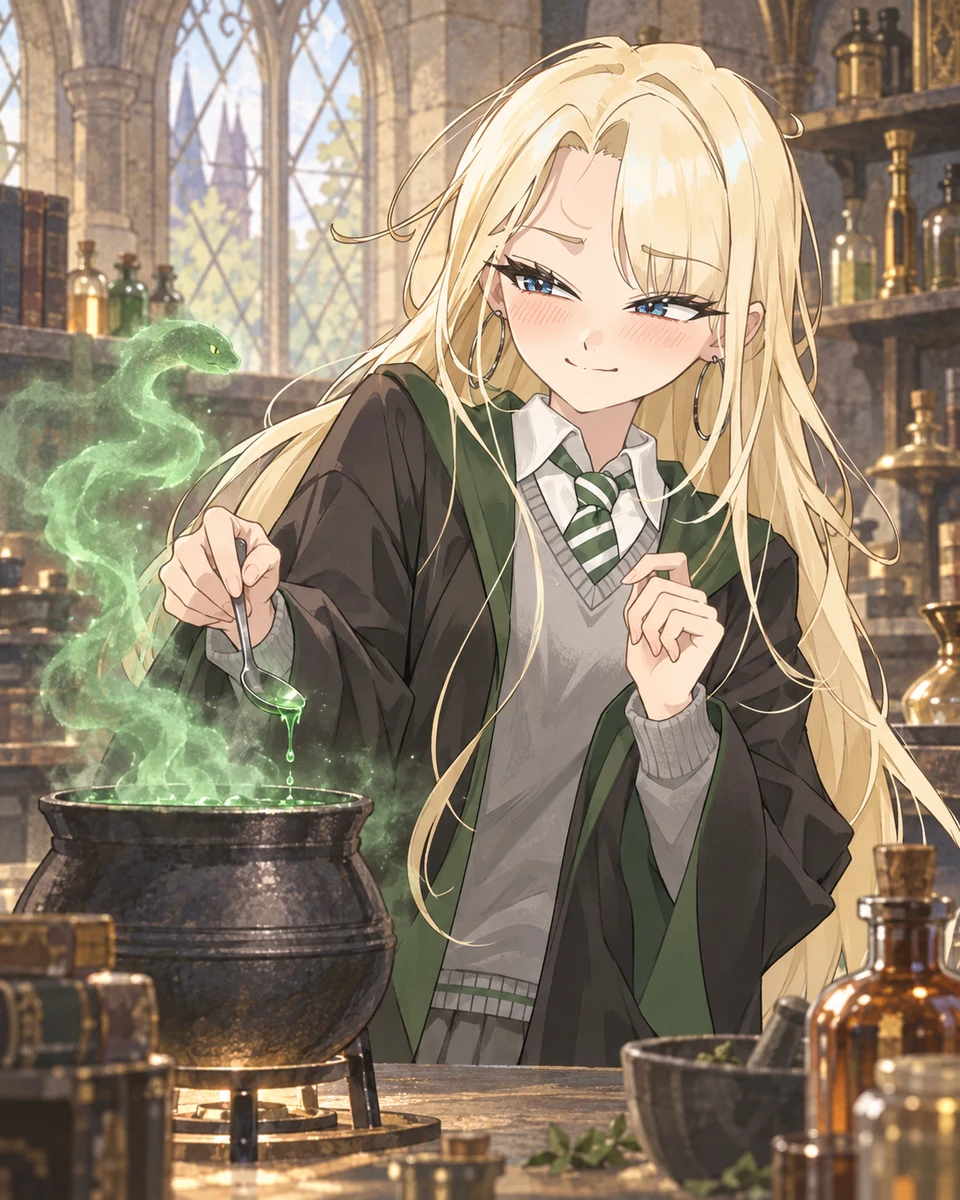
How to Turn Malfoid AI Art into an AI Video
AI-generated artwork doesn't have to remain static. Image-to-video technology can transform a finished character illustration into a short animated scene.
Viddo AI's image-to-video workflow allows creators to start with an image and describe the motion they want to see.
Step 1: Create or Upload a Character Image
Generate a fantasy character portrait with an AI image generator, or upload an image you already have permission to use.
Images with a clear subject and a well-defined composition are often easier to animate.
Step 2: Open the Image-to-Video Tool
Open Viddo AI's Image to Video feature and upload your selected image.
Choose a suitable video model based on your desired visual quality, motion style, and available credits.
Step 3: Describe the Motion
Instead of repeating the entire image description, focus your video prompt on movement, camera behavior, and environmental effects.
For example:
Image-to-video prompt:
The platinum-blonde character slowly turns her head toward the camera and gives a subtle, confident smile. Her long hair and dark robe move gently in a magical breeze. Emerald particles drift through the air, while candlelight flickers in the background. The camera slowly pushes in toward her face. Smooth natural movement, consistent facial features, cinematic fantasy atmosphere.
Step 4: Generate and Review the Video
Check whether the face, hair, clothing, and overall character appearance remain consistent throughout the clip.
If the motion is too exaggerated, simplify the prompt. If the character changes appearance, try a clearer reference image or a model better suited to character animation.
Step 5: Create a Short Story
You can generate several related clips to build a longer sequence, such as:
-
A character walking through a magical academy.
-
A close-up portrait with subtle facial movement.
-
A spell-casting scene with glowing particles.
-
A dramatic entrance in a candlelit hall.
For the best continuity, use a consistent reference image and keep the character description and visual style similar across generations.
Create your own animation with Viddo AI: Start with an original fantasy portrait, open Image to Video, and experiment with movement and camera prompts.
Tips for Better Malfoid AI Image and Video Results
AI generation is not always perfectly predictable. These tips can help reduce unwanted variations.
Be Specific About Visual Details
Instead of writing “a beautiful blonde fantasy girl,” describe the hairstyle, eye color, clothing, expression, lighting, and background.
Keep Prompts Focused
Too many conflicting instructions can make results less consistent. Prioritize the most important characteristics first.
Use Reference Images When Appropriate
If your tool supports image references, a suitable reference can help guide character appearance and composition. Make sure you have the necessary rights or permission to use the image.
Separate Image Design from Motion Design
For images, focus on appearance, style, and composition. For videos, focus on movement, camera motion, and environmental effects.
Iterate with Small Changes
If a result is almost correct, adjust one or two details instead of rewriting the entire prompt. This makes it easier to identify which changes improve the result.
Malfoid AI vs. Traditional Digital Art
AI generation and traditional digital art offer different creative workflows.
| Feature | AI Image Generation | Traditional Digital Art |
|---|---|---|
| Starting process | Text prompt or supported image reference | Manual sketching and illustration |
| Initial concept speed | Often fast | Depends on the artist and complexity |
| Fine-grained control | Depends on the model and editing tools | Direct control over individual elements |
| Character animation | Can be combined with AI video tools | Often requires a separate animation workflow |
| Best use | Rapid exploration and visual experimentation | Detailed manual craftsmanship and precise revisions |
Neither method is universally better. Some creators use AI to explore concepts and then refine the results through manual editing.
Frequently Asked Questions
What does Malfoid AI mean?
Malfoid AI generally describes AI-generated art and videos inspired by a female reinterpretation of Draco Malfoy, a character from the Harry Potter series. The term is used in fan-created content rather than as the name of an official character or product.
Can I generate Malfoid AI images for free?
Availability depends on the tool and its current pricing. Some AI image generators offer free credits or limited free generations, while other models require paid credits. Check the current Viddo AI pricing page for available plans and usage limits.
Can I make Malfoid AI videos from images?
Yes. An image-to-video generator can animate a suitable character image with movements such as head turns, flowing hair, camera motion, and magical environmental effects. Results vary by model and prompt.
What is the best prompt for Malfoid AI?
A useful prompt describes the character's appearance, clothing, expression, environment, lighting, and art style. For animation, add clear instructions for movement and camera behavior rather than overloading the prompt with static visual details.
Can I create a consistent character across multiple videos?
Consistency can be challenging because AI video models may change facial features, clothing, or proportions between generations. Using a consistent reference image, repeating key visual details, and keeping motion instructions simple can help.
Can I use Malfoid AI artwork commercially?
Commercial use depends on the tool's terms, the assets used, and applicable intellectual property rights. The Harry Potter characters and related franchise elements may be protected by copyright or trademark. Using an AI tool does not automatically grant rights to commercialize an existing fictional character. For commercial projects, consider creating original characters and reviewing the relevant rights and terms.
Start Creating AI Fantasy Art and Videos
The Malfoid trend illustrates how AI tools can help creators explore character transformations, fantasy aesthetics, and animated storytelling.
Whether you want to design a polished anime portrait, experiment with dark academia visuals, or animate a magical scene, the workflow is straightforward: start with a clear image concept, refine the important details, and then use image-to-video generation to add movement.
Ready to experiment with your own ideas?
Explore Viddo AI's image generation and Image to Video tools to create original fantasy characters and bring them to life.