

Seedream 5.5: AI Image Generator & Editor
November 11, 2026 | AVON
Seedream 5.5: A New Generation of AI Image Generation and Editing
AI image generation is evolving rapidly, and the latest generation of models is making it easier than ever to create professional-quality visuals. Seedream 5.5 brings together advanced image generation, realistic visual details, precise editing capabilities, and improved text rendering to provide a more flexible creative experience.
Click Here to Create Image with Seedream5.5
Whether you are a designer, content creator, marketer, or business owner, Seedream 5.5 offers powerful tools for turning creative ideas into high-quality images.
From photorealistic portraits and commercial product photography to transparent assets and complex visual compositions, this AI image generation model is designed to support a wide range of creative workflows.
Let's explore what makes Seedream 5.5 stand out and how you can use it to improve your image creation process.

What Is Seedream 5.5?
Seedream 5.5 is an advanced AI image generation and editing model developed by ByteDance. It focuses on improving image realism, editing precision, visual consistency, and text rendering.
Unlike traditional image generation tools that primarily focus on creating images from text prompts, Seedream 5.5 also emphasizes maintaining consistency during editing and making targeted changes without unnecessarily affecting other parts of an image.
Its capabilities make it useful for both generating new visual content and refining existing images.
Some of its key capabilities include:
-
High-quality, photorealistic image generation.
-
More precise multi-turn image editing.
-
Native transparent background generation.
-
Improved text rendering and typography.
-
Better reference image understanding.
-
Flexible image creation for commercial and creative projects.
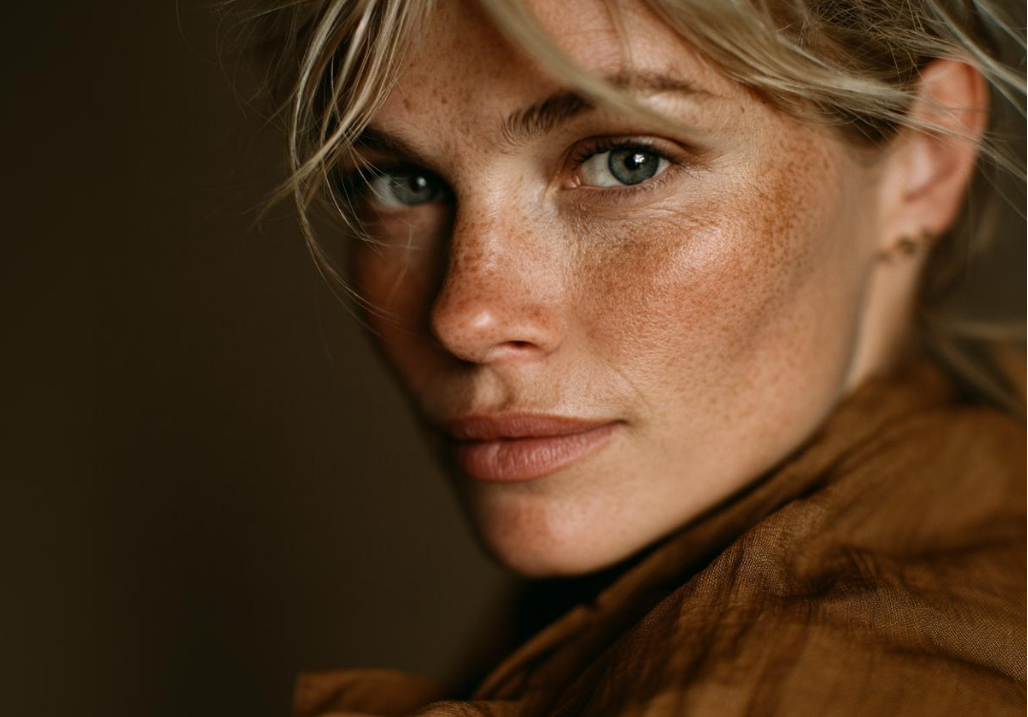
1. Photorealistic Image Generation with More Natural Details
One of the most important aspects of an AI image generator is its ability to produce realistic images.
Seedream 5.5 focuses on improving visual realism, helping creators generate images with more natural lighting, detailed textures, and convincing materials.
Its image generation capabilities are particularly useful for:
-
Realistic human portraits with natural skin textures.
-
Professional fashion and lifestyle photography.
-
Product images with detailed material representation.
-
Cinematic scenes with balanced lighting and shadows.
-
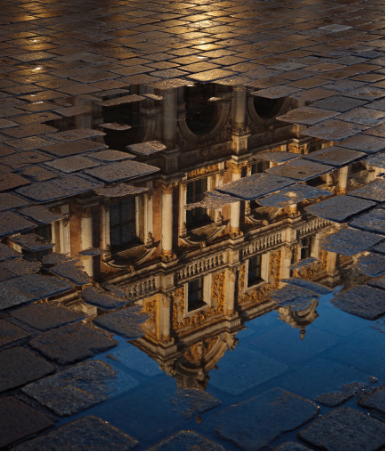
Realistic environments and architectural visuals.
Whether you need a professional portrait, a commercial product image, or a cinematic visual, Seedream 5.5 helps transform text descriptions into detailed visual content.
2. Advanced Multi-Turn Image Editing
Generating an image is only the beginning of the creative process. In many situations, you need to make several adjustments before achieving the desired result.
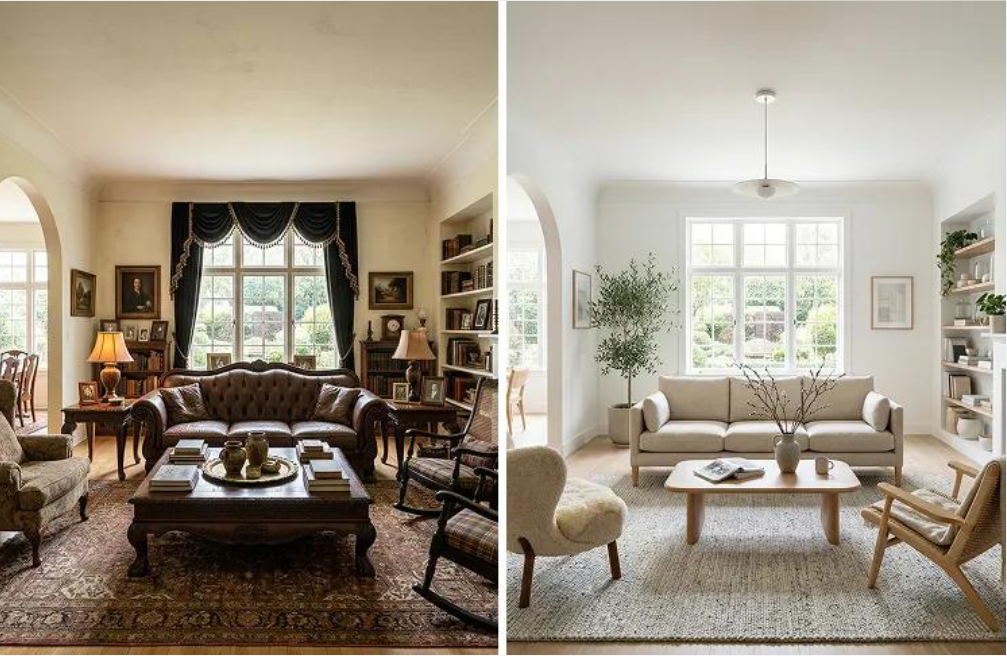
Seedream 5.5 offers advanced multi-turn editing capabilities, allowing users to refine an image through successive instructions.
For example, you can:
-
Change a character's clothing while preserving their appearance.
-
Replace the background without completely recreating the subject.
-
Adjust lighting, colors, and visual composition.
-
Modify individual objects within an existing image.
-
Refine specific details through multiple editing instructions.
This approach makes image editing more flexible and helps maintain visual consistency throughout the creative process.
Instead of generating an entirely new image every time you want to make a small adjustment, you can progressively improve the existing result.
3. Native Transparent Background Generation
Creating transparent images is an essential part of many professional design workflows.
Seedream 5.5 supports native transparent background generation, making it easier to create isolated visual assets without relying entirely on manual background removal.
This capability is particularly useful for:
-
E-commerce product images.
-
Transparent character assets.
-
Stickers and graphic elements.
-
Marketing materials and promotional designs.
-
Game assets and creative compositions.
With transparent background support, creators can generate reusable visual elements that can be incorporated into different designs and projects.
It also helps simplify workflows that require individual objects to be placed on different backgrounds.
4. Improved Text Rendering and Typography
Text generation has traditionally been one of the more challenging aspects of AI image creation.
AI-generated posters and advertisements sometimes contain distorted letters, incorrect characters, or poorly arranged typography.
Seedream 5.5 aims to improve text rendering, making it more suitable for visual designs that include text elements.
Its improved capabilities are useful for creating:
-
Advertising posters.
-
Promotional banners.
-
Product packaging concepts.
-
Social media graphics.
-
Brand visuals and marketing materials.
-
Designs containing Chinese and English text.
Better typography helps make AI-generated visuals more practical for commercial design and marketing applications.
However, important brand names, legal information, and small print should still be checked before publication.
5. Better Reference Image Understanding
Reference images play an important role in professional AI image generation.
Sometimes, a text prompt alone cannot fully describe the appearance, composition, or visual style you want.
Seedream 5.5 offers improved reference image understanding, helping users create images based on visual references and specific creative requirements.
For example, you can use reference images to guide:
-
Character appearance and clothing.
-
Product design and visual presentation.
-
Scene composition and positioning.
-
Artistic styles and color palettes.
-
Object relationships and spatial arrangements.
This is especially helpful when you need to maintain a consistent visual identity across multiple images.
6. Practical Applications of Seedream 5.5
Seedream 5.5 is suitable for a wide variety of creative and commercial applications.
E-commerce and Product Photography
Online businesses need attractive product images to capture customer attention.
With realistic image generation and flexible editing, creators can produce product visuals, promotional images, and different presentation concepts without relying entirely on traditional photography.
Marketing and Advertising
Marketing teams can use Seedream 5.5 to create promotional posters, campaign graphics, social media visuals, and advertising concepts.
Its improved text rendering and image editing capabilities make it particularly useful for producing different creative variations.
Character and Game Asset Creation
Game developers and digital artists can create character concepts, isolated assets, and visual elements for their projects.
Transparent background generation is especially useful when individual characters and objects need to be incorporated into larger compositions.
Social Media Content Creation
Content creators can generate eye-catching images for YouTube thumbnails, Instagram posts, advertisements, and other social media platforms.
The ability to edit existing images also makes it easier to experiment with different visual styles and layouts.
Professional Design and Creative Projects
Designers can use Seedream 5.5 to explore concepts, refine compositions, generate visual references, and produce creative assets for various projects.
Seedream 5.5 vs. Traditional AI Image Generation Workflows
Traditional image generation workflows often require users to generate multiple variations and rely on additional editing tools to achieve the desired result.
Seedream 5.5 brings several important capabilities together in one model.
| Capability | Seedream 5.5 |
|---|---|
| Photorealistic generation | Advanced |
| Multi-turn image editing | Supported |
| Transparent background | Supported |
| Text rendering | Improved |
| Reference image understanding | Advanced |
| Commercial design applications | Suitable |
The biggest advantage is the combination of image generation and editing capabilities, which can help reduce the number of steps required in a creative workflow.

How to Generate Images with Seedream 5.5 on Viddo.ai
You can explore AI image generation with Seedream 5.5 through Viddo.ai.
Getting started is simple:
Step 1: Open Viddo.ai
Visit Viddo.ai and navigate to the AI image generation section.
Step 2: Select Seedream 5.5
Choose Seedream 5.5 from the available image generation models.
Step 3: Enter Your Prompt
Describe the image you want to create. Include details about the subject, environment, lighting, camera angle, composition, and visual style.
Step 4: Upload Reference Images (Optional)
If you have a specific visual reference, upload it to help guide the image generation process.
Step 5: Generate and Refine
Generate your image and review the result. You can continue refining your visual with additional editing instructions.
With Viddo.ai, you can explore different AI image generation models and creative tools in one convenient platform.
Final Thoughts: Is Seedream 5.5 Worth Trying?
Seedream 5.5 represents an important step forward in AI-powered image creation and editing.
Its combination of photorealistic image generation, multi-turn editing, transparent background support, improved typography, and reference image understanding makes it a versatile option for creators and businesses.
Whether you are producing product photography, advertising materials, character assets, or social media graphics, Seedream 5.5 provides a flexible way to turn ideas into visual content.
Ready to explore the possibilities?
Try Seedream 5.5 on Viddo.ai and start creating high-quality AI images today.