llms

연장 예정 영상

연장할 영상을 선택해주세요

AI로 생성

만족스럽지 않으면 다시 생성하거나 직접 프롬프트를 입력할 수 있습니다.

필수학점: 0

Waiting for your creations!

비디오 확장

비디오 확장에 오신 것을 환영합니다! 이 도구는 무제한 기간의 비디오 생성을 지원합니다. Image to Video 또는 Text to Video를 통해 생성된 비디오이든 Video Extend 기능을 사용하면 길이를 무한정 확장할 수 있습니다. 전체 영상 생성 과정이 빨라서 초보자도 쉽게 익힐 수 있습니다.

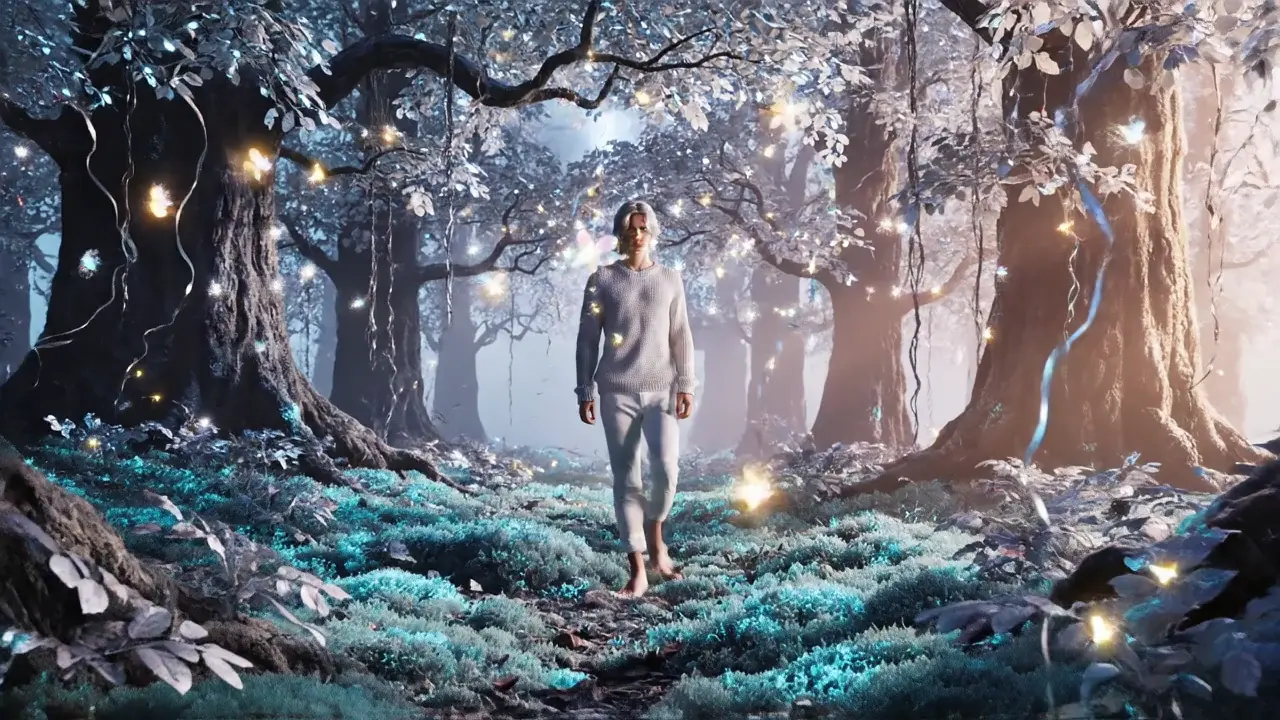
Person walking in enchanted glowing forest: AI video extended from short clip using Viddo AI
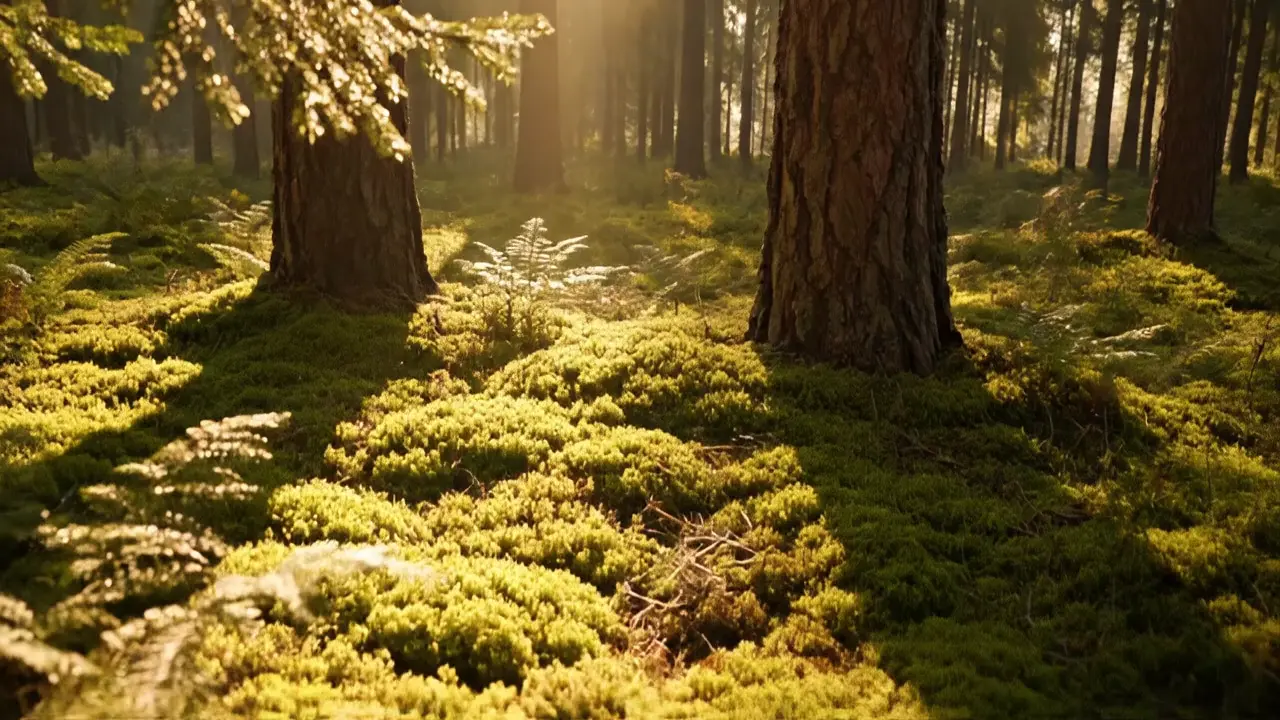
Sunlit forest with mossy ground: extended cinematic video created by Viddo AI Video Extend

주요 특징

Video Extend는 비디오 재생 시간을 무한정 연장할 수 있는 강력한 도구입니다. 사용하기 쉽고 생성이 빠릅니다.

무제한 비디오 길이 확장

현재 Veo 3.1, Veo 3, Wan2.5, Wan2.6 및 Runway와 같은 AI 모델과 호환됩니다. 먼저 이러한 모델 중 하나를 사용하여 기본 비디오를 생성한 다음 [확장] 버튼을 클릭하여 원활한 콘텐츠를 계속 이어보세요.

빠른 비디오 생성

AI가 자동으로 스타일과 매개변수를 분석합니다. 확장 시 복잡한 설정이 필요하지 않아 효율적인 영상 제작이 가능합니다.

제로 임계값 생성

촬영이나 기본적인 편집 기술이 필요하지 않습니다. 텍스트를 비디오로, 이미지를 비디오로 출력 모두 직접 확장할 수 있습니다.

일관된 문자

확장하는 동안 프레임 끊김 없이 이전 비디오의 스타일, 캐릭터 이미지, 빛/그림자 톤을 자동으로 상속합니다.

자연스러운 전환

단편화 느낌 없이 비디오 세그먼트 간을 부드럽게 전환합니다.

일반 운영 가이드(핵심 확장 단계)

모든 확장 시나리오에 적용 가능

Step1

초기 비디오 생성

방법 1: 텍스트를 비디오로

Text to Video 기능 페이지에 들어가서 지원되는 확장 가능 모델을 선택하고 초기 프롬프트(장면, 주제/캐릭터 및 스타일을 명확하게 지정)를 입력한 후 [생성]을 클릭하면 초기 비디오가 생성됩니다.

방법 2: 이미지를 비디오로

Image to Video 기능 페이지에 들어가서 지원되는 확장 가능한 모델을 선택하고 참조 이미지를 업로드하고 보충 프롬프트를 추가하고(표시할 이미지 스타일 및 동적 세부 정보 설명) [생성]을 클릭하여 초기 비디오를 가져옵니다.

Step2

트리거 확장

초기 비디오가 생성된 후 비디오 아래의 [확장] 버튼을 찾아 클릭하면 자동으로 전용 비디오 확장 페이지로 이동합니다.

Step3

연장할 비디오 확인

점프 후 '확장할 동영상' 영역에 새로 생성된 초기 동영상이 자동으로 로드됩니다. 수동으로 선택할 필요가 없습니다. 다음 단계로 바로 진행하세요.

Step4

첫 번째 확장

페이지의 프롬프트 입력 상자에는 확장할 내용을 명확하게 설명하고(예: "캐릭터가 문으로 걸어가서 문을 밀고 열었다가 방에 들어갑니다.") 초기 프롬프트와 동일한 스타일과 자세한 설명을 유지하는 것이 좋습니다. 지속 시간이나 해상도와 같은 매개변수를 설정할 필요가 없습니다. 시스템이 자동으로 이전 비디오의 매개변수와 일치합니다. [생성] 버튼을 클릭하고 3~4분 정도 기다리면 확장이 완료됩니다.

Step5

다중 확장

각 확장 후 성공적으로 확장된 영상 아래의 [확장] 버튼을 클릭하세요. "확장할 비디오" 영역이 자동으로 업데이트됩니다. 다음 프롬프트를 직접 입력하고 [생성]을 클릭하면 무제한 확장이 가능합니다.

예제 모듈

88초 길이의 사이버펑크 정비사 모험 단편 영화 만들기

다음은 전체 과정을 빠르게 익히는 데 도움이 되는 88초 사이버펑크 단편 영화(주인공 "Kael"의 모험 이야기) 제작에 대한 단계별 가이드입니다. 이 예에서는 오프닝 클립에 텍스트를 비디오로 변환한 다음 확장을 통해 나머지 부분을 완성하여 11개의 정확한 프롬프트(직접 복사 가능)와 함께 전체 88초 비디오를 얻습니다.

핵심 자료 예시: 복사 준비가 된 프롬프트 11개

이러한 프롬프트는 직접 사용할 준비가 된 일관된 주인공 이미지로 "주인공 출현 → 임무 수락 → 장애물 극복 → 코어 수리 → 안전한 대피"의 전체 플롯을 포괄하는 확장 논리에 최적화되어 있습니다.
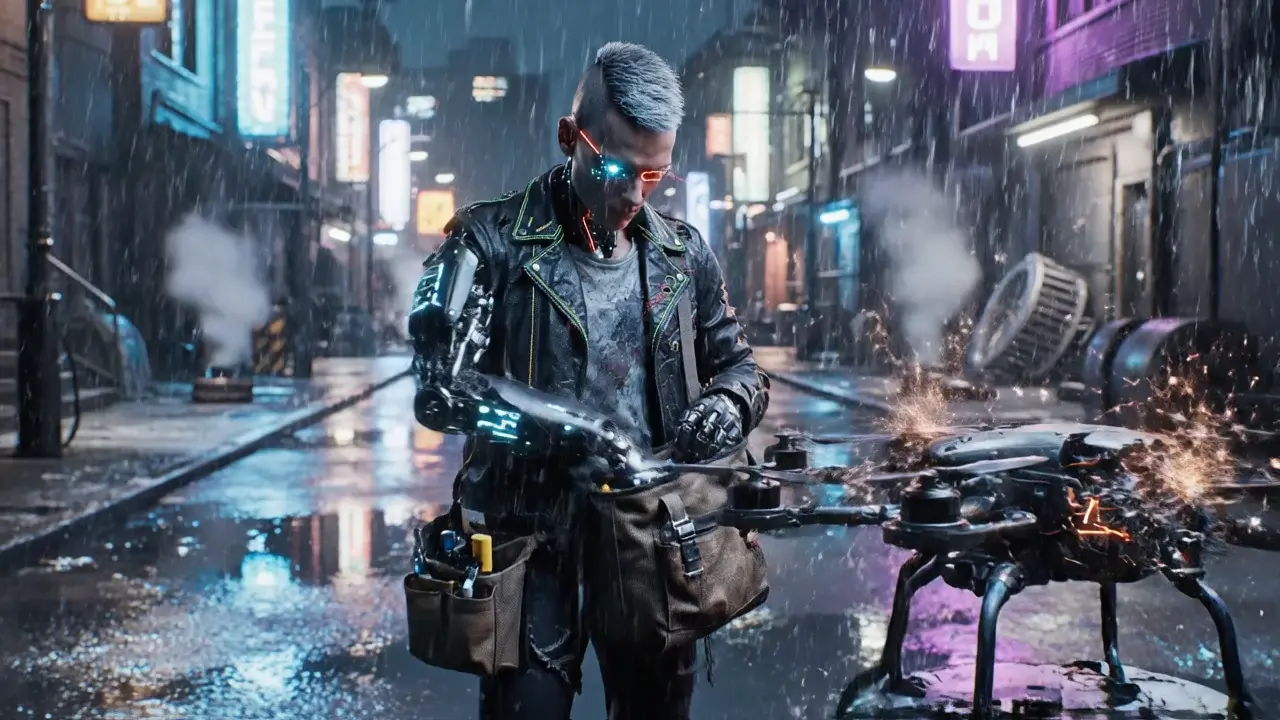
1.Cyberpunk slum alley at night, neon blue-purple lights reflect on oil-stained ground, Kael (silver mohawk, glowing cyan cyber eye with red scan line, matte black mechanical arm with exposed neon blue circuits, tattered black leather jacket with neon stitching, grease-stained gray t-shirt underneath) leans on a broken drone, checks tools in his bag, high-fidelity light tracing, soft rain drizzle, low-contrast dark background, smooth subtle body movements

2.Kael (silver mohawk, glowing cyan cyber eye with red scan line, matte black mechanical arm with exposed neon blue circuits, tattered black leather jacket with neon stitching, grease-stained gray t-shirt underneath) picks up a glowing ancient data chip, glowing cyan cyber eye with red scan line flashes blue to scan it, holographic prompt pops up: "Ancient AI core in the abandoned tower", lens slow zooms on his serious face, background neon signs flicker, sharp hologram details, smooth eye movement, no frame lag

3.Kael (silver mohawk, glowing cyan cyber eye with red scan line, matte black mechanical arm with exposed neon blue circuits, tattered black leather jacket with neon stitching, grease-stained gray t-shirt underneath) stands up, holds tool bag in left hand, turns around and glowing cyan cyber eye with red scan line quickly scans the behind environment, walks toward the distant glowing abandoned tower, matte black mechanical arm with exposed neon blue circuits swings slightly, alley cats scurry by, dynamic motion interpolation, neon edge sharpening, stable walking track, consistent dark tone

4.Iron gate creaks open, Kael (silver mohawk, glowing cyan cyber eye with red scan line, matte black mechanical arm with exposed neon blue circuits, tattered black leather jacket with neon stitching, grease-stained gray t-shirt underneath) throws the tool bag away, runs into the tower lobby, broken machines scattered around, blue-purple emergency lights flicker, lens follows his running figure, echoes in the empty space, soft shadow layering, subtle dust floating, seamless frame connection

5.A faulty security robot suddenly activates, red warning lights flash, attacks Kael, Kael (silver mohawk, glowing cyan cyber eye with red scan line, matte black mechanical arm with exposed neon blue circuits, tattered black leather jacket with neon stitching, grease-stained gray t-shirt underneath) dodges sideways, matte black mechanical arm with exposed neon blue circuits blocks the robot's claw, tense atmosphere, dynamic contrast boost, smooth dodge motion, sharp metal collision details

6.Kael (silver mohawk, glowing cyan cyber eye with red scan line, matte black mechanical arm with exposed neon blue circuits, tattered black leather jacket with neon stitching, grease-stained gray t-shirt underneath) uses his matte black mechanical arm with exposed neon blue circuits to stab the robot's core, blue-purple current surges, robot shuts down with a spark, Kael pants slightly, checks matte black mechanical arm with exposed neon blue circuits for damage, realistic current effect, soft breathing motion, fine texture rendering

7.Kael (silver mohawk, glowing cyan cyber eye with red scan line, matte black mechanical arm with exposed neon blue circuits, tattered black leather jacket with neon stitching, grease-stained gray t-shirt underneath) continues upward, climbs the rusty metal staircase, glowing cyan cyber eye with red scan line illuminates the dark path, background shows the city's neon skyline through broken windows, smooth climbing motion, soft ambient light, clear distant city details

8.Kael (silver mohawk, glowing cyan cyber eye with red scan line, matte black mechanical arm with exposed neon blue circuits, tattered black leather jacket with neon stitching, grease-stained gray t-shirt underneath) reaches the tower's top floor, a huge glowing ancient AI core floats in the center, surrounded by broken circuits, blue-purple light overflows, Kael walks slowly toward the huge glowing ancient AI core, eyes fixed on the core, dreamy glow diffusion, slow forward step, high-detail core texture

9.The AI core's light flickers abnormally, red error signs appear, Kael (silver mohawk, glowing cyan cyber eye with red scan line, matte black mechanical arm with exposed neon blue circuits, tattered black leather jacket with neon stitching, grease-stained gray t-shirt underneath) quickly pulls out a repair module, inserts it into the core, matte black mechanical arm with exposed neon blue circuits twists to fix the circuit, dynamic error light effect, smooth repair motion, high-contrast red-blue mix

10.The tower shakes slightly, hidden exits open, Kael (silver mohawk, glowing cyan cyber eye with red scan line, matte black mechanical arm with exposed neon blue circuits, tattered black leather jacket with neon stitching, grease-stained gray t-shirt underneath) smiles slightly first, then turns around, walks toward the exit, AI core sends a blue light to his glowing cyan cyber eye with red scan line (a gift of data), subtle tower shake, smooth walking motion, soft light interaction effect

11.Kael (silver mohawk, glowing cyan cyber eye with red scan line, matte black mechanical arm with exposed neon blue circuits, tattered black leather jacket with neon stitching, grease-stained gray t-shirt underneath) walks out of the tower, the sun rises slightly (dawn in cyberpunk city), neon lights fade, his matte black mechanical arm with exposed neon blue circuits glows with the AI's blue light, he looks at the city, warm dawn light mix, smooth perspective transition, clear city outline

복사 프롬프트

예제 작업 단계(핵심 프로세스 데모)

예제 작업 단계(핵심 프로세스 데모)
Step1

오프닝 비디오 생성

텍스트를 비디오로 페이지에 들어가서 지원되는 확장 가능한 모델을 선택하고 프롬프트 1을 붙여넣은 후 [생성]을 클릭하여 완료될 때까지 기다립니다.

Step2

확장 페이지 입력

생성 후 비디오 아래의 [확장]을 클릭하면 시스템이 비디오 확장 페이지로 이동하고 비디오를 "확장할 비디오" 영역에 자동으로 로드합니다.

Step3

첫 번째 확장

Video Extend 페이지의 입력란에 Prompt 2를 붙여넣고 [Generate]를 클릭하면 시스템이 자동으로 끊김 없는 확장 콘텐츠를 생성합니다.

Step4

전체 비디오 확장 완료

첫 번째 확장 후 직접 [확장]을 클릭하면 '확장할 영상' 영역이 새로 확장된 영상으로 업데이트됩니다. 3단계를 반복하고 프롬프트 3~11을 순서대로 붙여넣고 매번 [생성]을 클릭하면 전체 88초 사이버펑크 단편 영화를 얻을 수 있습니다.

주요 특징

Video Extend는 비디오 재생 시간을 무한정 연장할 수 있는 강력한 도구입니다. 사용하기 쉽고 생성이 빠릅니다.

프롬프트를 일관되게 유지

확장 프롬프트는 이전 콘텐츠와 논리적으로 연결되어야 합니다. 예를 들어, 초기 프롬프트가 "책을 읽고 있는 카페에 앉아 있는 소녀"라면 확장 프롬프트는 플롯의 중단을 피하기 위해 "소녀가 책을 닫고 웨이터에게 손을 흔들고 있습니다"가 될 수 있습니다.

통합된 상세 설명

캐릭터나 고정된 주제의 경우 모든 프롬프트는 확장 후에도 주제 이미지가 일관되게 유지되도록 핵심 세부정보(예: 캐릭터의 헤어스타일, 의복, 액세서리, 개체의 색상 및 모양)를 정확하게 설명해야 합니다.

스타일 키워드 재사용

초기 프롬프트의 명확한 스타일 키워드(예: '사이버펑크', '신선한 일본 스타일', '복고풍 영화')를 후속 확장 프롬프트에 복제하여 전체적으로 일관된 스타일을 유지합니다.

자주 묻는 질문

1

확장된 영상 스타일이 이전 콘텐츠와 맞지 않으면 어떻게 되나요?

핵심은 확장 프롬프트에 일관된 스타일 키워드와 자세한 설명을 포함하는 것입니다. 예를 들어 초기 프롬프트에 "복고풍 영화 스타일, 따뜻한 노란색 톤"이 있으면 이러한 세부 정보를 확장 프롬프트에 추가하세요. 스타일 편차가 이미 발생한 경우 확장 프롬프트에 "이전 비디오와 동일한 복고풍 영화 스타일과 따뜻한 노란색 톤을 유지합니다"라고 명시하고 다시 생성합니다.

2

확장된 콘텐츠가 예상 플롯과 일치하지 않으면 어떻게 되나요?

프롬프트의 정확성을 높이고 모호한 설명을 피하세요. 예를 들어, 느린 걷기에 대해 "캐릭터 이동"이라고 쓰는 대신 "캐릭터가 꾸준한 발걸음으로 천천히 앞으로 걷는다"라고 지정합니다. 문제가 지속되면 프롬프트에 "XX 작업을 포함하지 않음" 또는 "XX 세부 정보에 집중"과 같은 제약 조건을 추가하여 AI 생성 범위를 좁힙니다.

3

확장된 이미지-비디오 콘텐츠가 참조 이미지에서 크게 벗어나는 이유는 무엇입니까?

확장 프롬프트에서 참조 이미지의 핵심 요소를 명시적으로 연결합니다. 예를 들어, 참조 이미지가 "소파에 누워 있는 흰 고양이"인 경우 확장 프롬프트는 "흰 고양이가 소파에서 뛰어내려 음식 그릇으로 걸어갑니다"와 "고양이의 털 색상 및 크기를 참조 이미지와 일치하게 유지"이어야 참조 요소에 대한 AI의 기억을 강화할 수 있습니다.

4

동일한 비디오를 여러 방향으로 여러 번 확장할 수 있나요?

예. 초기 영상을 생성한 후 먼저 확장 방향 하나를 완성하고 다운로드합니다. 그런 다음 "확장할 비디오" 옆의 [변경]을 클릭하고 비디오 선택을 통해 초기 비디오를 선택한 후 새로운 방향에 대한 프롬프트를 입력하여 다른 플롯으로 확장된 콘텐츠를 생성합니다.

5

확장된 비디오를 저장하는 방법은 무엇입니까?

각 확장 후에는 [다운로드] 버튼이 페이지에 나타납니다. 이 버튼을 클릭하면 확장된 전체 비디오를 로컬에 저장할 수 있습니다. 생성되고 확장된 모든 비디오는 언제든지 보고 다운로드할 수 있도록 계정의 "내 창작물"에 자동으로 동기화됩니다.

6

확장 메시지의 이상적인 길이는 얼마입니까?

800자 이내로 유지하세요. 길 필요는 없지만 핵심 정보(주제 액션 장면)가 포함되어야 합니다. 지나치게 짧은 프롬프트는 AI 편차를 유발할 수 있습니다. 프롬프트가 너무 길면 플롯 초점이 희석될 수 있습니다. 간결하고 정확한 설명이 더 나은 결과를 가져옵니다.

viddo.ai

Viddo AI is an advanced all-in-one AI video and image generation platform that lets you quickly and easily create stunning videos and images from various inputs.

© 2025 viddo.ai. All rights reserved.