

Jisoo Addicted AI: Create Your Own Viral Dance Video
November 2, 2026 | Flips
Jisoo Addicted AI: How to Create Your Own Viral Dance Video
K-pop dance challenges have always been a great source of viral content, and the Jisoo Addicted dance trend is another example of how quickly a catchy performance can spread across social media.
Instead of learning the choreography yourself or recording multiple takes, you can now use AI video generation to create your own version of a dance video.
With a single photo and a carefully written prompt, AI can help transform a regular portrait into an entertaining dance clip.
In this guide, we'll explain what the Jisoo Addicted AI trend is, how to create an AI dance video, and which prompts can help you get better results.
What Is the Jisoo Addicted AI Trend?
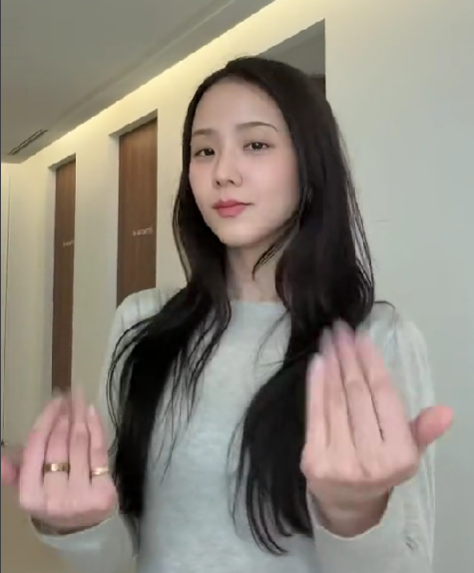
The Jisoo Addicted AI trend is inspired by the dance content associated with Jisoo and her song "ADDICTED."
The appeal is simple: people enjoy seeing familiar faces perform popular choreography, and AI makes it easier to recreate that kind of content without recording the dance themselves.
Creators can experiment with different characters, outfits, backgrounds, and visual styles while keeping the overall dance concept recognizable.
This makes it an interesting format for TikTok, Instagram Reels, and YouTube Shorts.
How to Create a Jisoo Addicted AI Dance Video
You don't need professional dancing skills or expensive recording equipment. An AI video generator can handle much of the animation process.
Here is a simple workflow using Viddo.ai.
Step 1: Prepare a Good Photo
Start with a clear photo of the person you want to animate.
For the best results:
-
Choose a full-body or three-quarter-body photo.
-
Make sure the arms and legs are clearly visible.
-
Avoid photos with multiple overlapping people.
-
Use a front-facing or slightly angled pose.
-
Choose an image with good lighting and a relatively simple background.
A clear reference image helps the AI understand the person's appearance and body proportions.
Step 2: Choose a Dance Reference
Find a dance reference video that demonstrates the movements you want to recreate.
If your AI video model supports video references or motion transfer, upload the reference clip.
Make sure you have permission to use any reference material, particularly when publishing commercial content.
Step 3: Generate Your AI Dance Video
Open Viddo.ai and select a suitable image-to-video or reference-video generation model.
Upload your photo and dance reference if supported by your selected model.
Then enter a detailed prompt describing the movements, camera angle, environment, and visual style.
Step 4: Review and Improve the Result
After generation, check whether:
-
The character maintains a consistent appearance.
-
The arms and legs move naturally.
-
The choreography follows the intended reference.
-
The camera remains stable.
-
The background does not change unexpectedly.
If the result isn't quite right, adjust your prompt and try again.
Best Jisoo Addicted AI Dance Prompts
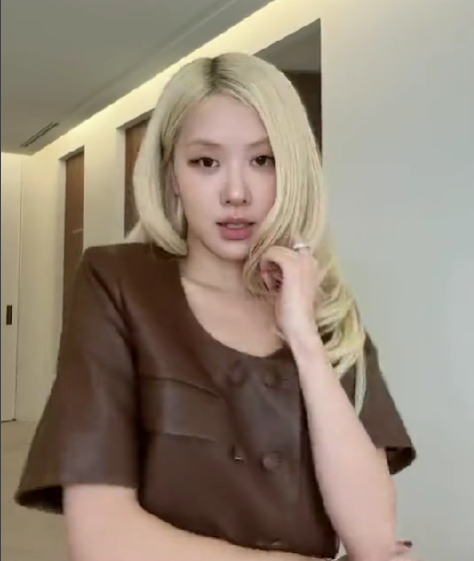
A good prompt should describe more than just "a person dancing."
Include the choreography, body movements, camera behavior, lighting, and character consistency.
Here are several prompts you can experiment with.
Prompt 1: K-pop Dance Challenge
A stylish young woman performing an energetic K-pop dance routine inspired by modern Korean pop choreography. She moves confidently with precise arm movements, coordinated footwork, smooth hip movements, and expressive facial expressions. Full-body framing, synchronized movements, natural body proportions, realistic motion, professional dance studio lighting, high-quality music video aesthetic.
Prompt 2: Cinematic K-pop Performance
A confident female performer dancing in a stylish modern studio with dramatic cinematic lighting. She performs a coordinated K-pop dance routine with smooth transitions, sharp hand gestures, rhythmic body movements, and expressive poses. The camera captures her entire body with fluid cinematic movement. Realistic human anatomy, consistent facial features, detailed clothing, professional music video production quality.
Prompt 3: Cute and Playful Dance Version
A cheerful young woman performing a playful K-pop dance challenge. She smiles naturally while following rhythmic choreography with cute hand gestures, light footwork, coordinated body movements, and energetic expressions. Bright pastel studio background, soft lighting, smooth animation, realistic human movement, full-body composition.
Prompt 4: Professional Idol Dance Performance
A professional female K-pop idol performing a synchronized dance routine on a beautifully designed stage. Precise choreography, sharp arm movements, coordinated footwork, confident facial expressions, elegant body posture, colorful stage lights, dynamic camera angles, realistic movement, high-detail music video aesthetic.
Prompt Tip: If your model supports reference-video guidance, use the dance reference to control the actual choreography. Text prompts are better for describing the visual style and movement details, while reference videos can help guide specific dance movements.
Tips for Getting Better Jisoo AI Dance Results
1. Use Full-Body Reference Images
Dance generation requires the model to understand the entire body. A cropped portrait may produce unnatural legs or incomplete movements.
2. Keep the Character Consistent
If you want the same character throughout the video, explicitly describe consistent facial features, hairstyle, clothing, and body proportions.
3. Avoid Overly Complicated Movements
Very complicated choreography can increase the chance of distorted hands, unnatural joints, or inconsistent movements.
Start with simple choreography before experimenting with more complex dance sequences.
4. Pay Attention to Video Duration
Short dance clips are often easier to generate consistently. Start with a short clip and extend it if the result looks good.
5. Choose the Right AI Video Model
Different models handle body movement, reference images, and video references differently. Test a few options to find the one that best matches your desired result.
Why Use Viddo.ai for AI Dance Videos?
Viddo.ai brings multiple AI video generation models together in one platform.
Instead of switching between different websites, you can experiment with different models and workflows in one place.
With Viddo.ai, you can:
-
Turn photos into AI dance videos.
-
Experiment with different video generation models.
-
Use image and video references where supported.
-
Create content for TikTok, Instagram Reels, and YouTube Shorts.
-
Explore different visual styles and animation effects.
Ready to try the Jisoo Addicted AI trend?
Visit Viddo.ai, upload your photo, choose an image-to-video model, and start creating your own AI dance video.
Frequently Asked Questions
1. What is Jisoo Addicted AI?
Jisoo Addicted AI refers to AI-generated dance videos inspired by the dance content associated with Jisoo and her song "ADDICTED." Creators use AI tools to animate photos and experiment with similar dance styles.
2. How can I make a Jisoo Addicted AI dance video?
Upload a clear photo to an AI video generator, choose a suitable dance reference if supported, enter a detailed prompt, and generate your video.
3. Can I turn my own photo into a Jisoo-style dance video?
Yes. You can use your own photo as a character reference and generate a dance video with a similar K-pop-inspired visual style.
4. Do I need dancing skills to create AI dance videos?
No. AI video generation can animate a character based on text prompts or reference videos, depending on the model's capabilities.
5. Which AI model is best for K-pop dance videos?
It depends on your requirements. Models with strong motion consistency and reference-video capabilities are generally worth testing for dance generation.
6. Can I post AI dance videos on TikTok and Instagram?
Generally, yes, subject to each platform's content policies and the rights associated with the images, music, and reference materials you use. Make sure you have permission to use copyrighted or identifiable third-party material.
7. Can I create AI dance videos for free?
Some AI video platforms offer free credits or limited trial generations. Viddo.ai provides access to different AI video generation options, with availability depending on your plan.
Final Thoughts
The Jisoo Addicted AI dance trend shows how AI can make popular dance formats more accessible to everyday creators.
You don't need to be a professional dancer or own a recording studio. With a good photo, a suitable reference video, and a detailed prompt, you can experiment with your own K-pop-inspired dance content.
Try different prompts, test different AI models, and create a version that matches your style.