
Seedance 2.0: As low as $0.345 per video
Veo3.1 Lite: As low as $0.0575 per video

Viddo AI is an advanced all-in-one AI video and image generation platform that lets you quickly and easily create stunning videos and images from various inputs. These AI Model powered by Google, OpenAI, Grok AI, ByteDance, Alibaba, Kling, Runway, Vidu, Minimax, Elevenlabs, Midjourney,and so on.
From single characters to multi-character dialogues:
give every character a fixed, recognizable voice
Viddo.ai Tutorial Hub · July 2026
When producing AI short dramas, most creators pour their energy into visuals — character consistency, scene continuity, camera movement… And yes, those matter. But there is a problem that is more insidious than a visual glitch and more likely to pull the audience out of the story, yet it gets ignored time and again:
In one scene the character sounds like a teenager; in the next, a mature adult.
The visuals haven’t broken, but the voice has already shattered the illusion. Even worse is a multi-character dialogue scene — the male lead, the female lead, and the villain are all talking, yet the generated voices sound like one person doing a monologue, or every clip swaps to a different voice entirely.
This isn’t a tool limitation. It’s a workflow gap. This tutorial fixes that — no abstract theory, only actionable, step-by-step methods, all workflows tested on Viddo.ai AI short drama generator.
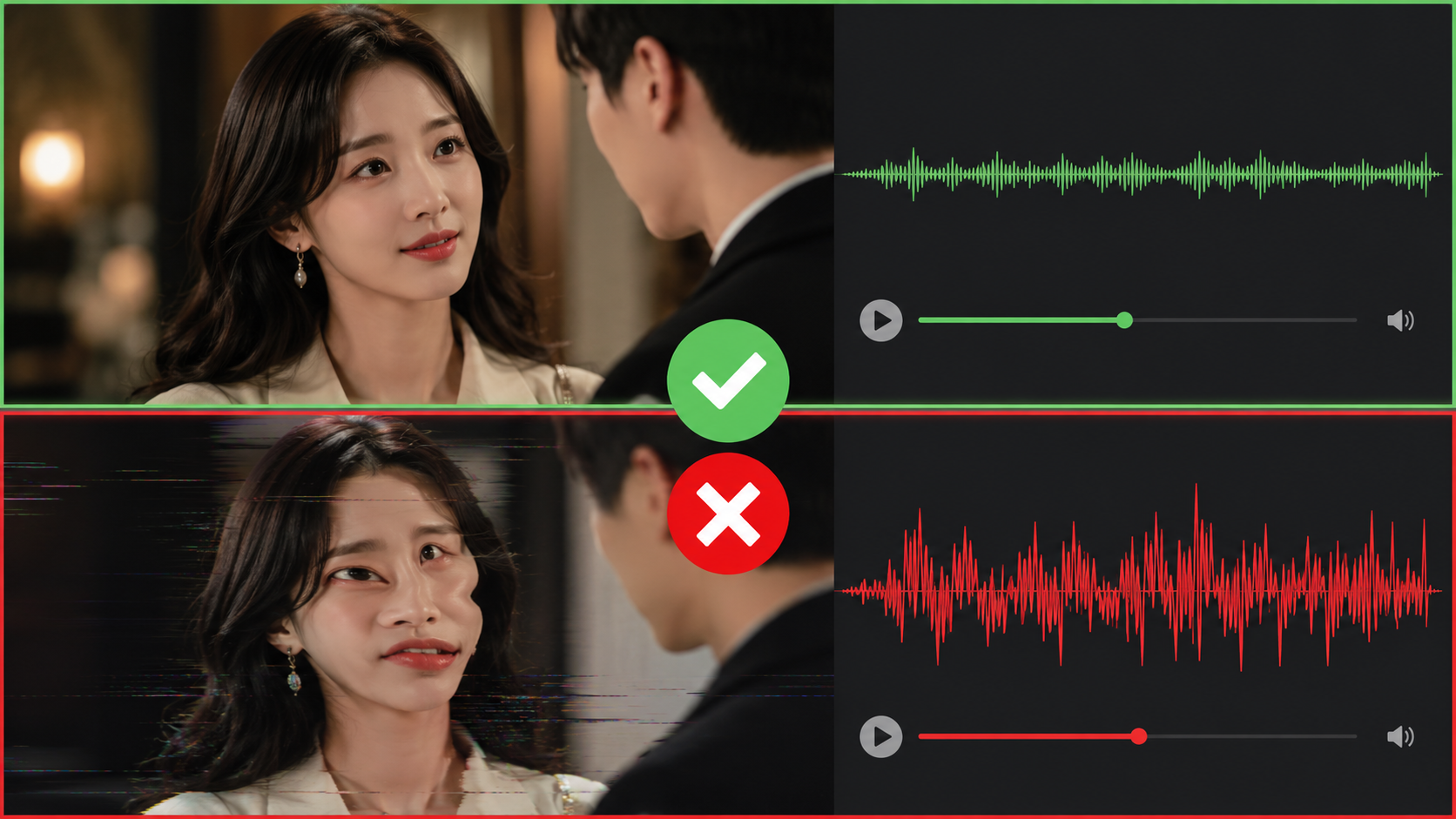
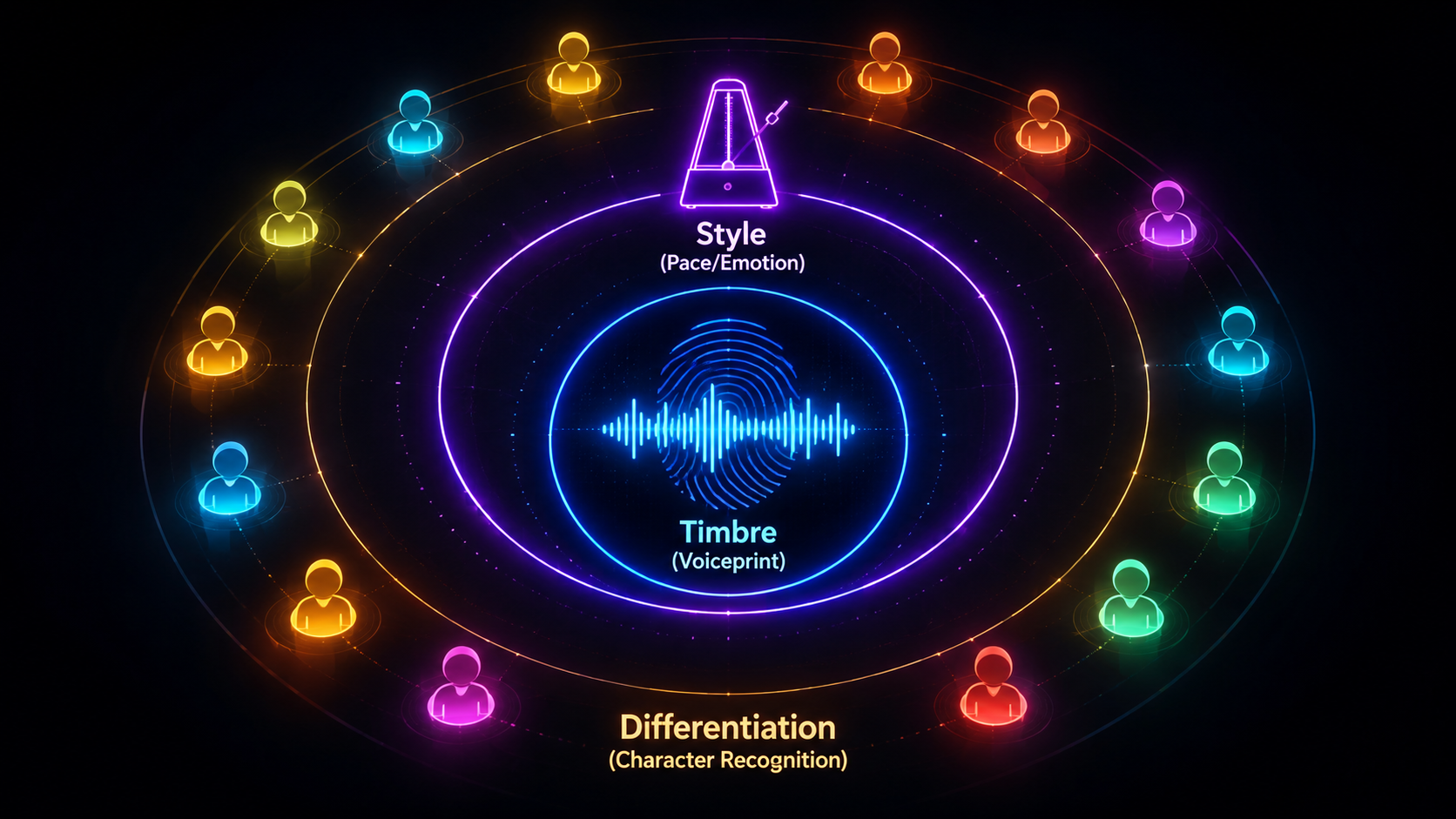
Voice consistency is not a single-dimensional problem. To make a character "sound like the same person across every clip," you need to control three layers simultaneously:
Timbre is what makes one person sound different from another. Just as faces have features, voices have a "voiceprint" — spectral characteristics, formant patterns, harmonic structures. The first step in voice consistency is ensuring the same character maintains the same voiceprint across different clips.
Even with the right timbre, if a character speaks rapidly and energetically in one clip but sluggishly and flatly in the next, the audience will still feel something is off. Style consistency includes:
In multi-character dialogue scenes, different characters must have sufficiently distinct voices. The audience identifies characters by voice as much as by appearance. If the hero and the villain sound alike, the audience loses track of who is speaking. The more stable the voice, the stronger the character.
This is the most commonly used method and the most efficient one in practice.
Core Logic:
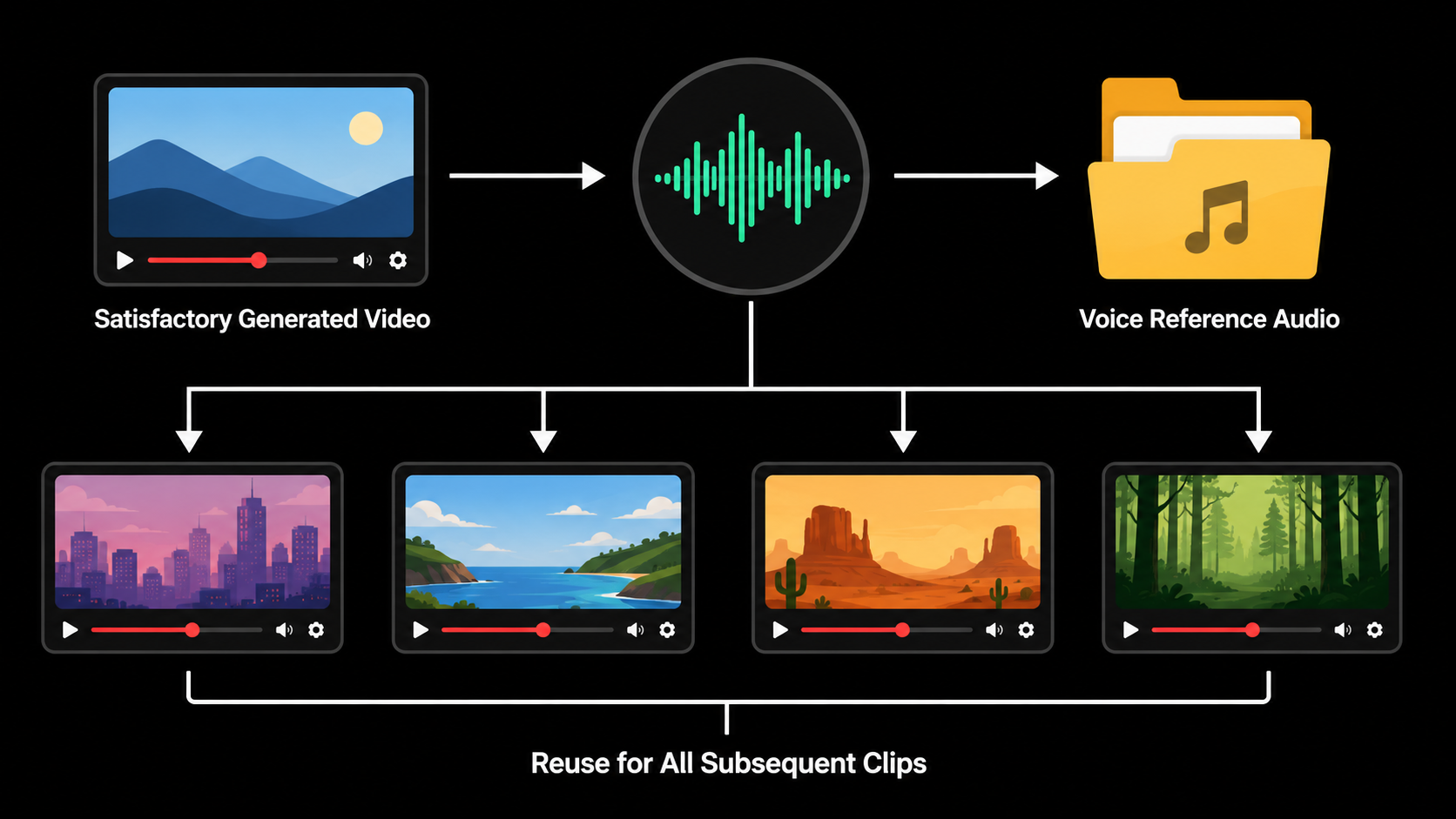
When generating AI videos, you sometimes land on a take where the voice perfectly matches the character — the tone is right, the emotion is right, the rhythm is right. This kind of gold should never be treated as a one-off result. Extract it and turn it into the voice reference for every subsequent clip of that character.
Step-by-step:
Step 1 Import the generated video into your editing software.
Step 2 Right-click the video clip and select "Audio Separation" or "Voice Separation."
Step 3 Run vocal isolation on the extracted audio (remove background music and sound effects, keep only the human voice).
Step 4 Export the clean vocal track as WAV or MP3.
|
Key Detail |
The extracted audio isn’t just for archiving. Its purpose is: when generating new video clips later, upload it as a voice reference to the AI video generation tool, telling the model "this character should sound like this."
How to apply:
Step 1 In the AI video generation tool, go to the dubbing / voice settings.
Step 2 Select "Upload Reference Audio" or "Voice Reference."
Step 3 Upload the clean vocal clip you just trimmed.
Step 4 Link the corresponding character reference image and scene reference image.
Step 5 Enter the video prompt and generate the new clip.
The generated video will no longer assign a random voice to the character. Instead, it will reference your uploaded audio and maintain timbral consistency.
What if you’re starting from zero and have no existing video material? The answer: don’t rely on random luck — actively design the character’s voice.
Core Philosophy:
Many creators treat dubbing as "pick a random preset voice and move on." But a truly memorable character demands a voice designed to match their personality, age, and role. Not random selection — intentional voice design.
Different character types should have distinct vocal traits. Here is a battle-tested voice design template:
|
Character Type |
Timbre Traits |
Pace |
Emotional Baseline |
Signature |
|
Child / Teen |
Bright, clear |
Fast |
Lively, energetic |
Rising intonation at sentence ends |
|
Young Male |
Clean, resonant |
Medium |
Confident, strong |
Crisp articulation |
|
Mature Female |
Warm, rounded |
Medium-slow |
Gentle, nurturing |
Breathy undertone |
|
Elderly |
Deep, slightly hoarse |
Slow |
Calm, weathered |
More pauses |
|
Villain |
Cool, restrained |
Slow |
Menacing, controlled |
Flat intonation, minimal variation |
|
Comic Relief |
Exaggerated, variable |
Fast |
Goofy, unserious |
Frequent filler words |
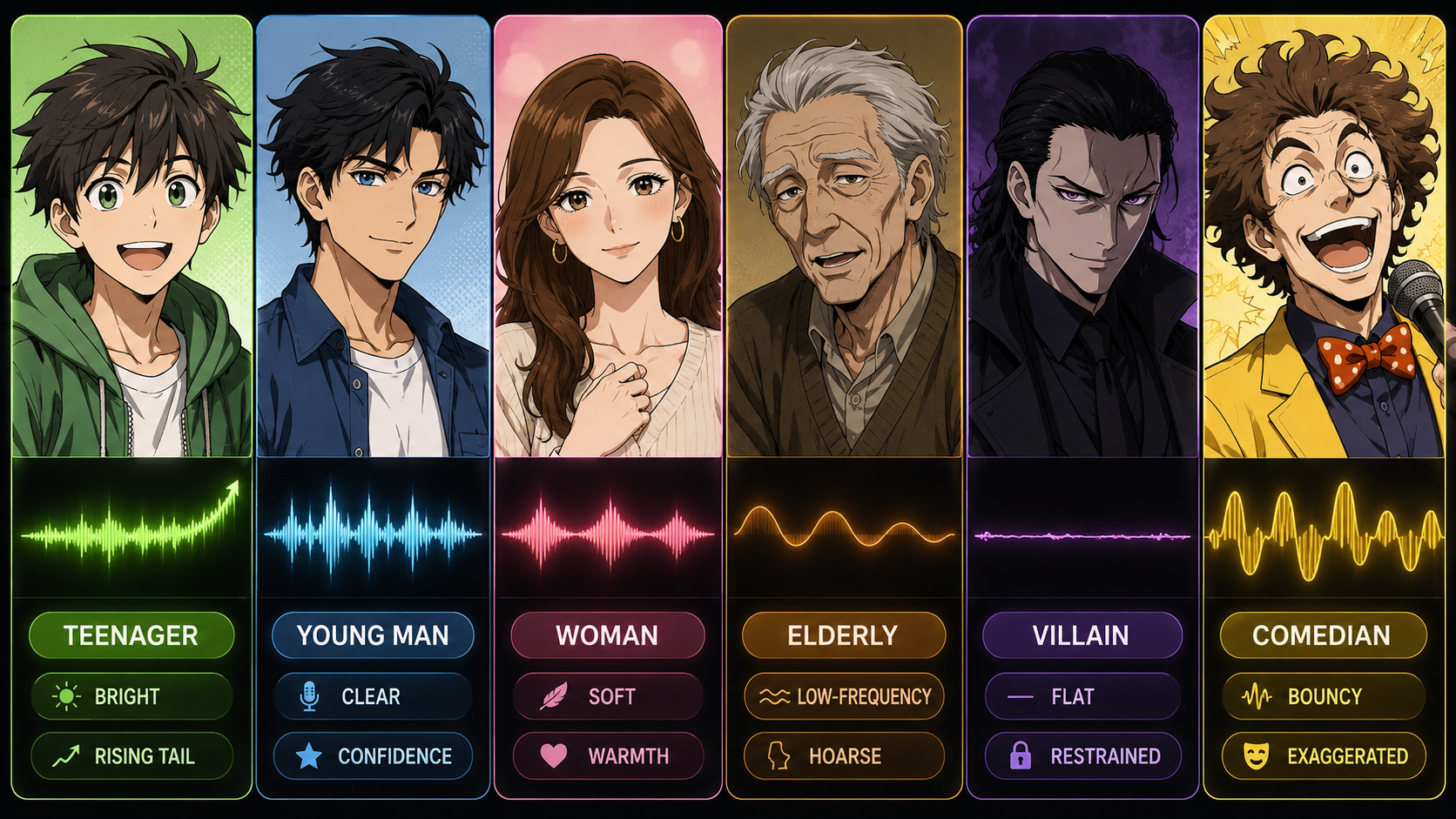
Example: designing a voice for an "innocent child" character:
Step 1 Define the character profile: age, personality, speaking habits.
Step 2 Write sample dialogue that fits the character: e.g., "This ice cream is so good!"
Step 3 In the AI dubbing tool, select a preset voice that is close to the target.
Step 4 Adjust parameters: increase pace, raise pitch, set volume to moderate.
Step 5 Listen and fine-tune until the voice "feels like" the character.
Step 6 Generate the final audio and save it as the character’s voice reference.
|
Design Cheat Sheet |
Single-character voice consistency is relatively straightforward. The real nightmare is multi-character dialogue — three characters talking at once, each needing a stable, distinct voice that doesn’t bleed across clips.
For multi-character scenes: extract or design a separate voice reference for each character. Just as each character has their own reference image, each must have their own voice reference.
Step 1 Prepare a separate voice reference audio for each main character (3–5 seconds each).
Step 2 In the video generation tool, bind each audio clip to its corresponding character.
Step 3 In the prompt, clearly label "who is speaking" — add the character name before each line of dialogue.
Step 4 @-mention the corresponding audio file at each dialogue position.
Step 5 Tag the emotional state at the time of speaking.
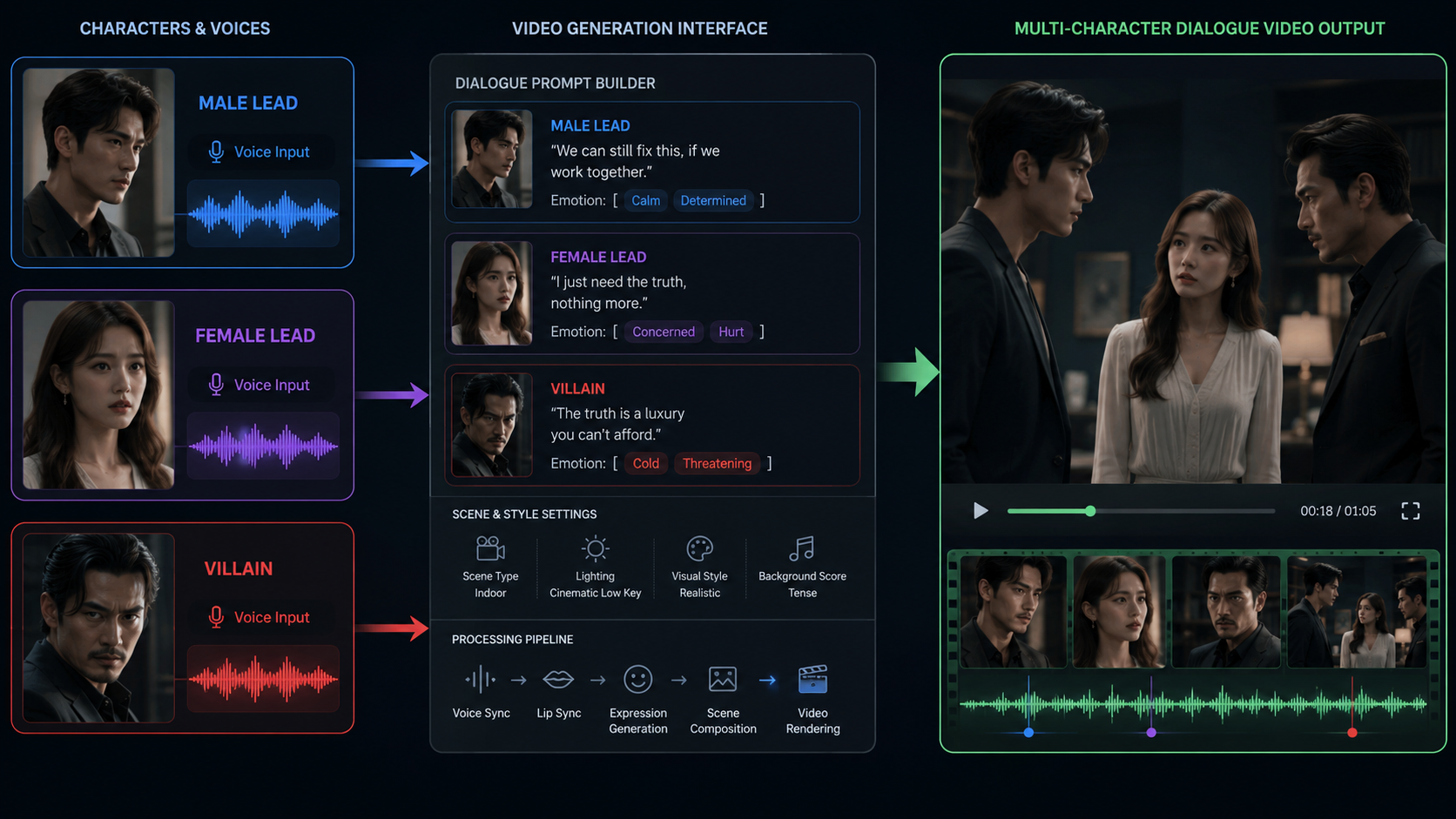
The quality of your prompt directly determines whether the AI assigns voices correctly. Recommended format:
|
[ Prompt Template Example ] |
|
Prompt Essentials |
After generating a multi-character scene, run a "differentiation audit": close your eyes and listen — can you tell who is speaking by voice alone? If not, the differentiation is insufficient and you need to go back and widen the vocal gap.
Differentiation checklist:
Prompts are the instructions for AI video generation. When it comes to voice consistency, prompt quality directly determines whether the AI interprets your intent correctly. Most voice problems stem not from tool limitations, but from vague prompts.
Single-character scenes are simpler, but you still need to bind the voice reference:
|
[ Single-Character Template ] |
Multi-character scenes require more granular annotation. Core principle: every line of dialogue must have a character tag and a corresponding audio reference.
Tagging emotion in your prompt helps the AI generate voice output that fits the scene. Common emotion tags:
|
Emotion |
Tag Example |
Voice Behavior |
|
Anger |
(Tone: angry, raised volume) |
Higher pitch, faster pace, more force |
|
Sadness |
(Tone: sad, voice breaking) |
Lower pitch, slower pace, breathier |
|
Fear |
(Tone: nervous, trembling voice) |
Higher pitch, unsteady, with pauses |
|
Sarcasm |
(Tone: cold, mocking) |
Flat intonation, drawn-out endings, lower volume |
|
Tenderness |
(Tone: gentle, soft-spoken) |
Lower volume, slower pace, breathier |
|
Surprise |
(Tone: shocked, disbelief) |
Sudden pitch rise, fast then slow |
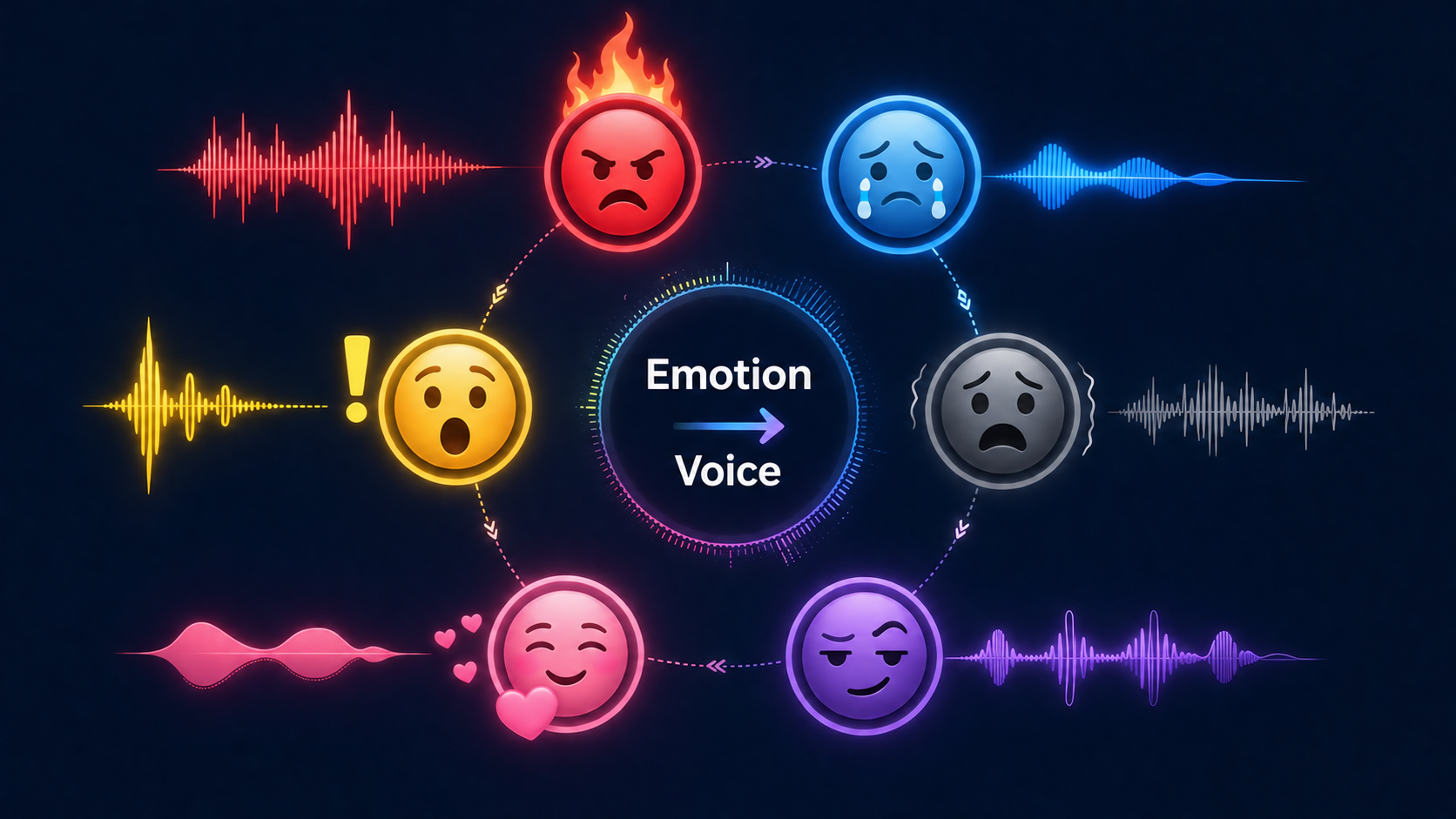
A short drama isn’t a one-episode project. From Episode 1 to Episode 10, your character’s voice must remain consistent. This requires a "Voice Asset Library" — a system that stores each character’s voice reference, design parameters, and usage guidelines as reusable assets.
Build your reusable voice asset library directly inside Viddo.ai to save cross-episode production time.
Create a "Voice Asset Card" for each character, containing:
|
Field |
Example |
Notes |
|
Character Name |
Jake |
Character identifier |
|
Character Type |
Teenager |
Reference Ch. 4 design template |
|
Timbre Description |
Bright, clear, rising intonation |
Use precise adjectives |
|
Reference Audio File |
jake_voice_v1.wav |
File naming convention |
|
Pace |
Fast (~175 wpm) |
Quantifiable parameter |
|
Pitch |
High |
Relative descriptor |
|
Default Emotion |
Lively, confident |
The character’s "baseline" |
|
Emotional Range |
Can dip to sadness, but never too heavy |
Boundaries of emotional shift |
|
Version |
v1.0 |
Iteration tracking |
|
Notes |
Ep 3: adjusted pace from 170 to 175 wpm |
Change log |
Recommended folder structure for your voice assets:
|
voice-asset-library/ |
Character voices evolve. As the story progresses, a character may grow or change, and the voice needs to follow. Always track versions for traceability:
Here is the complete, executable workflow that integrates all the methods above. It applies to both single-character shorts and complex multi-character dramas.
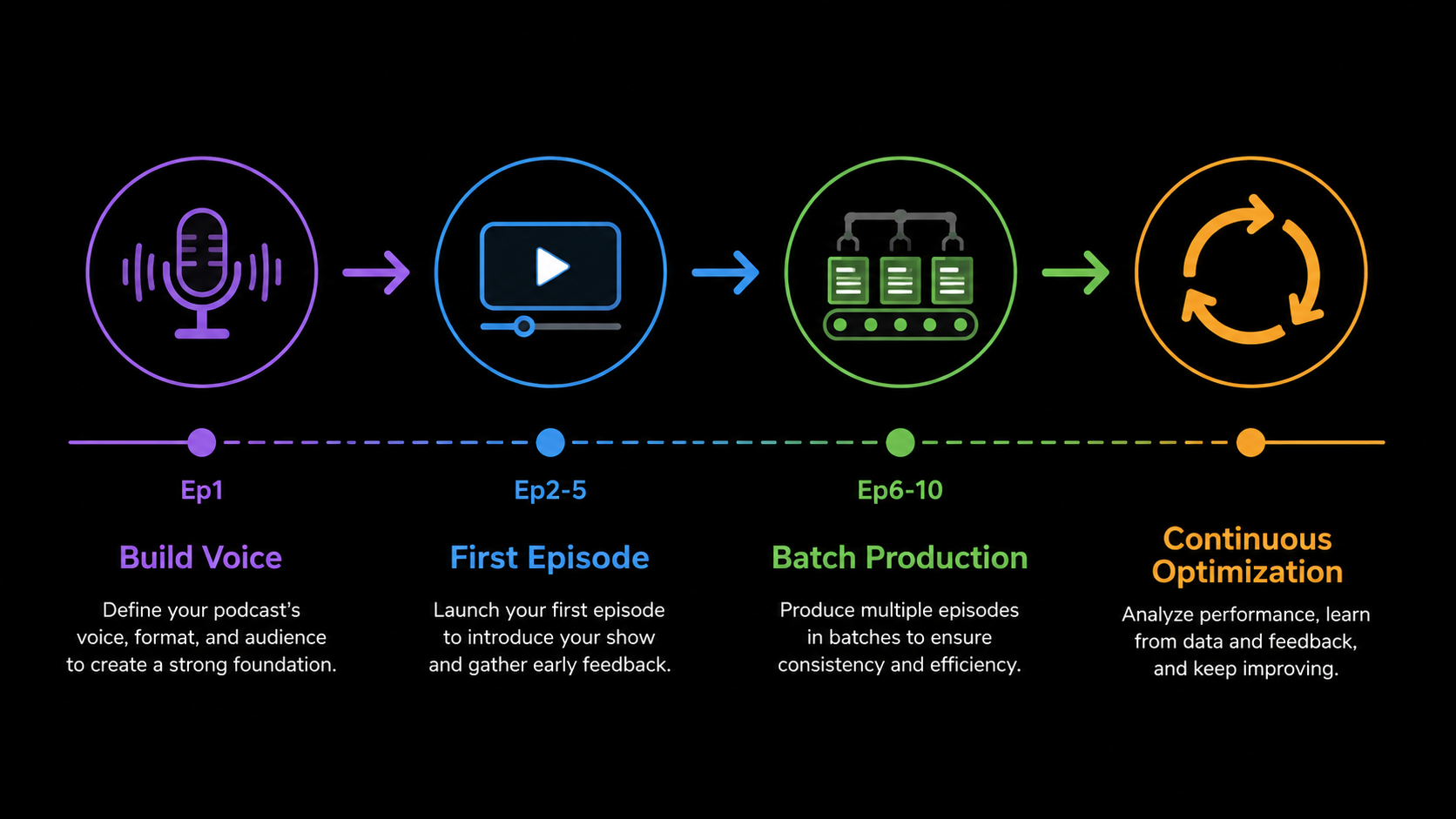
Failure 1: Same character, completely different voices across clips
Cause: No voice reference was used; the AI re-randomized the voice each time.
Fix: Extract a voice reference from the first satisfactory take (Method 1) and bind it to every subsequent clip.
Failure 2: Character voices "cross over" in multi-character dialogues
Cause: The prompt did not clearly label who is speaking, or failed to @-mention the correct audio file.
Fix: Prepend each dialogue line with the character name + @audioN + emotion tag.
Failure 3: Voices are distinct, but the same character sounds different across episodes
Cause: Different generation batches used different reference audio or parameters.
Fix: Build a Voice Asset Library; all episodes must draw from the same voice assets.
Failure 4: Voice is right, but lip sync is off
Cause: Lip-sync (audio–video alignment) was not handled properly.
Fix: Ensure audio and video frame rates are aligned; keep talking-head shots front-facing or at small angles; use quick cuts to mask lip-sync imperfections.
Failure 5: Voice distorts during intense emotional moments
Cause: Extreme emotions (shouting, crying) often degrade AI dubbing quality.
Fix: Describe emotions in the prompt text rather than letting the AI guess; manually adjust volume and pitch in post-production if needed.
Failure 6: Voice loses similarity in cross-language dubbing
Cause: Cross-language voiceprint transfer typically retains only 60–70% similarity compared to same-language output.
Fix: Lower expectations; prepare separate voice references for each language; prioritize models with strong multilingual support.
Many creators believe that as long as the visuals look good, the character is established. But something is still missing.
A character that truly draws the audience in must not only look consistent — their voice must be consistent, too, and it must have character.
Once these elements stabilize, a character stops being "a different voice in every clip" and becomes a person who continues to tell a story. The more stable the voice, the stronger the character.
Remember the two core methods:
1. Don’t waste a satisfactory take — extract it and turn it into a fixed voiceprint for the character.
2. If you have no existing material yet — design a voice that matches the character’s personality from scratch.
Consistency is the bridge that takes AI short dramas from "15-second clips" to "long-form series direction." Character, scene, voice — if any one of these breaks, the entire production falls apart.
For more AI video creation tutorials, visit the Viddo.ai Tutorial Hub.