llms
Reference
Frame

Generate With AI

If you're not satisfied, you can generate again or enter prompt for your own.

Select the aspect ratio for your Video

16:9

9:16

720p
1080p
4k
Required credits: 0

Waiting for your creations!

Image to Video AI

Bring still images to life using our advanced Image to Video AI. Turn any your photo into cinematic video - simply describe the motion you want, and let the AI handle the rest.

Experience Our Advanced All-in-One Image to Video AI

Our all-in-one AI video platform integrates the best image-to-video AI models and continuously incorporates the latest AI video technologies. Users can seamlessly access and experiment with all models on Viddo AI, eliminating to switch between multiple platforms, and enjoy a unified, cutting-edge content creation experience.

  • Sora 2 & Sora 2 Pro

  • Sora 2 Pro Storyboard

  • Google Veo 3

  • Google Veo 3.1

  • Kling V2.6

  • Kling 3.0

  • Grok imagine

  • Google Veo 3.1 Fast

  • Hailuo 2.3

  • Wan 2.6

  • Wan 2.5

  • Runway Gen-4

  • Seedance V1 Pro

  • Seedance V1 Lite

  • Kling V2.1

  • Kling V2.1 Master

  • Midjourney

Key Features of Image to Video

Continuously updating Image-to-Video models

We integrate cutting-edge AI video technologies as soon as they are released. Whether it is new models from Google, Seedance, Kling, or other emerging platforms, we ensure timely deployment so you can always access the most advanced AI video models. You don't need to switch between multiple platforms,Because you can quickly access and compare a wide range of the latest models within our platform, significantly improving both your creative efficiency and content quality.
poster

Supports Multi-image Composition Generation

With our image to video tool,you can upload multiple images at the same time and reference different image assets in the prompt using “@”, allowing precise control over different visual elements and generation effects, enabling more complex and controllable creative results.
In addition, some models also support combined image and video generation. You can provide both image and video inputs simultaneously, allowing the AI to perform multimodal fusion based on multiple references, producing richer, more coherent, and more dynamic outputs.
poster

Smart Audio Integration for Immersive Feel

Add ambient sound, background music, or even AI-generated narration that aligns with the theme and mood of your visuals. With precisely synchronized audio and visuals, your image to video creations become more immersive, emotionally engaging, and professionally polished, delivering a complete cinematic experience.
poster

Flexible and Versatile Configuration Options

You can freely choose video resolution, aspect ratio, and duration based on your creative needs. After generating a video, if you want to continue extending the storyline or scenes, simply click the “Extend Video” button below the generated result to seamlessly create longer videos with smoother and more natural continuity.
poster

How to Use Image to Video Tool

poster
  • Step1

    Sign Up or Log In to Viddo.ai

    Get started by creating a free account or logging in.

  • Step2

    Access the Image to Video Tool

    Open the feature from your dashboard to start animating.

  • Step3

    Upload Your Image

    Use a JPG or PNG image. Portraits, landscapes, product shots, and illustrations are all supported.

  • Step4

    Write a Prompt to Describe the Motion

    Enter a text prompt describing the desired video scene. For example:“A slow cinematic zoom into a woman's face as wind blows through her hair” or “Product rotating on a glossy black background with dramatic lighting”

  • Step5

    Generate & Export

    Click Generate. The AI interprets your prompt and animates your image into a complete short-form video.
Who Can Benefit from Image to Video AI Tool

Content Creators and Influencers

Content creators and influencers are one of the main beneficiary groups of image to video AI tools. By converting static images into dynamic videos, you can better capture audience attention on platforms such as TikTok, Instagram, and YouTube Shorts, without spending a large amount of time on manual video production.
Content Creators and Influencers

Digital Marketers and Advertising Teams

Marketers are also key beneficiaries of image to video technology. You can easily transform product images or marketing assets into video ads, enabling faster creative testing and more efficient optimization across multiple channels, while significantly reducing production costs.

E-commerce Sellers

E-commerce sellers gain a clear advantage by using image to video AI tools, as video content enhances product presentation and builds customer trust. By turning product images into short videos, you can showcase details, textures, and real usage scenarios more clearly, improving engagement and conversion rates.

Educators and Trainers

Teachers, trainers, and online course creators can use image to video tools to make learning materials more engaging. Static slides and diagrams can be transformed into more visual and intuitive explanations, helping students understand complex concepts more easily and improving learning outcomes and retention.

Personal Users and Hobby Creators

Personal users and hobby creators can also use image to video AI tools to create personal content of interest. For example, turning travel photos into memory videos, creating birthday greeting videos, or sharing creative content with friends and family. Even without any video editing experience, you can easily produce high-quality videos.

Happy Users of Image to Video on Viddo AI

Alex, Creative Director

I've cut hours of post-production. Now I generate short scenes from concept art - all within minutes.

Mia, Wedding Studio Owner

It's incredible to animate a single photo and create a whole atmosphere. My clients are in awe.

Jason, Ad Agency Strategist

From static product shots to cinematic video ads - this tool completely changed our visual production.

Lila, Digital Artist

Finally, a tool that understands creative prompts. My art feels alive for the first time.

Thomas, Indie Filmmaker

I use it to test shots before I film them. The camera motion looks surprisingly real for just one image.

Sarah, Social Media Creator

One prompt and boom - I've got a dynamic reel from a single picture. Perfect for storytelling on Instagram.

Learn more on Image to Video AI Tool

1

What is the Image to Video Generator?

Viddo AI Image to Video Generator is a powerful tool that transforms your images into dynamic videos using advanced AI technology. It's perfect for creating storytelling videos, product showcases, and social media content.

2

Do I need any design skills to use the Image to Video tool?

No design skills are required. Simply upload your images, enter your desired video effects, and let the Image to Video tool automatically generate a professional-quality video for you.

3

Can I customize the style or look of the Image to Video results?

Yes, you can write your own creative prompts or specify the style you want to achieve, giving you full control over the final video's appearance.

4

What types of images work best for the Image to Video Generator?

High-quality, clear images work best to produce stunning videos. You can use photos, artwork, or graphics - the AI will creatively animate them.

5

How long does it take to generate a video with the Image to Video tool?

Videos are generated within minutes depending on the length and complexity of your input images and prompts.

6

Can I use the Image to Video generated videos for commercial purposes?

Yes, videos created with the Image to Video tool can be used for commercial projects such as advertisements, social media campaigns, and presentations.

Discover More

Get Started with Image to Video Tool On Viddo AI

Whether you're creating product ads, animated portraits, or social content, this AI-powered tool makes it fast and effortless.

Upgrade today to unlock faster rendering, better quality, and access to top models like Veo 3 and PixVerse.

Experience the next level of AI video creation from images and bring your photos to life like never before.

viddo.ai

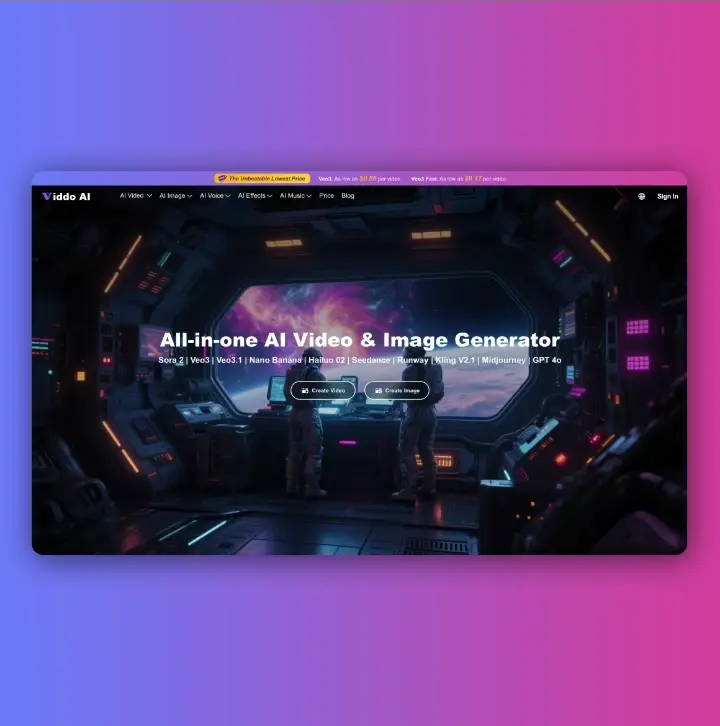
Viddo AI is an advanced all-in-one AI video and image generation platform that lets you quickly and easily create stunning videos and images from various inputs.

© 2026 viddo.ai. All rights reserved.