llms

Generate With AI

If you're not satisfied, you can generate again or enter prompt for your own.

Select the aspect ratio for your image

1:1

16:9

9:16

4:3

3:4

3:2

2:3

21:9

1:4

4:1

1K
2K
4K
Required credits: 0

Waiting for your creations!

Nano Banana 2.1: Google AI Image Generator

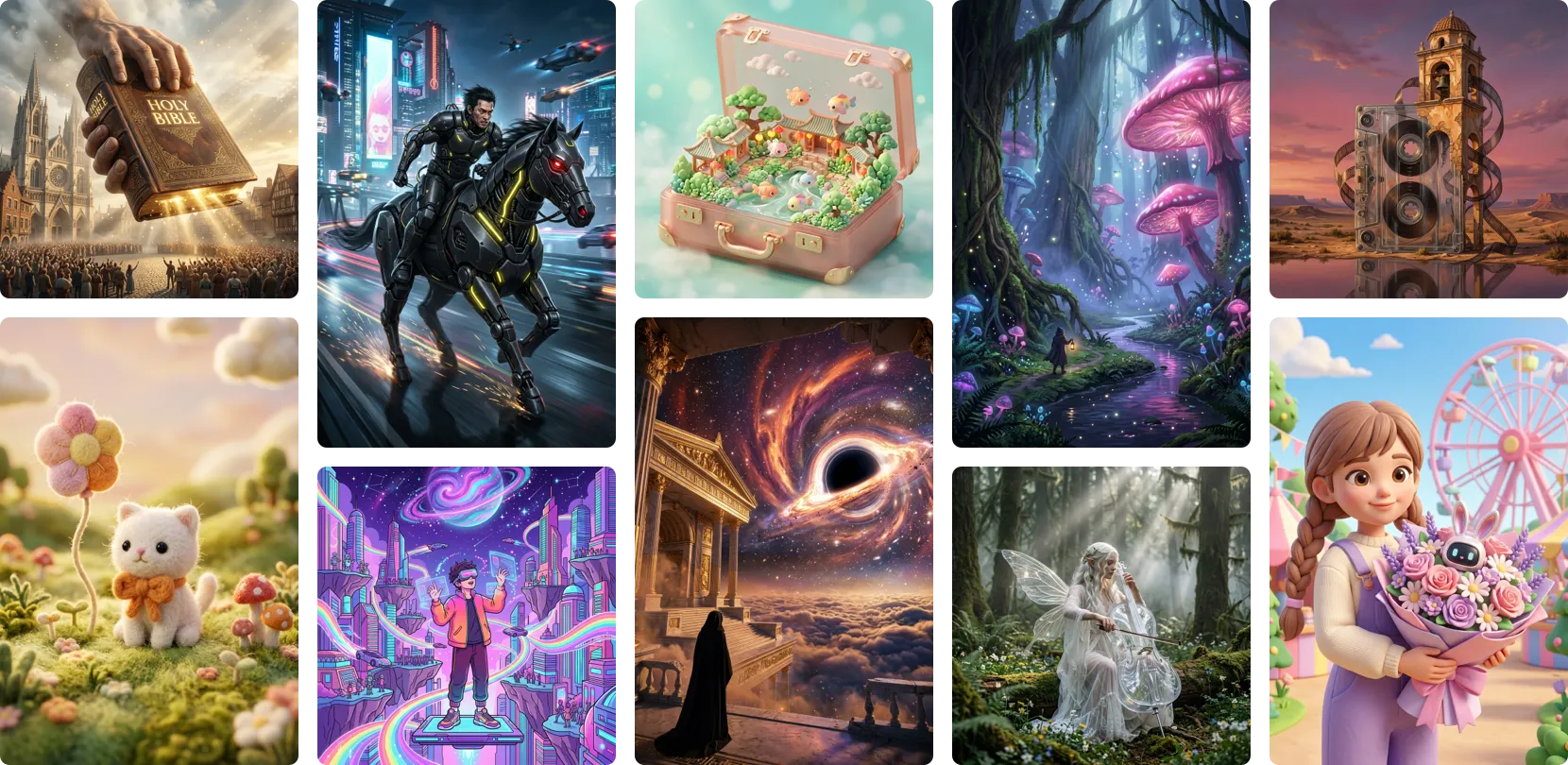
Nano Banana 2.1 is Google's newest image model — released October 6, 2026 on the Gemini 3 Flash family — built as the more productive counterpart to Nano Banana Pro. 2.1 outperforms Pro on most public benchmarks at a fraction of the cost, leading on infographics, multi-character consistency, mask-based editing, and wide-format panoramas. On Viddo AI, 2.1 runs alongside Nano Banana Pro, Nano Banana 2, GPT Image 2, Seedream 4.5, and Midjourney — all flagship models in one dropdown.
Nano Banana 2.1: Google AI Image Generator

What is Nano Banana 2.1

What is Nano Banana 2.1

Nano Banana 2.1 is Google's latest entry in the Nano Banana line of image models. It belongs to the Gemini 3 series and is built directly on top of Gemini 3.6 Flash , the high-efficiency reasoning model that powers the new generation of Google's consumer products. The model accepts text and image inputs inside a 1M-token context window and produces image output at 1K, 2K, and 4K resolution, plus up to 64K tokens of accompanying text for captions, alt-text, or follow-up instructions. On Viddo AI, Nano Banana 2.1 is wired into the same image workspace as the rest of the lineup, no separate Google login required.
What is Nano Banana 2.1

Core Features Overview

A Gemini 3 Flash Model Built for Image Generation and Conversational Editing
Nano Banana 2.1 is positioned as the high-efficiency image model in the Gemini 3 family, paired with conversational editing that runs at Flash-tier speed. Google launched Nano Banana 2 in February 2026 and Nano Banana Pro later that year; Nano Banana 2.1 replaces the 2 model across Google's distribution channels. The model is rolling out across the Gemini app, Google AI Studio, the Gemini API, AI Mode in Google Search, Google Ads, Flow, Stitch, and the Gemini Enterprise Agent Platform. On the official DeepMind Model Card, the team reports side-by-side Elo ratings from human preference tests and shows Nano Banana 2.1 leading both Nano Banana 2 and Nano Banana Pro on overall preference, infographic design, infographic factuality, general editing, single-character consistency, multi-character consistency, mask-and-ink editing, product consistency, stylization, and multi-reference editing. Viddo AI brings the same Gemini 3 Flash image workflow into the Viddo AI image studio so you can pair it with other leading models without leaving the canvas.
A Gemini 3 Flash Model Built for Image Generation and Conversational Editing
Multi-Character Consistency That Beats the Pro Model
On DeepMind's side-by-side Elo evaluations for October 2026, Nano Banana 2.1 with thinking enabled reaches 1,106 Elo on multi-character consistency — versus 1,011 for Nano Banana Pro and 978 for Nano Banana 2. The improvement matters for brand work, group portraits, comic-style scenes, and any deliverable where several characters need to keep their faces, outfits, and props locked across iterations. Single-character consistency also lands at 1,028 Elo, narrowly above Pro at 991 and well above Nano Banana 2 at 981. Inside Viddo AI, you can upload several character references, label which reference supplies the face, the wardrobe, and the setting, and the model composes a new image that preserves each identity across re-rolls — the same composition pattern the Nano Banana Pro page documents in more detail.
Multi-Character Consistency That Beats the Pro Model
Multi-Reference Editing, Mask-and-Ink Drawing, and 4K Panoramas
Nano Banana 2.1 also leads the Pro model on mask-and-ink editing (1,049 Elo vs Pro's 927), on multi-reference editing (1,066 vs 989), and on product consistency (1,024 vs 965). The mask path supports doodle-style input — circle an item to remove it, sketch a new element to drop in, annotate a color swap — and the result respects the doodle instead of returning a fresh re-roll. 4K output and ultra-wide panoramic compositions are part of the same release, which means brief Instagram Story headers, Shopfinder category banners, and aspect ratios up to 21:9 are first-class outputs. On Viddo AI, you can switch the aspect ratio from the studio panel and the model will adjust the framing without re-prompting — useful when the same hero visual needs to land in a Story, a feed post, and a banner ad.
Multi-Reference Editing, Mask-and-Ink Drawing, and 4K Panoramas
Designed for Production: Limits Worth Knowing
Google is also open about what Nano Banana 2.1 still struggles with. On the DeepMind Model Card, the team flags small text rendering as blurry at 1K resolution, partial instruction-following in some mask and doodle edits, occasional subject-pose persistence where the structural alignment from the input leaks into the output, and occasional spatial localization confusion (the model mixing up left and right). Character consistency is improved over Nano Banana 2 but is not yet perfect between input and output. Advanced 3D reasoning, world-knowledge factuality, and long-context knowledge outside the training distribution are still limited. The knowledge cutoff is March 2026 for most domains, with some categories falling back to January 2025. On Viddo AI, the limits are useful to know when you decide between Nano Banana 2.1, Nano Banana Pro, and other engines in the dropdown — Pro remains the right choice for hero deliverables where Pro's heavier reasoning wins out, while 2.1 is the right default for production volume and rapid iteration.
Designed for Production: Limits Worth Knowing

How to Use Nano Banana 2.1 on Viddo AI

You don't need a Google account, an API key, or any setup beyond signing into Viddo AI to run Nano Banana 2.1. The studio walks you through a short workflow that takes a prompt or a photo and returns a finished visual in the model's image-format of choice.
  • Step1

    Sign Up or Log In to Viddo.ai

    Create a Viddo AI account or log in to an existing one. The image studio runs in any modern browser, no extension or local GPU required. New accounts can test Nano Banana 2.1 alongside the other models in the dropdown with no visual risk of a misconfigured environment.
  • Step2

    Open the Image Studio and Pick Nano Banana 2.1

    From the Viddo AI dashboard, open the Image workspace and pick Nano Banana 2.1 from the model dropdown. You can also start from [Image to Image](https://viddo.ai/image-to-image?model=nano-banana-2-1) if you already have a reference photo you want to restyle. The dropdown also exposes Nano Banana 2, Nano Banana Pro, GPT Image 2, GPT Image 1.5, Seedream 5 Pro, Seedream 4.5, Midjourney, Grok Image, GPT 2.5 Image, and GPT 4o — twelve flagship engines in the same menu.
  • Step3

    Write a Prompt, Add References, or Drop in a Photo

    Type a brief in conversational language, attach multiple reference images, or upload one photo you want to restyle. Label each reference inside the prompt so the model knows which one supplies the face, which one supplies the wardrobe, and which one supplies the setting. The clearer the role of each reference, the closer the first render lands to your vision. Nano Banana 2.1 composes several references into one image instead of averaging them, so a four-character group shot keeps each face intact across re-rolls.Choose an aspect ratio from the preset list, including 4K panoramic compositions up to 21:9. Click Generate and let Nano Banana 2.1 plan, ground, and render the visual.
  • Step4

    Download or Hand Off to Another Model

    Download the finished image in full resolution, share it to your feed, or switch to another model in the dropdown to run the same brief through a second engine. Nano Banana Pro is the right next stop for hero deliverables where the heavier model wins, GPT Image 2 is the natural fallback for instruction-following on existing photos, and Seedream 4.5 is the alternative for natural-language image editing. Viddo AI keeps the prompt and the references in place so the comparison takes one click.

Who Can Benefit from Nano Banana 2.1 on Viddo AI

Nano Banana 2.1 is the right tool when the brief calls for infographic-grade composition, multi-character consistency, or 4K panoramic output at production volume. The Viddo AI studio is built for six kinds of creative work.

Social Media Managers

If you ship daily Instagram, TikTok, or YouTube posts, the infographic-design path inside Nano Banana 2.1 turns a single brief into a week's worth of carousel slides. Pair Nano Banana 2.1 with the Viddo AI [video studio](https://viddo.ai/image-to-video) to animate a finished visual with Seedance, Runway Gen-4, or Kling inside the same workspace.

Game Artists and World Builders

Multi-reference editing is the workflow behind character sheets, costume variations, and prop turntables. Upload your concept art as references, label the role of each, and Nano Banana 2.1 produces variants that keep the silhouette, palette, and identity locked across the set. The mask-and-ink editing path is the right way to nudge a single element inside a finished render without re-rolling the whole composition.

Travel Bloggers and Travel Brands

The 4K panorama path and the Google Search grounding path together make Nano Banana 2.1 a strong fit for travel content. You can ask for a 21:9 golden-hour composition, or ask the model to look up the current opening hours of a specific landmark and place them in the image. The result reads as a real photograph with current information, not as a generic stock image.

Marketing Teams and Campaign Designers

Multi-character campaigns are where the 1,106 Elo multi-character path pays off. Drop in references for each avatar, label each role, and Nano Banana 2.1 locks the face, the wardrobe, and the setting across a campaign drop.

E-commerce Owners

Product shots, lifestyle mockups, and seasonal promo banners all sit inside Nano Banana 2.1's strengths. Product consistency leads the public benchmark on the DeepMind Model Card, and the multi-reference path lets you place multiple products in one frame and keep them consistent across re-rolls.

Localized Content Creators

The localized-text-rendering path in Nano Banana 2.1 produces readable signage in several languages, so localized storefronts, packaging mockups, and multi-region promo banners render clean across the markets the brief targets.

What Creators Say About Nano Banana 2.1 on Viddo AI

Real creators are already running Nano Banana 2.1 alongside other Viddo AI models. Here is what they say.

Carlos M., Localized Content Lead

I asked for the same brief in five languages and Nano Banana 2.1 rendered every label readable on the first pass. Pro still wins on the hero packshot, but 2.1 is the right default for the localized variant set.

David T., E-commerce Owner

I dropped ten products from the same outdoor brand into one frame and the model kept every product on-brief across the set. Mid-manipulation, I asked for a different background and only the background changed.

Yuna S., Travel Blogger

The 21:9 panorama is the right output for a YouTube header. I asked for golden hour at a real coastal town and the model looked up the town's name from my reference photo and stamped it in the corner.

Olivia G., Marketing Director

I run the same brief through Nano Banana 2.1 and Nano Banana Pro. 2.1 wins on the long-tail carousel work, Pro wins on the hero cover. Viddo AI lets me run both in the same canvas.

Jin H., Game Artist

The mask-and-ink path is the closest to my pencil workflow. I sketch the edit on top of the render, the model honors the doodle, and the rest of the composition stays locked.

Marina C., Social Media Manager

The infographic path is the one I underestimated. I used to spend an hour in Canva cleaning up AI-generated labels. Nano Banana 2.1 returns the carousel readable on the first pass.

Learn More About Nano Banana 2.1 AI

1

What is Nano Banana 2.1?

Nano Banana 2.1 is Google's newest image model, released on October 6, 2026, built on Gemini 3 Flash inside the Gemini 3 family of multimodal reasoning models. It accepts text and image inputs in a 1M-token context window and produces image output at 1K, 2K, and 4K resolution, plus up to 64K tokens of accompanying text. On Viddo AI, Nano Banana 2.1 runs alongside Nano Banana Pro, Nano Banana 2, GPT Image 2, and Midjourney in the same image workspace.

2

What model is Nano Banana 2.1 based on?

Nano Banana 2.1 is built on Gemini 3.6 Flash , the high-efficiency reasoning model in the Gemini 3 family. The Model Document defers architecture, training, hardware, and software details to the Gemini 3.6 Flash Model Document, since Nano Banana 2.1 shares the underlying stack.

3

Nano Banana 2.1 vs Nano Banana Pro: which one should I use?

Use Nano Banana 2.1 for production volume, rapid iteration, infographics, multi-character scenes, mask-and-ink edits, and 4K panoramas. Use [Nano Banana Pro](https://viddo.ai/nano-banana-pro) for the hero deliverable where every pixel matters — packshots, magazine covers, and final-quality brand assets. Independent reviewers also note that Pro still wins on color, proportions, and natural-looking photography in some real-world tests, which is worth knowing for the brief that demands the highest visual fidelity. The right pattern on Viddo AI is to use 2.1 for the long-tail work and Pro for the hero cover.

4

Nano Banana 2.1 vs Nano Banana 2: what changed?

Nano Banana 2.1 takes the place of Nano Banana 2 across Google's distribution channels. On the DeepMind side-by-side Elo, 2.1 improves over 2 on every benchmark the team reported — multi-character consistency rises from 978 to 1,106, infographic design from 961 to 1,048, mask-and-ink editing from 965 to 1,049, and multi-reference editing from 988 to 1,066. Nano Banana 2.1 adds the thinking-level toggle and the 4K panorama path that 2 did not expose.

5

What resolutions does Nano Banana 2.1 support?

Nano Banana 2.1 supports 1K, 2K, and 4K image output. 4K is new with the 2.1 release and unlocks ultra-wide panoramic compositions up to 21:9, in addition to the standard aspect ratios. On Viddo AI, the aspect ratio and resolution controls live in the studio panel next to the model dropdown.

6

Does Nano Banana 2.1 connect to Google Search?

Yes. Nano Banana 2.1 connects to Google Search, so briefs that depend on real-world facts — a specific landmark, a brand product, a current trend, the opening hours of a venue — get grounded in fresh context before the model renders. The grounding path is part of the standard model behavior; you do not need to toggle a setting in the Viddo AI panel to use it.
Discover More

Get Started with Nano Banana 2.1 on Viddo AI

You can run Nano Banana 2.1 on Viddo AI, write a prompt or drop in your references, and click Generate. The model handles infographics that read clean, multi-character scenes that hold their faces, and 4K panoramas that earn the wide frame.
Get Started with Nano Banana 2.1 on Viddo AI
viddo.ai

Viddo AI is an advanced all-in-one AI video and image generation platform that lets you quickly and easily create stunning videos and images from various inputs. These AI Model powered by Google, OpenAI, Grok AI, ByteDance, Alibaba, Kling, Runway, Vidu, Minimax, Elevenlabs, Midjourney,and so on.

© 2026 viddo.ai. All rights reserved.