
Seedance 2.0: As low as $0.345 per video
Veo3.1 Lite: As low as $0.0575 per video

Viddo AI is an advanced all-in-one AI video and image generation platform that lets you quickly and easily create stunning videos and images from various inputs. These AI Model powered by Google, OpenAI, Grok AI, ByteDance, Alibaba, Kling, Runway, Vidu, Minimax, Elevenlabs, Midjourney,and so on.
In the world of AI image generation, your prompt is your paintbrush. The same model can produce a stunning commercial poster or an unusable mess — all depending on how you write your prompt. Industry consensus is clear: prompt quality accounts for 80% of AI image output quality.
This guide systematically breaks down the prompt-writing methods and technique differences across the five mainstream AI image generation models available on Viddo.ai. Whether you're a complete beginner or an advanced user migrating between models, you'll find ready-to-use frameworks and real-world examples here.
Who this guide is for:
· Creators who want to move beyond random keyword dumping
· Marketers and designers producing commercial-grade visuals
· Anyone switching between AI models on Viddo.ai
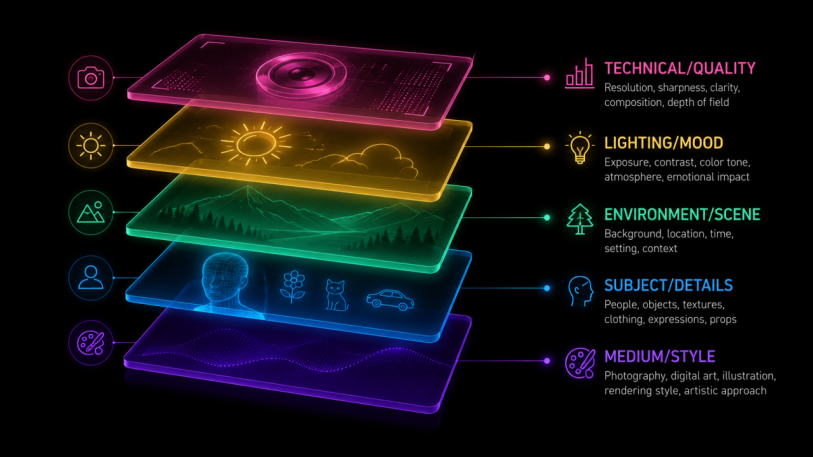
Through extensive testing, we've distilled a universal 5-layer prompt structure that works across every model on Viddo.ai. Once you master this formula, you can write high-quality prompts for any model in seconds:
|
Layer |
What It Does |
Question It Answers |
|
Layer 1: Medium & Style |
Sets the visual foundation |
What type of image is this? |
|
Layer 2: Subject & Details |
Defines the focal point |
Who or what is the center of the frame? |
|
Layer 3: Environment & Scene |
Builds the world around the subject |
Where does this take place? |
|
Layer 4: Lighting & Mood |
Sets the emotional tone |
How does it feel? |
|
Layer 5: Technical & Quality |
Enhances output precision |
How sharp and detailed is the image? |
In practice, you don't always need all five layers. For quick creative experiments, the first two layers are enough. For commercial-grade output, we recommend covering all five. The key principle: write the most important visual elements first, then layer in supporting details.
Tell the AI what this image is — a photograph, digital illustration, oil painting, 3D render, or concept art? Style anchoring sets the entire tone.
|
Medium |
Keywords |
Best For |
|
Photography |
photograph, photo, photography |
Product shots, portraits, documentary |
|
Digital Illustration |
digital illustration, digital art |
Social media, covers, blog graphics |
|
Oil / Watercolor |
oil painting, watercolor |
Artistic style, decorative pieces |
|
3D Render |
3D render, Octane render |
Product visualization, game concepts |
|
Concept Art |
concept art, matte painting |
Film, games, fantasy scenes |
|
Anime / Cel Shading |
anime style, cel shading |
Character design, IP creation |
|
Minimal Flat |
flat design, minimalist |
UI design, infographics |
The subject is the focal point of your image. The more specific, the better — "a girl" is far less effective than "an 18-year-old American girl with twin ponytails wearing a red hoodie." Details help the AI narrow its imagination and reduce randomness.
Environment creates narrative depth. "In a forest" and "In a misty coniferous forest after rain, with moss and fallen leaves covering the ground" produce two completely different worlds.
Lighting is the soul of your image's emotion. Common descriptors:
· golden hour — warm, cinematic, romantic
· blue hour — cool, melancholic, mysterious
· Rembrandt lighting — dramatic, classic portraiture
· neon light — cyberpunk, urban nightlife
· studio softbox — clean, commercial, professional
The final layer is quality enhancement. Note: different models respond very differently to quality keywords. Common technical terms: 8K, ultra detailed, sharp focus, depth of field, bokeh.
Viddo.ai integrates five mainstream AI image generation models, each with its own "prompt language." Here's a core comparison:
|
Dimension |
Nano Banana |
Grok Imagine |
GPT Image |
Seedream 4.5 |
Midjourney |
|
Developer |
|
xAI |
OpenAI |
ByteDance |
Midjourney Inc. |
|
Prompt Style |
Natural sentences |
Creative brief format |
Task-oriented + natural language |
Subject → Style → Composition |
Descriptive phrases + parameters |
|
Format |
Full sentences |
Layered descriptions |
Structured paragraphs |
Keywords + natural language mix |
Comma-separated, --flags |
|
Best At |
Multi-image fusion / text rendering |
Photorealism / cinematic |
Text rendering / product images |
Realism / cinematic / Chinese text |
Artistic flair / concept art |
|
Quality Words |
Nearly ineffective |
Partially effective |
Ineffective |
Effective |
Effective |
|
Negative Prompts |
Natural language exclusion |
Natural language exclusion |
Natural language exclusion |
Dedicated negative field |
--no flag |
One-line summary: Nano Banana likes "instructions to a photographer," Grok Imagine likes "creative briefs," GPT Image likes "task-oriented structured constraints," Seedream likes "priority-ordered subjects," and Midjourney likes "atmospheric adjective stacking." Use the right language style and your output quality jumps immediately.
Nano Banana is Google's AI image generation model (including Nano Banana 2, Pro, and base versions), known for its strong natural language understanding, multi-image fusion, and text rendering capabilities.
Nano Banana prompts are essentially "describe the scene in natural language" — not keyword dumping. The best mental model: you're giving a photographer a shooting brief.
Universal formula:
Who (subject) + What (action) + Where (environment) + How to shoot (composition) + What lighting (mood) + What style (output)
Subject + Action + Scene + Style + Composition
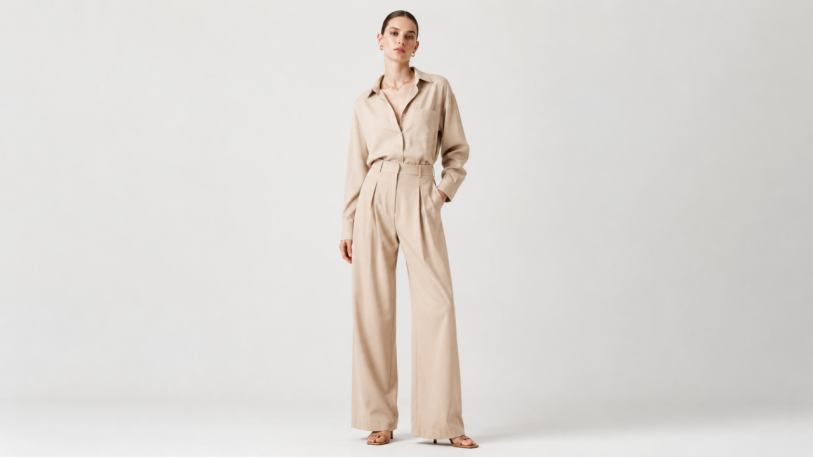
Example: "A fashion model wearing a minimalist beige outfit, standing in a clean studio with white background, full body shot, high-end fashion editorial style."
Core principle: What to change + What to keep
Example: "Remove the background crowd. Keep the main subject unchanged. Maintain original lighting and composition."
Use for: outfit swaps, scene changes, character compositing.
Example: "Use the first image as the character reference, the second image for outfit design, and the third image as background. Blend them naturally into a realistic scene."
Text must be in quotes. Specify font and position.
Example: "Create a poster with the text 'SUMMER SALE' in bold white font, centered on a bright orange background."
Add lens, lighting, depth of field, and color grading.
Example: "Portrait shot with a 50mm lens, shallow depth of field, soft cinematic lighting, warm color grading."
· Use sentences, not keywords — "A car driving through a rainy city street at night" vastly outperforms "car, night, neon, rain"
· Optimize in steps — Establish the scene first, then add details; this is more stable than writing everything at once
· State exclusions explicitly — "no text, no watermark, no logo" — not writing it ≠ not getting it
· Think like a photographer — wide shot / close-up / depth of field / cinematic lighting
· Precise editing — "Keep the face and pose unchanged. Replace the outfit with a black leather jacket."
Grok Imagine is xAI's AI image generation model, excelling at photorealistic photography, cinematic scenes, and creative concept art.
Grok Imagine works best with a "creative brief" approach — specify subject, environment, action, style, camera, lighting, mood, details, and quality expectations.
Formula:
Subject: [main subject]
Environment: [setting]
Action: [behavior/activity]
Style: [photorealistic / cinematic / editorial / anime]
Camera: [close-up / portrait / wide shot / aerial]
Lighting: [soft daylight / golden hour / studio / neon]
Mood: [luxury / dramatic / cheerful / futuristic]
Details: [materials, textures, colors]
Quality: highly detailed, realistic composition, professional quality
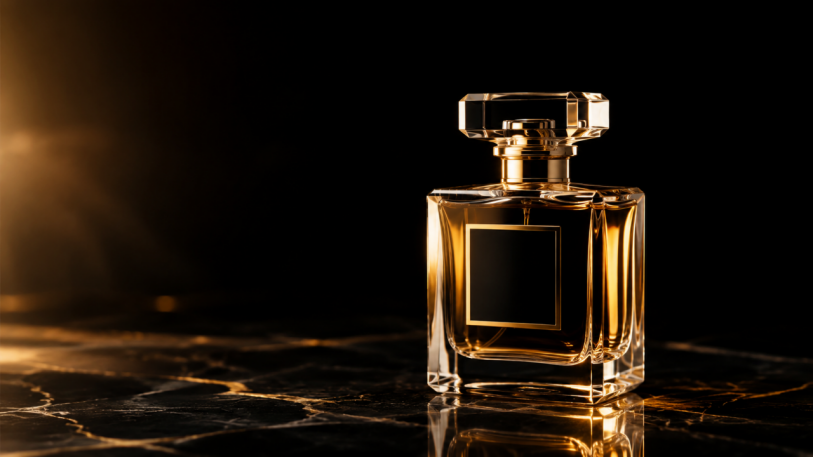
· A luxury perfume bottle on polished marble, golden hour lighting, soft reflections, cinematic commercial photography, shallow depth of field, high-end beauty ad.
· A futuristic electric sports car driving through neon-lit city streets at night, reflections on wet road surface, dynamic motion blur, photorealistic cinematic style.
· A professional chef preparing sushi in an upscale restaurant kitchen, natural lighting, authentic food textures, documentary photography style.
· A mountain lake at sunrise, mist rolling across the water, hyper-realistic landscape photography, vivid natural colors.
· Fashion portrait: model walking through a luxury shopping district, soft sunlight, magazine-grade photography, authentic fabric details.
· Maintain one primary subject and one visual priority — don't crowd too many focal points into a single image
· If the output fails, change only one variable at a time (lighting, lens, background, material)
· Grok Imagine responds extremely well to photography terminology: focal length, aperture, and light type all significantly affect results
· Ideal for visual exploration and pre-production planning — generate concept images first, then refine
The GPT Image series on Viddo.ai includes GPT Image 2, GPT 1.5 Image, and GPT 4o. GPT Image 2 is the 2026 latest version and represents a paradigm shift in prompt engineering.
GPT Image 2 uses an autoregressive architecture, meaning its prompt strategy is fundamentally different from diffusion models:
|
Dimension |
Traditional (SD) Approach |
GPT Image 2 Approach |
Why It Changed |
|
Format |
teapot, bokeh, warm light, 8k |
A purple clay teapot on an old wooden table, morning light slanting through the window |
Natural language takes priority |
|
Quality Words |
8K, ultra detailed, masterpiece — must add |
These words are now ineffective or even waste token space |
Model defaults to high quality |
|
Negative Prompts |
Dedicated negative field |
Use "no XXX" in natural language |
Model understands exclusion semantics |
|
Parameters |
Manually adjust steps, sampler, CFG |
Nothing to set |
Fully automated end-to-end |
|
Chinese Text |
Barely renders |
Chinese renders natively in the image |
Native Chinese text support |
Task type + Subject anchor + Structural constraints + Lighting/material/color + Text & language requirements + Retention / exclusion items
Full Template:
Create a [image type] for [use case].
Main subject: [specific subject and visible details].
Exact text (if any): "[copy that must appear]".
Composition: [framing, layout, negative space, subject placement].
Style and lighting: [visual language, medium, mood, light direction].
Constraints: [what cannot change, no extra text, no watermark].
Output format: [aspect ratio, transparent background, etc.].
Technique: Name the work type before the style.
Start with the output type: poster, product ad, app screenshot, character reference sheet. GPT Image 2 performs better when it knows the success criteria.
Technique: Treat text as locked assets.
If the image needs text, wrap it in quotes and specify font, color, and position. Don't ask it to "write a slogan" — unless you want the model to invent one.
Technique: Give the model camera and layout instructions.
Close-up / wide angle / overhead, left third / right third, clean grid — GPT Image 2 can follow composition instructions precisely.
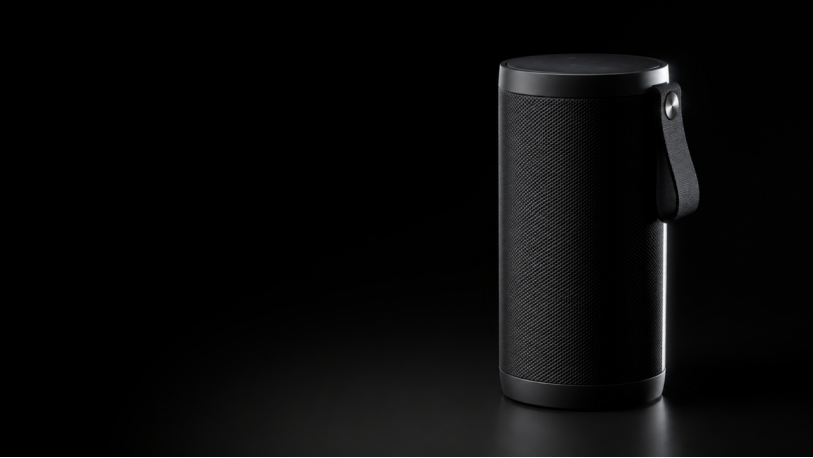
Seedream 4.5 is ByteDance's AI image generation model, excelling at photorealistic portraits, cinematic scenes, and e-commerce product images. It natively supports Chinese prompts.
Seedream 4.5 has its own "comprehension order" — what you place first carries the highest weight:
Subject → Style → Composition → Lighting & Atmosphere → Camera / Technical Details
Follow this sequence and the model "grasps your intent" more reliably.
· Keep prompts between 30–100 words — too short is vague, too long causes internal conflicts
· Only describe what matters — pick 3-5 key adjectives; don't dump 20
· Use negative prompts to "fix bugs" — "no extra limbs," "no blurry details," "no cluttered background"
· Place the subject first — the first 5-8 words are critical
· Change only one variable per iteration — altering style + lighting + composition simultaneously makes it impossible to identify what worked
1. Clean Portrait: Young woman, photorealistic portrait under soft natural light, studio portrait style, 85mm lens, shallow depth of field, restrained expression, clean soft-focus background.
2. Fashion Editorial: Male model full-body shot, minimalist street background, fashion editorial style, strong sunlight and shadows, 50mm lens, clear fabric texture.
3. E-Commerce Product: A matte black water bottle, pure white seamless background, commercial product photography, soft studio lighting, ultra-clear details, slight overhead angle.
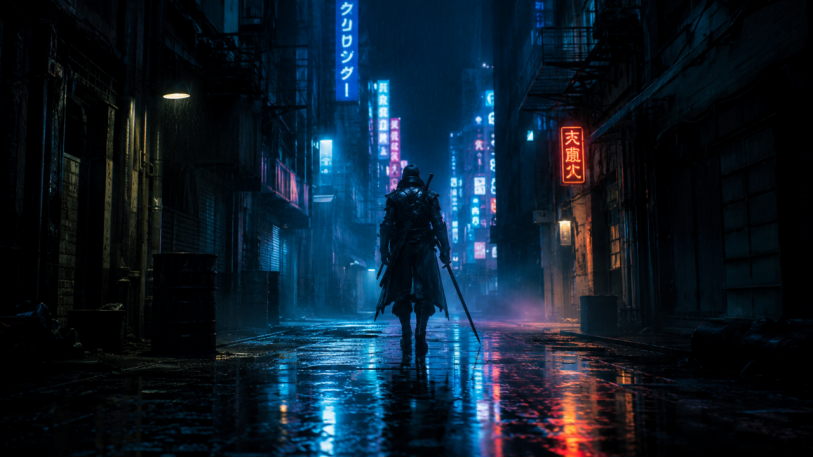
4. Cinematic Scene: A lone warrior standing in a rain-soaked neon alley at night, cinematography style, 35mm lens, cold blue key light, neon reflections in puddles on the ground.
5. Fantasy Character: Elven knight, silver armor with glowing runes, fantasy concept art style, full-body composition, soft divine light streaming through, intricate metalwork details.
6. Anime: Anime girl, long blue hair, cel shading style, clean linework, bright but not overexposed colors, soft pastel background.
7. Environment Scene: An ancient castle floating above a sea of clouds, wide-angle establishing shot, concept art matte painting style, sunrise backlight.
8. Macro Hyperrealism: Macro photography of a green leaf with dewdrops, extreme close-up, visible texture details, natural soft light.
9. Brand Visual: Minimalist brand visual concept, geometric shapes, modern graphic design style, bold color palette, soft shadows, centered composition.
10. Mixed Media: Double exposure portrait: male silhouette merged with forest landscape, art photography style, black and white or low-saturation monochrome, high contrast.
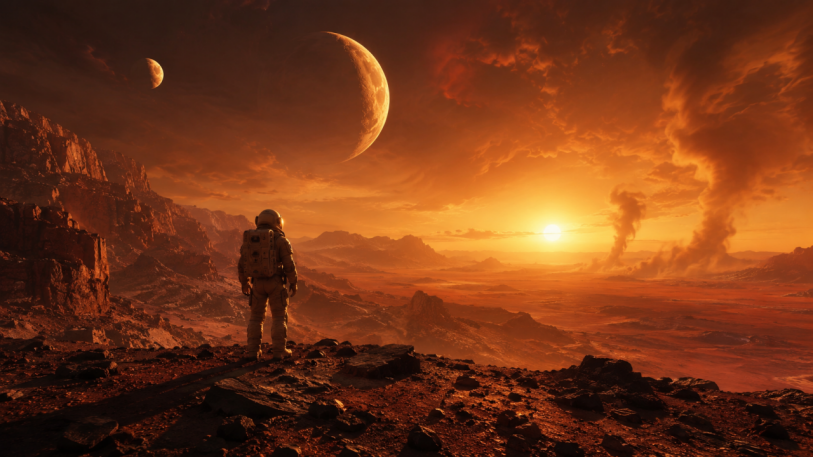
Midjourney is currently the most artistically expressive AI image generator, excelling at fantasy, sci-fi, concept design, and cinematic scenes.
[Subject description], [Environment/scene], [Style/medium], [Lighting/mood], [Composition/camera] --ar [ratio] --v [version] --style [style]
Example: "ethereal forest spirit, bioluminescent flora, cinematic lighting, concept art --ar 3:2 --v 6.1 --style raw"
|
Parameter |
Description |
Example |
|
--ar |
Aspect ratio |
--ar 16:9 / --ar 1:1 / --ar 9:16 |
|
--v |
Model version |
--v 6.1 (currently recommended) |
|
--style raw |
More faithful to text description |
Reduces MJ's free interpretation |
|
--chaos |
Variation level (0-100) |
--chaos 30 for exploring new concepts |
|
--no |
Exclude elements |
--no text, watermark |
|
--sref |
Style reference image |
--sref [image URL] |
|
--cref |
Character reference image |
--cref [image URL] |
· Place the most important visual elements first — Midjourney assigns stronger weight to words at the beginning
· Use rich descriptive adjectives: ethereal, dramatic, moody, luminous, intricate
· Always set --ar to match your output purpose (1:1 for social media, 16:9 for banners)
· Add --style raw for more faithful literal interpretation
· Use --chaos 20-40 when exploring new concepts; reduce to 0-10 once the direction is set
· Use --sref and --cref to maintain consistency across a series
|
Composition Term |
Effect |
|
Rule of Thirds |
Subject placed at 1/3 of the frame |
|
Symmetrical Composition |
Formal, dignified feel |
|
Leading Lines |
Eye guided toward the subject |
|
Overhead / Bird's Eye |
Great for food and tabletop scenes |
|
Low Angle / Worm's Eye |
Enhances the subject's presence |
|
Close-up |
Highlights detail and texture |
|
Wide Panoramic |
Showcases grand scenes |
Combining two seemingly unrelated styles often produces stunning results:
|
Combination |
Prompt Example |
|
Cyberpunk × Ink Wash |
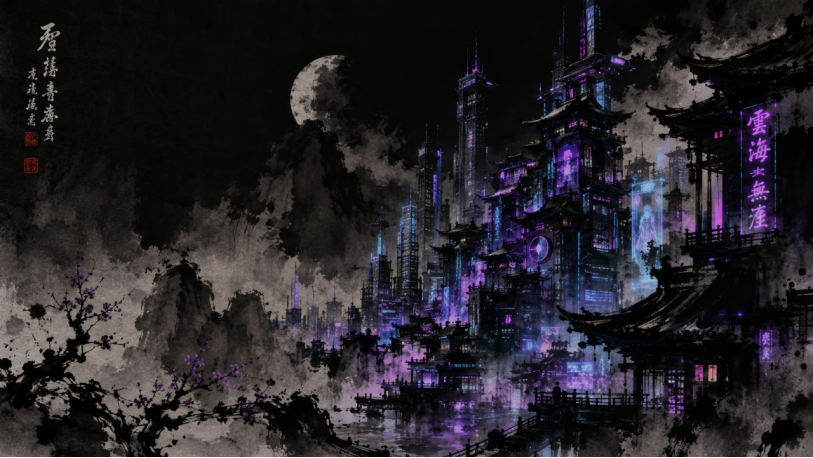
"cyberpunk scene rendered in traditional Chinese ink wash painting style" |
|
Studio Ghibli × Steampunk |
"Studio Ghibli aesthetic meets steampunk machinery, hand-painted texture" |
|
Renaissance × Futurism |
"Renaissance composition with futuristic holographic elements" |
|
Ukiyo-e × Cyberpunk |
"Ukiyo-e woodblock print style depicting a neon-lit Tokyo alley" |
|
Emotional Direction |
Keywords |
|
Warm & Healing |
warm, cozy, nostalgic, soft glow, golden tones |
|
Cold & Distant |
cold, desolate, stark, muted colors, clinical |
|
Mysterious & Suspenseful |
mysterious, enigmatic, shadowy, fog-shrouded, eerie |
|
Vibrant & Dynamic |
vibrant, energetic, dynamic, saturated colors, motion blur |
|
Serene & Meditative |
serene, peaceful, meditative, zen, minimal, pastel tones |
Seedream 4.5 supports a dedicated negative prompt field. Build yours in categories:
|
Category |
Negative Terms |
|
General Quality |
blurry, low quality, low resolution, worst quality, jpeg artifacts, watermark, text, logo |
|
Human Anatomy |
extra fingers, fused fingers, bad anatomy, deformed, extra limbs, disfigured, poorly drawn hands, poorly drawn face, missing limbs |
|
Style Control |
cartoon (when wanting realism), photorealistic (when wanting illustration), no extra limbs, no blurry details |
For models like Nano Banana, Grok Imagine, and GPT Image that don't have a dedicated negative field, append exclusions at the end of your prompt in natural language:
"... No text, no watermark, no brand logos. Avoid modern elements. Do not include any people in the background."
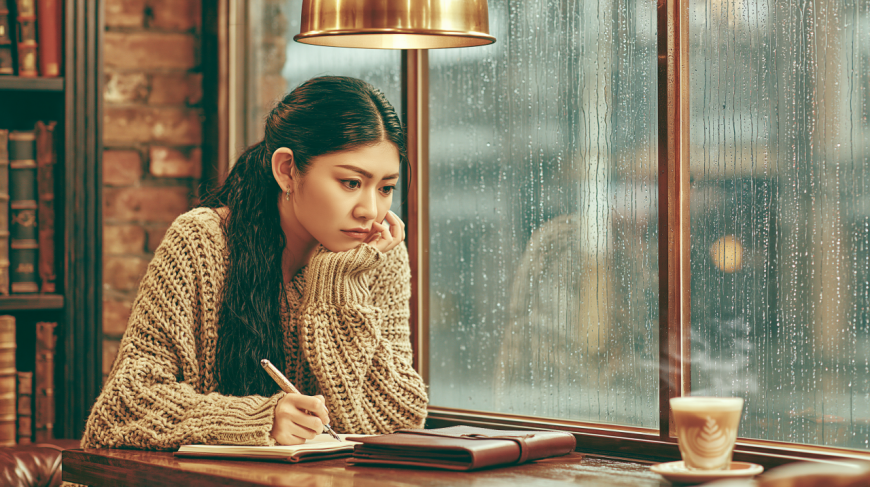
Using one theme — "Cozy Café on a Rainy Day" — we wrote prompts for all five models on Viddo.ai:
A young woman around 25, wearing a beige knit sweater, sitting at a dark wooden table by the café window. Medium rain falls outside, with droplets slowly trailing down the glass. She holds a pen in her right hand, writing in a leather-bound notebook, the pen tip leaving smooth strokes on the paper. A steaming latte with a clear rosetta sits at the corner of the table. The background features warm-toned brick walls and rows of dark brown wooden bookshelves filled with old books. A warm pendant lamp casts soft light and shadow on her face. The overall color palette is warm, the atmosphere cozy and serene, with a sense of healing.
A young woman in her mid-twenties, wearing a soft and cozy beige knit sweater, sitting by a large rain-streaked window inside a warm café. She holds a pen in her right hand, writing in a leather-bound diary, the pen tip gliding smoothly across the paper. A steaming latte with delicate latte art sits at one corner of the dark wooden table. Outside the window, rain continues to trail down the glass, blurring the gray city streets beyond. Inside, the walls are exposed brick, and dark wooden bookshelves are filled with old books. A warm-toned pendant lamp casts a soft golden glow on her face. Medium shot with a slightly overhead angle, shallow depth of field, focus on the rain-streaked window and the woman's face; warm and soft color palette, cinematic soft light, photorealistic photography style. No text, no watermark.
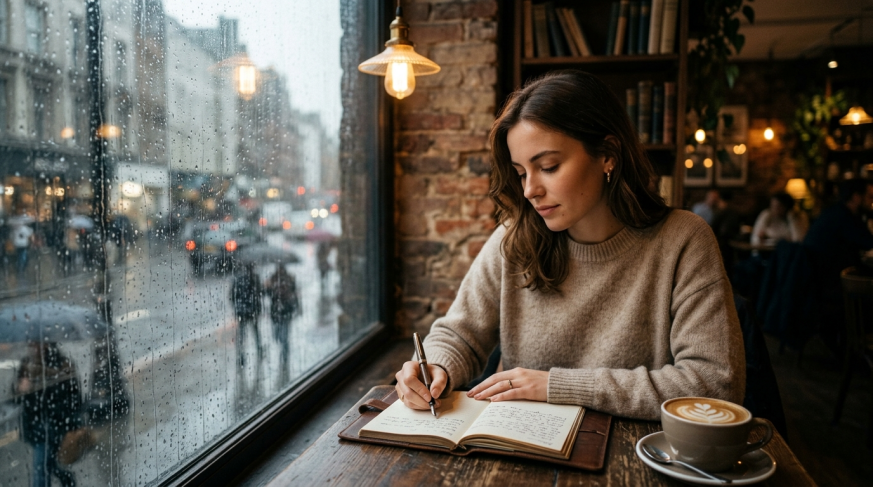
Subject: Young woman in her mid-twenties, wearing a beige knit sweater, holding a pen and writing in a diary
Environment: Cozy café interior, exposed brick walls, dark wooden bookshelves filled with old books; a large rain-streaked window beside her, with gray city streets visible through the wet glass
Action: Sitting at a dark wooden table, writing in a leather-bound diary; a steaming latte with clear latte art at the corner of the table
Style: Photorealistic, cinematic
Camera: Medium shot, slightly overhead angle, shallow depth of field
Lighting: Warm pendant lamp casting soft golden light on her face; warm indoor ambient light contrasting with the cool blue-gray daylight filtering through the rainy window
Mood: Cozy, serene, healing, atmospheric
Details: Rain trailing down glass panes, pen tip gliding on paper, steam rising from the latte, soft texture of the knit sweater, spine textures of old books on shelves, leather diary cover texture
Quality: Rich detail, realistic composition, professional image quality, warm color grading, soft bokeh between rain scene and background
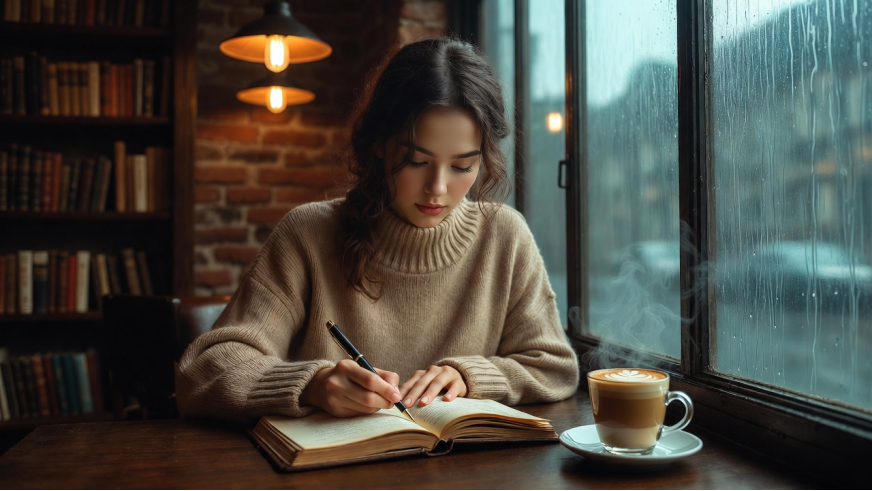
Create a lifestyle photography image.
Main subject: A young woman around 25, wearing a beige knit sweater, sitting at a dark wooden table by the café window. She holds a pen in her right hand, writing in a leather-bound notebook. A steaming latte with a clear rosetta sits at the corner of the table.
Composition: Medium shot, slightly overhead angle, subject positioned at the right third of the frame, with visual space left on the left for the rainy window. Shallow depth of field, focus on the face and the rain-trailing window glass, with the bookshelf naturally blurred in the background.
Style and lighting: Photorealistic photography style, warm pendant lamp as the main light source, casting soft shadows on the subject's face. Outside the window, blue-gray rainy-day light creates a warm-indoor vs. cool-outdoor contrast. Overall warm palette with subtle cinematic color grading.
Environment details: Background features warm-toned brick walls and dark brown wooden bookshelves filled with old books. Outside the window, rain trails slowly down the glass, with a blurred gray cityscape faintly visible. The pen tip's sheen on the paper surface is clearly rendered.
Constraints: No text, watermarks, or logos in the image. No extra decorative elements. Style must be consistently photorealistic — no cartoon or over-stylized rendering.
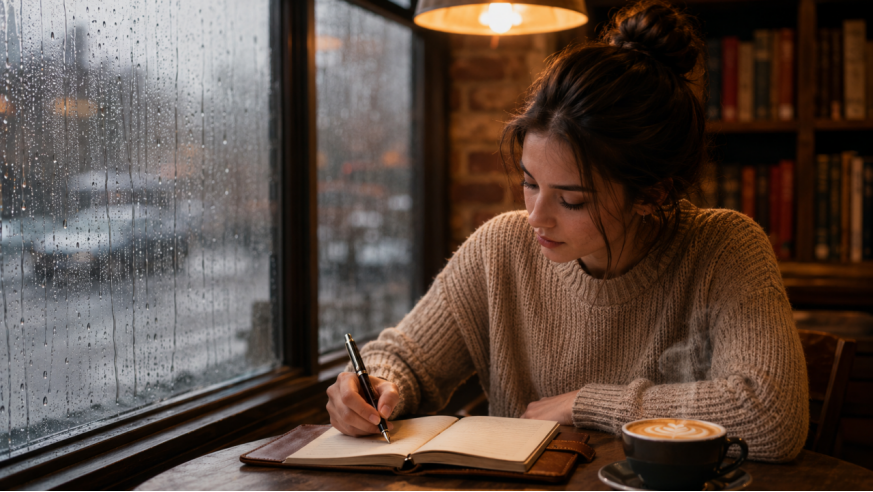
Young woman, beige knit sweater, sitting by a café window, writing with a pen in a leather notebook, photorealistic photography style, medium shot composition, slightly overhead angle. Rainy day outside the window, rain trailing down the glass, warm indoor pendant lamp lighting, shallow depth of field, warm color palette, soft cinematic light and shadow, brick wall and wooden bookshelves in the background, a steaming latte at the corner of the table, cozy and serene atmosphere.
Negative prompt: No extra limbs, clear face not blurry, no deformed hands, no cluttered background, no text, no watermark, no logos, no cartoon style, colors not oversaturated
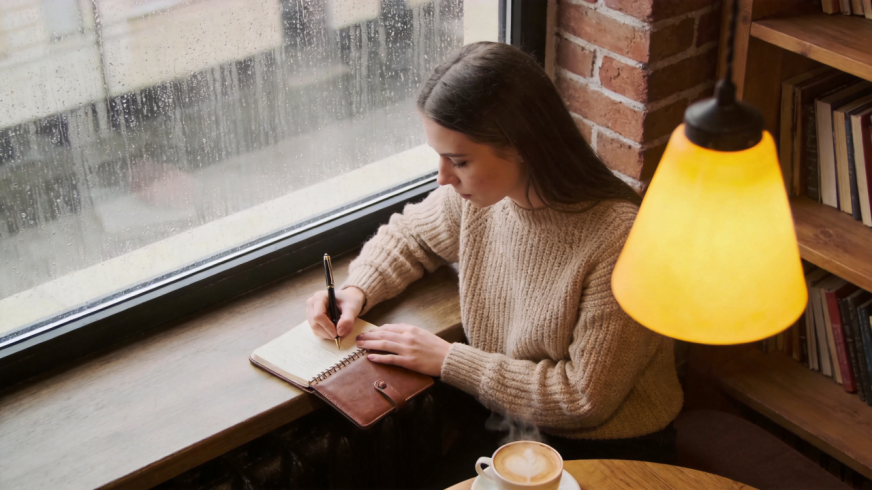
A young woman in a beige knit sweater, writing in her diary by a rain-streaked window inside a cozy café; leather-bound diary open on the table, a steaming latte with latte art at the table corner. Warm pendant lamp casting a golden glow, exposed brick walls and dark wooden bookshelves filled with old books in the background. Rain trailing down the glass window, gray cityscape outside blurred and hazy. Shallow depth of field, warm color grading, soft cinematic lighting, quiet and healing intimate atmosphere, photorealistic style --style raw
Professional AI image creators never expect to write the perfect prompt on the first try. Iterative optimization is the standard workflow:
Step 1 — Rough Draft: Write a first-version prompt using the 5-layer formula. Generate 4-8 images. Select the base image closest to your vision.
Step 2 — Problem Diagnosis: Analyze the base image's shortcomings: Is the composition off? Lighting wrong? Style drifted? Extra elements? Record each issue.
Step 3 — Precision Adjustment: Change only one dimension per round (e.g., only lighting, or only composition). Avoid multiple simultaneous changes.
Step 4 — Style Lock-in: Once satisfied, use --sref/--cref (Midjourney) or reference images (Nano Banana) to lock the style and batch-produce.
Viddo.ai Workflow Tip: On Viddo.ai, you can quickly switch between models to compare results and generate batch variations. We recommend generating at least 4 variations per iteration, then selecting the best result for the next round of refinement.
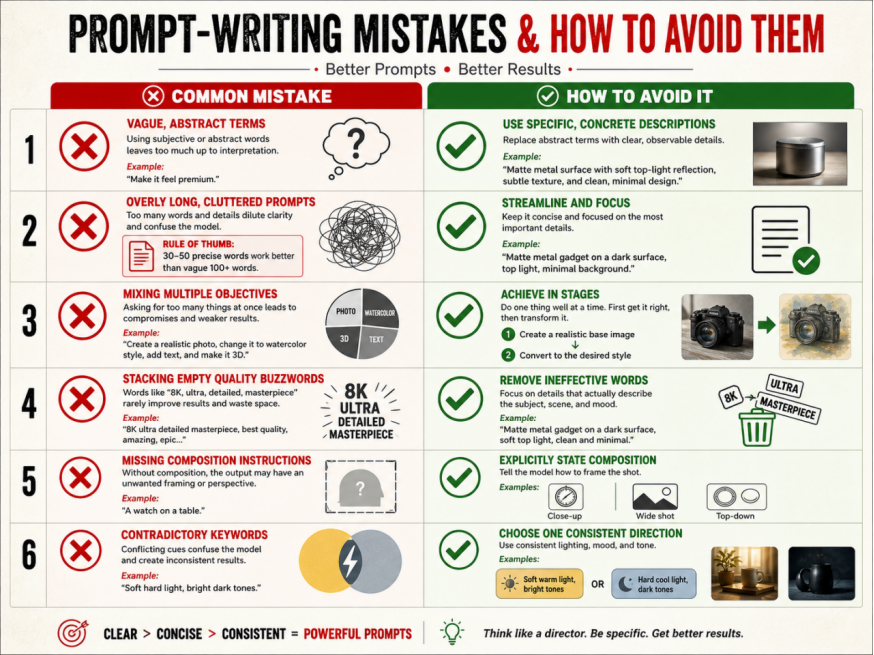
Writing AI image prompts is a craft that blends visual aesthetics, language engineering, and model understanding. There's no single "magic prompt" that works for every scenario — but once you've mastered the 5-layer formula, the model-specific techniques, and the iterative methods in this guide, you're equipped to produce high-quality output on any model on Viddo.ai.
1. Precision beats vagueness — Every specific descriptor narrows the AI's imagination space.
2. Each model has its own personality — Understanding your model's "preferred language" matters more than blindly stacking keywords.
3. Iteration is the norm — Professional creators follow a cycle of "generate → diagnose → adjust → regenerate."
Start creating on Viddo.ai — apply the prompt techniques from this tutorial to kick off your AI creation journey.