
Seedance 2.0: As low as $0.345 per video
Veo3.1 Lite: As low as $0.0575 per video

Viddo AI is an advanced all-in-one AI video and image generation platform that lets you quickly and easily create stunning videos and images from various inputs. These AI Model powered by Google, OpenAI, Grok AI, ByteDance, Alibaba, Kling, Runway, Vidu, Minimax, Elevenlabs, Midjourney,and so on.
Many AI short video creators run into the same problem: the visuals look stunning, but once you add the voiceover, something feels off—the audio is crisp, every word is pronounced correctly, yet it still sounds like a robot.
The problem isn't the AI. It's your script.
More precisely, it’s the punctuation you’re using.
When a text-to-speech (TTS) engine reads your script, punctuation is its conductor’s baton. Each mark triggers a pause, and the length and placement of those pauses directly shape the emotion your audience feels. Most creators toss in a few commas and periods and call it a day—but for TTS, punctuation is the entire rhythm and breathing signal.
This guide teaches you how to use punctuation and voice prompts to transform AI dubbing from “reading a script” into “performing a role.”
Different punctuation marks trigger different pause durations. Master this hierarchy and you’ll know exactly what to do when writing scripts:
|
Punctuation |
Pause Duration |
Effect |
Best For |
|
Dunhao 、 (Enumeration comma) |
Shortest—barely a beat |
Quick, crisp |
Listing items |
|
Comma, |
About 0.3–0.5 seconds |
Natural breath |
Short clause breaks |
|
Semicolon; |
Slightly longer than a comma |
Layered rhythm |
Parallel clauses |
|
Period。 |
0.6 seconds or more |
Complete thought ends |
Paragraph endings |
|
Line break |
Strongest pause |
Forced breathing reset / State change |
Emotional pivots |

Hands-on comparison:
❌ Bad punctuation: Apples bananas oranges grapes melons are summer’s favorite fruits → AI reads it all in one breath with no pause
✅ With enumeration commas: apples, bananas, oranges, grapes, melons — a clean, crisp pause between each item
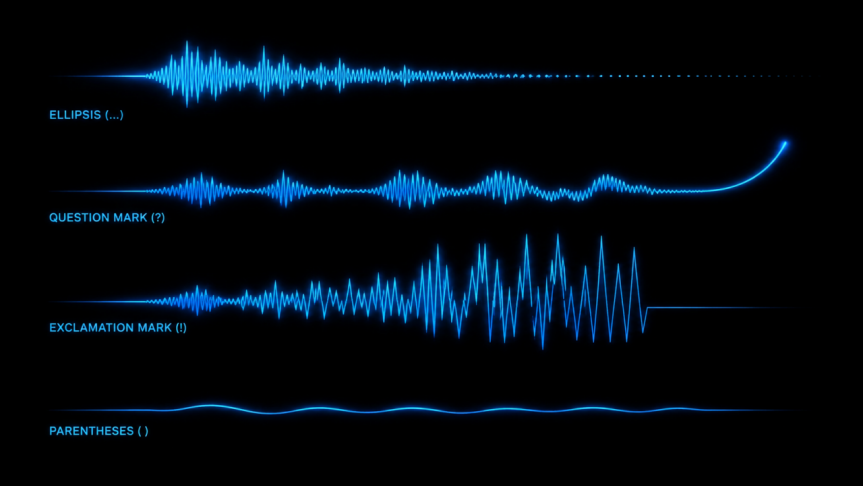
The ellipsis (...) is the most underrated emotion trigger. Add it at the end of a sentence and the AI will trail off the ending, creating hesitation, reluctance, or suspense.
|
Don't go. → Decisive, commanding
|
Same words, different punctuation—completely different emotion.
• Question mark (?): triggers rising intonation at sentence end—even if the AI defaults to flat, a question mark lifts it naturally
• Exclamation point (!): intensity boost—the whole sentence gains force and emotion
• Combos: ?! = shocked and suspicious; ...! = hesitation then explosion — maximum drama
Key rule: more exclamation points do not mean more impact. One ! = slight boost in volume and speed. Three !!! = a noticeable step up in pitch (excitement). Five or more !!!!! = the AI may go overboard. Three is the upper limit you can control.
Parentheses () have a special effect in AI dubbing—volume drops to a breathy, near-whisper level.
|
(it wasn't my fault) → Sounds breathy and weak, like inner monologue |
Perfect for inner monologues, whispered asides, and narrative supplements.
Each emotion has a proven parameter combo—dial it in right and the results are instant. Here are the best-verified settings:
|
Emotion |
Speed |
Pitch |
Pause |
Punctuation Tips |
Best For |
|
Gentle |
80% |
+0.5 semitone |
+0.3s between sentences |
End with "hmm"/"well", use ellipsis |
Romance, healing, tender moments |
|
Serious |
90% |
-1 semitone |
+0.1s |
Periods heavy, exclamation points light |
Tutorials, documentaries, news |
|
Excited |
120–130% |
+2 semitones |
-0.2s (shorter) |
Moderate exclamation points |
Product promos, unboxing, hype |
|
Sad |
65% |
Lower |
Significantly longer |
Break long sentences, use ellipsis |
Drama, emotional storytelling |
|
Fierce |
135% |
+2.5 semitones |
Near zero |
Short sentences + periods, punch each word |
Conflict scenes, villain dialogue |
|
Funny |
80–140% fluctuating |
±3 semitones random |
Intentionally uneven |
Break all punctuation norms |
Comedy skits, absurdist content |
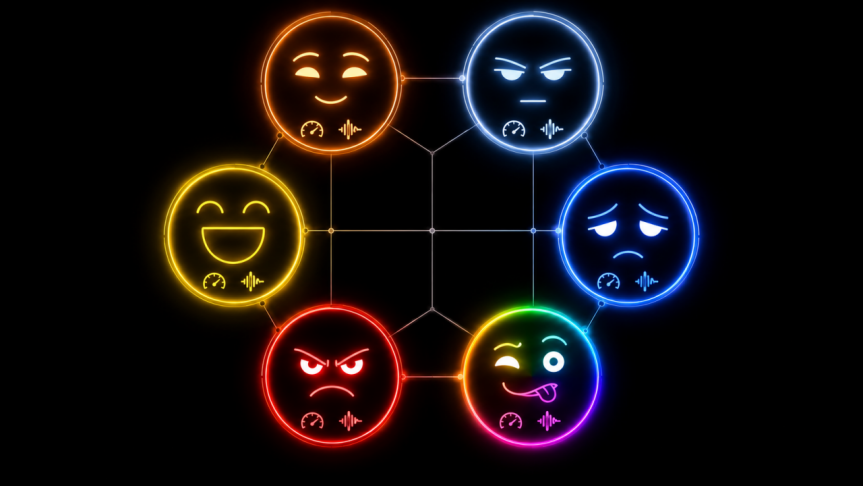
Key finding: pauses are the primary carrier of emotional data. Research shows AI voice emotion perception accuracy reaches 82% of human levels when speed and pause information are both present—but drop below 50% if you only vary pitch.
Don't punctuate by grammar rules. Punctuate by breathing rhythm.
The em dash (—) has a unique effect in AI dubbing:
• Insert a micro-pause at the em dash
• Slight pitch shift
• Emotion flips: first half calm/warm, after the dash—cold or turning
|
I kept waiting for you—but you never came.
|
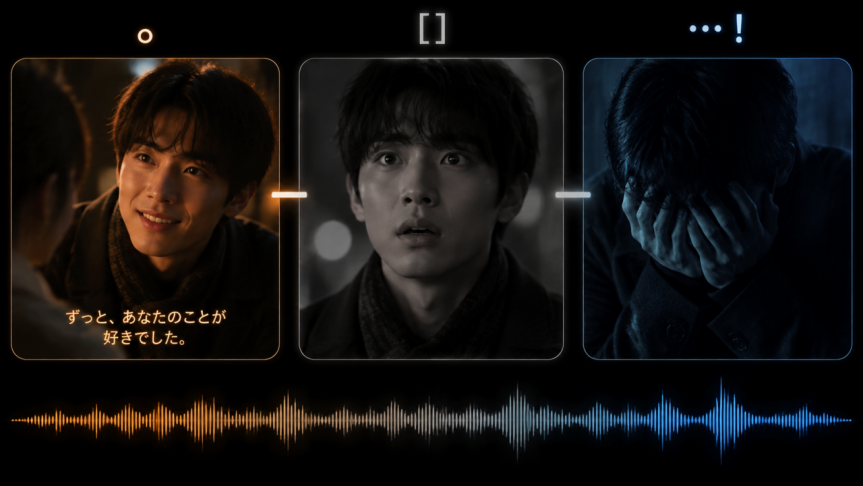
Content inside square brackets [] is not spoken by the AI—but it is executed. Think of them as director’s notes:
• [pause 1 second] → Insert a precise pause
• [take a deep breath] → Simulate a breath sound
• [pause 2 seconds, voice suddenly drops] → Emotional shift
Some emotions can’t be captured by punctuation alone (whispering, choking up, etc.). In those cases, add an emotion cue before the line:
|
whispering: I'm here.
|
Punctuation and emotion cues can be layered together without conflict.
Mix different punctuation marks within the same line to create sharp emotional shifts:
|
I like you. I've liked you since the day we met.
|
• First two sentences: periods for calm certainty
• Brackets + pause + slower speed: courage dissolving
• Result: the audience feels a character pour everything into a confession then break—not a flat declaration
Control your AI character's current state with prompt cues, pair them with punctuation, and double the vocal expressiveness:
|
State |
Vocal Traits |
Punctuation Pairing |
|
Just woke up |
Hoarse voice, very slow, long pauses between sentences |
Use commas to stretch breathing |
|
Drunk |
Slurred words, pitch swinging high and low, occasional drawn-out syllables |
Ellipsis + irregular breaks |
|
Sick |
Weak voice, slight cough between sentences, unsteady breath |
Short sentences + bracketed cough cues |
|
Nervous |
Faster speech, shaky breath, occasional stammer |
Em dashes to simulate stumbling |
Formula: State prompt + Punctuation control = 2x vocal expressiveness
|
(weak, breathless) I'm fine... really fine.
|

One hallmark of a skilled voice director is the ability to build emotional rises, falls, and transitions within a single sentence.
Example: "At first I was pretty happy, but then I realized I got played, and honestly I was furious."
Reading the entire line in one flat tone sounds fake. Here’s the right approach:
1. First half: gentle parameters (85% speed, +0.5 pitch)
2. At the turning point: insert a 0.5-second pause for emotional transition
3. Second half: switch to angry parameters (125% speed, +2.5 pitch)
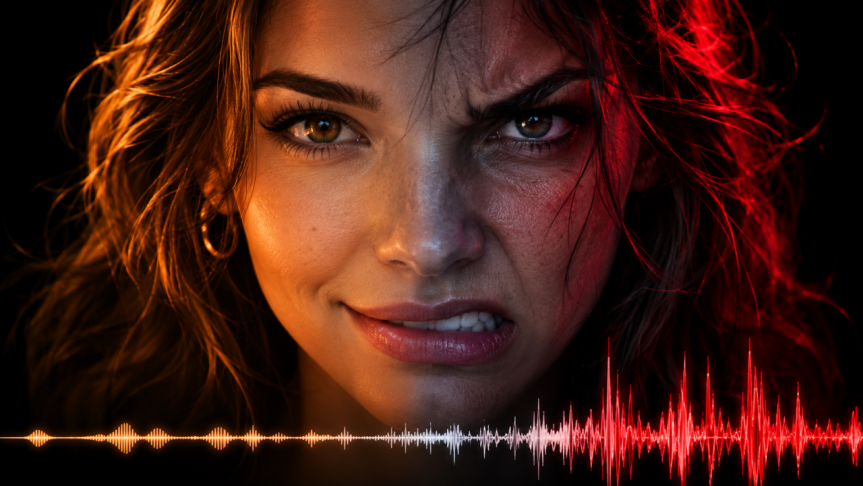
Pro tip: start with single emotions and nail each parameter before combining them. 60% of AI dubbing sounds “not human” not because the voice is bad, but because there’s zero emotional variation—one flat tone from start to finish. Even two emotional shifts can transform the entire listening experience.
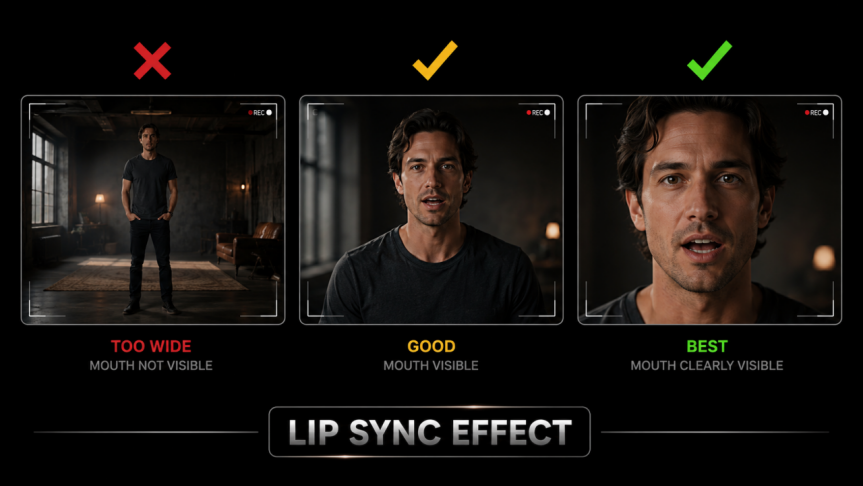
When your AI video needs a character to speak, lip sync quality determines how real it looks. Three key factors:
• Medium and close-up shots show lip sync most clearly
• In wide shots, the mouth is too small—even perfect sync goes unnoticed
• When generating video on Viddo AI, specify the shot type in your prompt
• Natural speaking speed is ideal
• Too-fast speech causes lip sync to lag or look uncanny
• Write "slightly slower speech" or "slightly faster speech" in the prompt—AI models will adjust
• Keep each dialogue segment under 15 seconds for the most stable results
• Split long dialogue into segments, generate each separately, then combine
• Use Viddo AI's video extend feature to seamlessly chain multiple dialogue segments
Viddo AI integrates ElevenLabs voice synthesis and Suno AI music generation, letting you complete the entire workflow—from video creation to audio layering—in one platform.
· Go to Viddo AI's Text to Video or Image to Video feature
· Choose the right AI model (Seedance 2.5, Veo 3.1, Kling 3.0, etc.)
· Describe visuals and camera language in your prompt
· Select resolution (up to 1080p) and aspect ratio (16:9 / 9:16 / 4:3)
· Apply the techniques from Sections 2–6 to craft your voiceover script
· Use punctuation to control rhythm and emotion
· Insert non-verbal cues with square brackets
· Set the tone with emotion prompt cues
· Keep each dialogue segment under 15 seconds
· Use Viddo AI's integrated ElevenLabs voice synthesis
· Choose the right voice character and language
· Paste your carefully crafted script
· Preview and fine-tune punctuation until it sounds right
· Generate emotion-matched BGM using Viddo AI's integrated Suno AI
· Or pick a suitable track from the platform music library
· Keep music volume at 20–30% of the voiceover—don’t let it steal the show
· Combine video, voiceover, and BGM within Viddo AI
· Preview the full result, check lip sync and emotion match
· Export the final video
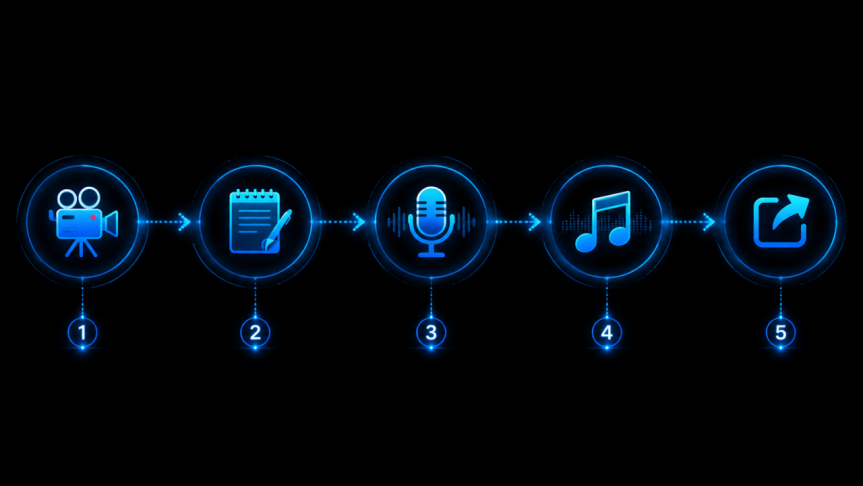
Pro tip: Sync BGM rhythm changes with emotional turning points for a 1+1>2 effect. For example, when a sad segment begins, switch the BGM from upbeat to somber while slowing the voiceover pace—the layered emotional punch far exceeds any single dimension.
Pick an emotionally charged line—like “I hate you” or “I don’t care at all”—and write 10 versions using different punctuation and emotion cues. Feed each one to your AI and listen:
|
# |
Version |
Emotional Effect |
|
1 |
I hate you. |
Flat statement |
|
2 |
I hate you! |
Angry outburst |
|
3 |
I hate you... |
Reluctant hatred |
|
4 |
I hate you...! |
Hesitation theneruption |
|
5 |
(whispering) I hate you. |
Suppressed hatred |
|
6 |
(choking up) I hate you... |
Hate through tears |
|
7 |
I—hate you. |
Dash creates pivot |
|
8 |
(weakly) I hate you... |
Powerless hatred |
|
9 |
I hate you!!! |
Pure rage |
|
10 |
(pause 2 seconds) I... hate you. |
Hesitation before speaking |
The same sentence can convey a dozen completely different feelings. A few rounds of this and your punctuation control will jump multiple levels.
Q1: Does punctuation control work with all AI dubbing tools?
Yes. Punctuation control for TTS models is universal across tools. Whether you use ElevenLabs, Edge TTS, or any other AI voice engine, punctuation affects pauses and intonation. Bottom line: Punctuation + Prompts = A cross-AI performance instruction system.
Q2: Is there a difference between Chinese and English punctuation?
Yes. Full-width Chinese punctuation (,。!?……) and half-width English punctuation (,.!? ...) may be handled differently by TTS engines. Rule of thumb: use Chinese punctuation for Chinese scripts, English punctuation for English scripts, and never mix them.
Q3: What is the relationship between SSML and punctuation?
SSML (Speech Synthesis Markup Language) is a more precise control method—it uses tags to control pauses and pitch changes down to the millisecond. But punctuation is the simplest, most universal “poor man’s SSML”—no code required, and every TTS tool supports it. Start with punctuation; level up to SSML when you need finer control.
Q4: What’s the ideal speech speed?
Short video narration: normal speed (160–180 words/min) is best. Emotional content: drop to 120–140 words/min. Sales/hype: push to 200 words/min. Pro tip: insert a 0.3-second breath pause every 200 words to reduce listener fatigue.
Q5: How do I create multi-character dialogue on Viddo AI?
1. Write separate scripts for each character with distinct punctuation styles; 2. Generate voiceovers using different ElevenLabs voice characters; 3. Stagger them on the timeline with attention to pause intervals between turns; 4. For heated arguments, set zero gap or even overlap; for natural rapport dialogue, keep natural spacing.
Remember this: punctuation doesn’t just mark pauses—it’s a performance direction. Master it, and your AI short videos level up from “audiobook” to “movie with sound.”