
Seedance 2.0: As low as $0.345 per video
Veo3.1 Lite: As low as $0.0575 per video

Viddo AI is an advanced all-in-one AI video and image generation platform that lets you quickly and easily create stunning videos and images from various inputs. These AI Model powered by Google, OpenAI, Grok AI, ByteDance, Alibaba, Kling, Runway, Vidu, Minimax, Elevenlabs, Midjourney,and so on.
Seedance is ByteDance Seed team's multi-modal video generation model. Seedance 2.0 and 2.5 are fully integrated into viddo.ai. The capability matrix centers on four pillars: long-form narrative, strong reference, precise editing, and multilingual fluency. If you only remember one line about it:
Seedance turns natural language + multi-modal references into 4–30 second videos with full control over shot, sound, subtitles and storyboard, plus post-production precision editing.
|
Capability |
Seedance 2.0 |
Seedance 2.5 |
|
Single-clip duration |
Up to 15s |
4–30s at fixed 24fps |
|
Multi-modal references |
Supported |
Up to 50: 30 images + 10 videos + 10 audio |
|
First/last-frame generation |
Supported (parameter-controlled) |
Supported + multi-keyframe sequence control |
|
Video editing (add/remove/modify) |
Supported |
Supported, higher precision |
|
Forward / backward extension |
Supported |
Supported, tighter aspect-ratio & duration locking |
|
One-click reel / seamless transition |
Basic |
Full |
|
Gray-model reference / render |
Not supported |
Coarse + fine-grained gray models |
|
Multilingual prompts |
Supported |
Native 10+ languages |
Seedance is not a toy. In production it shines for:
· Brand TVC commercials (15–30s, single-take)
· Short drama / cinematic shorts (one-shot, multi-character micro-expressions)
· E-commerce SKU showcase videos (multi-angle, multi-shot)
· Education / explainers (step-by-step, biological growth, cultural heritage)
· 3D / gray-model rendering (architecture, product)
· Film pre-visualization (camera pre-viz, age progression, cross-style variants)
Think of Seedance 2.5 as a visual content producer — you (the director) supply the script, it shoots it. Everything that follows is essentially teaching you to write the script so the model shoots it right.
Seedance understands natural language directly. There is no rigid template, but a battle-tested formula helps you organize your thoughts:
Subject + Action or Event + Scene & Environment (optional) + Visual Style (optional) + Camera & Editing (optional) + Sound (optional)
|
Element |
Purpose |
Writing Tips |
|
Subject + Action |
Defines who is doing what |
Describe the main motion in broad strokes; only spell out key actions in detail. Avoid repeating the same action. |
|
Scene & Environment |
Location, time, spatial relationships, background |
Use visual, concrete keywords: dawn / rainy night / glass greenhouse / wooden workbench |
|
Visual Style |
Lighting / color / material / texture / mood |
Documentary realism, cinematic grading, shallow DOF, soft light |
|
Camera / Editing |
Shot size, position, motion, focus, cuts |
Push / pull / pan / track / dolly / orbit / dive / pull-back / tilt / handheld |
|
Sound |
Dialogue, voice timbre, ambience, SFX, music |
Use special markers (see §2.4) |
<Subject> performs <main action or event> in <scene and environment>.
Visuals: <visual style>.
Camera: <shot size, position, motion, cuts>.
Sound: <dialogue, ambience, SFX, or music>.
A potter in a sunlit morning studio finishes a pale-blue ceramic cup, lifting it off the wheel and placing it at the center of a wooden shelf.
Soft morning light streams through the window; the damp clay shows delicate sheen; the workbench stays tidy.
Camera starts with a medium shot of the wheel-throwing motion, then slowly pushes in to the cup surface texture, and finally cuts to a head-on shot of the shelf.
Keep the wheel's low hum, the clay-rubbing sound and a quiet indoor ambience.
Prompts can use plain language. To explicitly separate music, SFX, dialogue and subtitles, use these markers:
|
Content |
Marker |
Example |
|
Music |
`()` |
`(gentle piano music in the background)` |
|
Sound effects |
`<>` |
`<a distant bell rings>` |
|
Dialogue |
`{}` |
`{hello, welcome back}` |
|
Subtitles |
`【】` |
`【Chapter 1: Departure】` |
No background music. Keep only dialogue, ambience and action SFX.
No subtitles.
No sound at all.
When the dialogue text is not the model's default (Chinese), or you need to force English/Japanese/Korean, strongly recommend specifying the language in front of the line. Recommended formula:
Dialogue language + regional variant or accent + delivery style + speaker + {line}
Dialogue language: American English. The girl says naturally and casually in American English: {I thought you weren't coming.}
Dialogue language: authentic Los Angeles American English. The young man speaks with natural LA slang: {No way, you actually made it.}
The girl whispers softly in Japanese: {もう大丈夫です}
Seedance accepts any combination of text + images + videos + audio. The more assets you supply, the more critical it becomes that the model knows exactly what each asset is for — a hard rule repeated across S1, S2 and S3:
Mapping between assets and on-screen elements must be written into the prompt. Do not rely on text labels baked into images, and never let the model guess which asset corresponds to which character, prop or scene.
Seedance 2.5 accepts up to 50 assets per task. Going beyond the recommended range is possible but stability drops:
|
Asset Type |
Hard Limit |
Recommended Range |
Stretch Range |
|
Images |
Up to 30, each ≤ 4K |
Subject images: 1–8 subjects |
9–12 subjects |
|
Videos |
Up to 10, total runtime ≤ 30s |
Subject A/V: 1–5 subjects, each 5–10s |
6–10 subjects |
|
Audio |
Up to 10, total runtime ≤ 30s |
Only task-relevant dialogue, voice, ambience or music |
— |
|
Video editing |
Video + reference images |
Original video ≤ 20s, references 1–5 images |
6–8 images |
Reference / Extract / Combine / Follow + Image n + the referenced element, generate + the scene description, keep + the referenced element + consistent
Common verbs: reference / extract / combine / follow / lock / preserve / exclude
For every asset, do two things: (1) describe what attribute it provides, (2) when the asset risks being "carried in" wrongly, write down what to exclude. S3's recommended template:
@Image1 is used for <subject>'s <appearance, clothing, structure or material>.
@Video1 is used for <action, camera motion or rhythm>.
@Audio1 is used for <character or sound type>'s <voice timbre, dialogue, ambience or music>.
<Subject> performs <main action or event> in <scene>.
Visuals: <visual style>. Camera: <camera description>.
@Image1 is used for the potter's facial features, hair and deep-green apron. Do not use its background.
@Image2 is used for the studio's wooden workbench, window placement and morning light. Do not use any person in this image.
@Video1 is used for the hands-on-wheel motion, lifting the cup and placing it. Do not use the person, clothing or scene from the video.
The potter finishes a pale-blue ceramic cup in the morning studio, lifting it off the wheel and placing it at the center of the wooden shelf.
Camera starts with a medium shot of the wheel-throwing motion, then slowly pushes in to the cup surface texture. Keep the wheel hum, the clay-rubbing sound and quiet indoor ambience.
When multiple images show different angles of the same subject (person or product), explicitly label them as "the same X from different views" so the model doesn't treat them as distinct subjects.
@Image1 defines the front view of the same folding lamp.
@Image2 defines the left side structure of the same folding lamp.
@Image3 defines the right side structure of the same folding lamp.
@Image4 defines the rear structure of the same folding lamp.
All four images together define a single folding lamp; the output must contain only one folding lamp.
Seedance 2.0 onwards supports on-screen text generation across T2V, I2V, R2V and V2V scenarios. The model auto-matches style and color, and also accepts explicit specifications for color, style, timing, placement and behavior.
Prefer common characters. Avoid rare characters and special symbols for best rendering.
Formula: "text content" + "appearance timing" + "position" + "appearance behavior", "text traits (color, style)"
Hand-drawn comic style. Three people sit together eating fried chicken from Image 1 in a warm friendly atmosphere. The frame gradually blurs and the text "Happiness Lives in Seedance" appears in the center.
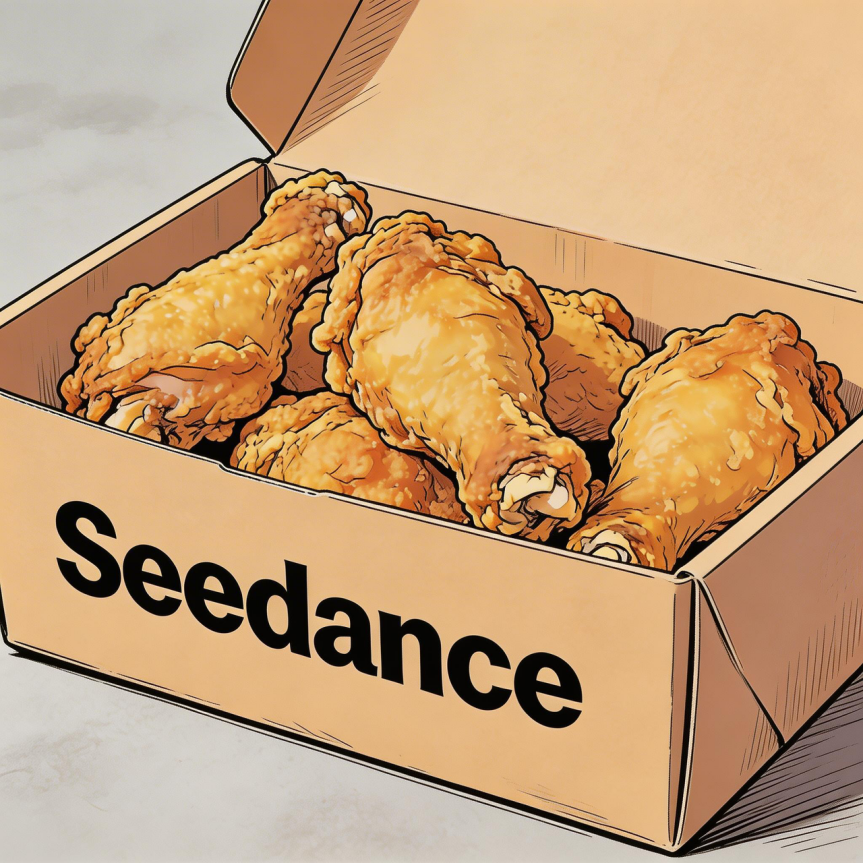
Subtitles appear at the bottom of the frame. The text content is "...". Subtitles must stay perfectly in sync with the audio rhythm.
Example 1: Voiceover
Generate a video with voiceover: a deep, calm male voice says: "In the grand cosmos, our world is only a brief moment. Yet within it, life thrives against all odds."
The scene slowly transitions from night to dawn. Stars fade away, the sun rises from behind the mountains. Subtitles appear at the bottom of the frame in sync with the dialogue.
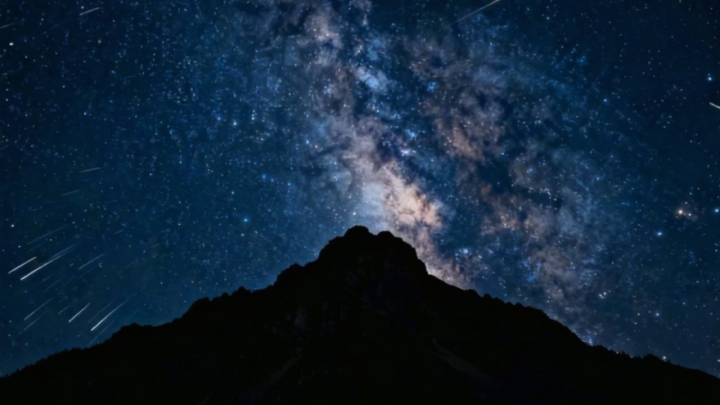
Example 2: Dialogue
The two people from Image 1 chat in an office. The woman speaks first: "You always arrive just on time. Do you enjoy that perfect timing?"
The man smiles and replies: "I have my own rhythm." Their conversation flows naturally; matching subtitles appear at the bottom of the frame.
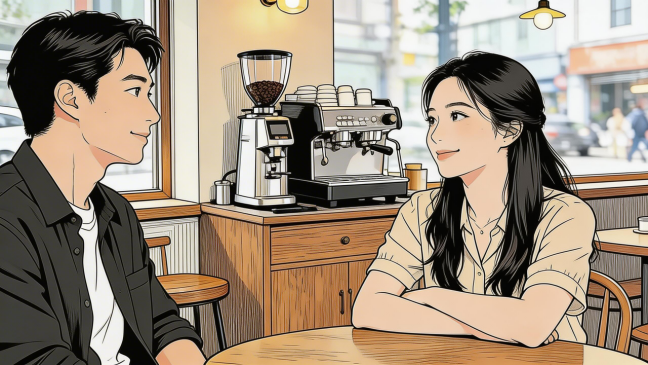
<Character> says: "...". As they speak, a speech bubble appears around them containing the dialogue.
Example 1: Running Track Conversation
The two people from Image 1, wearing sportswear, run on the school track. The girl looks at the boy and smiles confidently: "We can definitely do it!"
Cut to a close-up of the boy; he hesitates: "Are you sure?"
Cut back to the girl's medium close-up; she answers brightly: "Yes!" The mood is bright and decisive. Speech bubbles with the matching dialogue pop up around each speaker.
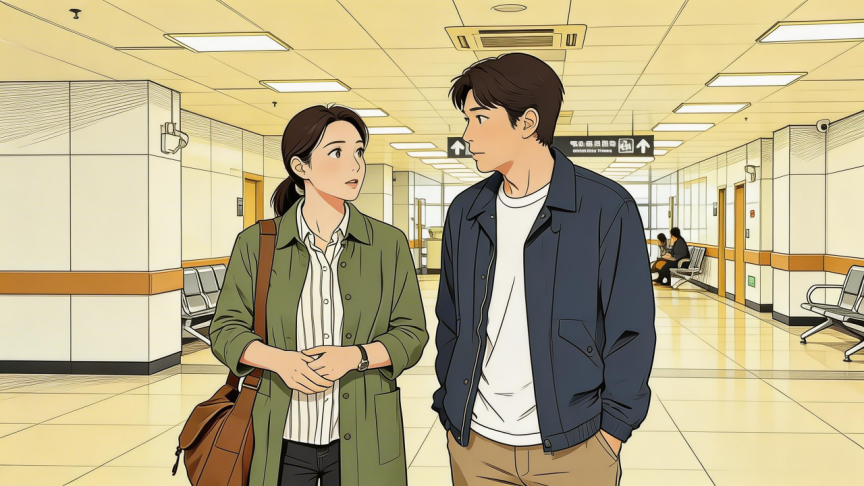
Example 2: Strawberry Picking
Using the girl from Image 1 and Image 2 as reference, the girl picks a strawberry in a strawberry garden, takes a bite and smiles: "This is the real deal!"
A speech bubble with the line appears around her.
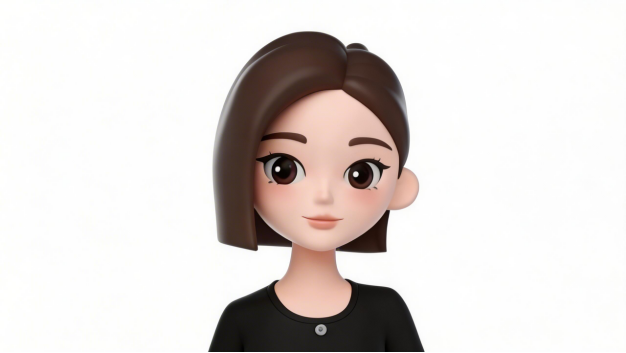
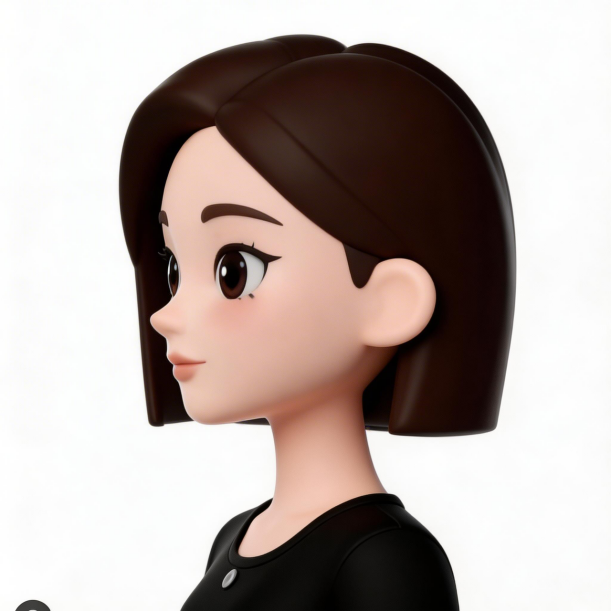
In multi-modal reference mode, you can simply write `@Image1` as the first frame and `@Image2` as the last frame at the top of the prompt — no need to switch to a dedicated first/last-frame mode. The system locks the output aspect ratio to the first frame's ratio and lets you set the duration in the UI/API. First and last frames must share the same aspect ratio; otherwise the last frame may stretch.
Document each anchor image separately — do not collapse them into "Image 1 and Image 2 as first/last frames". Other reference images only supply the specified attributes; they do not replace the first/last frame composition.
@Image1 as the first frame, defining the starting composition, subject position, pose, prop state, scene and camera direction.
@Image2 as the last frame, defining the ending composition, subject position, pose, prop state, scene and camera direction.
@Image3 is used for <Subject A>'s <appearance, clothing, structure or material>. Do not alter the first-frame composition from @Image1, nor the last-frame composition from @Image2.
@Image4 is used for <Subject B, prop or scene>'s <specified attributes>. Do not alter the first-frame composition from @Image1, nor the last-frame composition from @Image2.
<Describe a continuous action or event>.
The scene starts naturally from @Image1's first frame, flows through the continuous motion and arrives at @Image2's last frame.
Keep <character identity, prop structure and ownership, scene layout and camera direction> consistent between first and last.
Example: Perfume Atelier
@Image1 as the first frame, defining the starting composition, character position, pose, tabletop prop state and camera direction of the perfume atelier.
@Image2 as the last frame, defining the ending composition, character position, pose, tabletop prop state and camera direction of the perfume atelier.
@Image3 is used for the perfumer's face, hair and deep-green apron. Do not alter the first-frame composition from @Image1, nor the last-frame composition from @Image2.
@Image4 is used for the glass perfume bottle's shape, material and label placement. Do not alter the first-frame composition from @Image1, nor the last-frame composition from @Image2.
The perfumer starts from the first-frame pose, picks up a dropper and the glass perfume bottle, drips amber essence into the bottle, gently shakes it and caps it, then places the finished product at the center of the table, finally arriving at @Image2's last frame.
Keep the perfumer's identity and clothing, the bottle's count and structure, the wooden table layout, the warm side lighting and camera direction consistent throughout.
When multiple independent images define different stages of a process, open the prompt with "Using @Image1 through @ImageN in order as keyframes", then describe the state each image corresponds to. Independent keyframes usually align better than grid images, but they only control stage order and key states — not frame-by-frame replication.
Use @Image1 through @ImageN in order as keyframes.
@Image1 as the first frame, defining <starting composition, subject position, pose, prop state and camera direction>.
@Image2 defines the second keyframe: <visible state at the end of stage one>.
@Image3 defines the third keyframe: <visible state at the end of stage two>.
@ImageN as the last frame, defining <ending composition, subject position, pose, prop state and camera direction>.
The scene traverses the states defined by @Image1, @Image2, @Image3 through @ImageN in order, with natural continuous motion bridging each stage.
Keep <subject identity, prop structure and ownership, scene layout, lighting and camera axis> consistent throughout.
Example: Orange Paper Plane Flight (4 keyframes)
Use @Image1 through @Image4 in order as keyframes.
@Image1 as the first frame, defining the orange paper plane resting on the left side of a classroom wooden desk, nose pointing right, in a locked medium shot.
@Image2 defines the second keyframe: the same paper plane is lifted by a hand from the desk, nose direction unchanged.
@Image3 defines the third keyframe: the same plane glides past the window, the curtain sways gently to the right.
@Image4 as the last frame: the same plane lands on the middle shelf on the right, nose still pointing right.
The scene traverses the states defined by @Image1, @Image2, @Image3 and @Image4, with continuous direction and speed.
Keep the plane's orange material, size and creases, the classroom layout, the afternoon side light and the camera axis consistent throughout.
Grid storyboards provide the overall story, shot order and rough composition. They are not meant for pixel-perfect replication. Keep them within 15 cells, use simple line art or clean diagrams with minimal text labels. Prompts should declare the reading order and then describe each cell's subject action, shot size or camera motion, plus final look and sound.
@Image1 provides an <N-cell grid storyboard>'s shot order and rough composition, read <left-to-right, top-to-bottom>. Do not adopt <line-art style, text labels or placeholder figures>.
@Image2 defines <Subject A>'s <appearance and clothing>.
@Image3 defines <key prop or scene>'s <structure, material or lighting>.
Shot 1: <shot size, subject action, scene state>.
Shot 2: <shot size, subject action, camera motion or transition>.
...
Shot N: <ending action and final frame state>.
Final visuals use <visual style>. Sound includes <dialogue, ambience, action SFX or music>.
Example: Pottery Four-Grid Storyboard
@Image1 provides a four-cell pottery storyboard's shot order and rough composition, read left-to-right, top-to-bottom. Do not adopt the line-art style or text labels.
@Image2 defines the potter's face, short hair and dark-grey apron.
@Image3 defines the blue-glaze cup's body proportions, glaze color and curved handle.
Shot 1: wide shot of the quiet pottery studio; the potter sits at the wheel.
Shot 2: medium side shot of the potter's hands steadying the spinning wet clay as the cup forms.
Shot 3: close-up of fingers trimming the rim and handle joint; slip slowly slides down the fingertips.
Shot 4: medium close-up of the fired blue-glaze cup placed on the wooden shelf; the potter withdraws their hands.
Final visuals use documentary-realism texture. Keep the wheel hum, the wet clay sound and studio ambience.
Gray-model references split into coarse and fine-grained. Decide whether the gray model supplies the motion skeleton or a fully built structure, then pick the matching template.
|
Type |
Best For |
Asset Requirements |
Prompt Focus |
|
Coarse gray model |
Pre-visualizing action, path, blocking, camera or cuts with simple geometric placeholders |
Clear geometric relationships, complete action sequence |
Map each gray subject to a final subject; document which timing/space information to inherit |
|
Fine-grained gray model |
Already fully modeled; you only need to swap material, color, characters, scene or style |
Complete model, clean frame |
Keep structure, action and camera; document which attributes to re-render |
@Video1 is a coarse gray-model reference, only providing character walking path, cart movement direction, locked camera, one push-in and two cuts. Do not adopt the gray geometric look or empty scene.
The tall cylinder in @Video1 corresponds to the docent.
The cuboid in @Video1 corresponds to the mobile cart.
@Image1 defines the docent's face, blue uniform and badge.
@Image2 defines the mobile cart's white metal frame and transparent cover.
@Image3 defines the tech showroom's curved wall, grey floor and ceiling strip lights.
The docent pushes the mobile cart along the curved wall, stops at the central platform and opens the transparent cover.
Keep @Video1's walking path, subject blocking, push-in direction and cut positions.
Visuals use a bright realistic documentary style. Keep footsteps, cart wheels and the showroom ambience.
@Video1 is a fine-grained gray-model reference. Keep the ring installation's full structure, three-ring rotation, pedestal position, orbit camera and cuts. Do not adopt the original gray material or empty background.
@Image1 defines the outer ring's brushed brass material.
@Image2 defines the inner leaf layer's translucent blue glass material.
@Image3 defines the contemporary art gallery's white curved walls, deep grey floor and overhead soft light.
Re-render the ring installation in @Video1 as a dynamic sculpture of brass and blue glass; re-render the scene as a contemporary art gallery.
Keep @Video1's structure, rotation rhythm, orbit camera and cuts. Keep the installation's low rotation sound and quiet indoor ambience.
Seedance 2.0 already supports video editing; Seedance 2.5 raises precision further. Editing tasks automatically lock the output aspect ratio to the input video's and lock the duration (which you cannot override). Output duration may drift by up to ~0.3s due to input frame handling, but overall content and event order remain essentially preserved.
【Edit Goal】
Edit @Video1 to <add, remove, replace or adjust> <on-screen object, area or sound category> across <the whole clip or a specific time range>.
【Original Video Responsibility】
@Video1 is the sole editing master. It owns <characters, scene, action, composition, camera, occlusions, sound and event order>.
【Target Asset Responsibility】
@Image1 or @Audio1 supplies <the target object or sound's specified attribute>.
【Edit Scope】
Touch only <object, area, time range or sound category>.
【Preserve】
Preserve <unchanged visuals, action, sound and timing> from @Video1.
Example: Change Cold-Blue Wall Light to Warm Orange
【Edit Goal】
Edit @Video1. From 4–7s only, change the cold-blue lighting on the right-side wall to warm orange.
【Original Video Responsibility】
@Video1 is the sole master, owning characters, room layout, action, composition, camera motion, sound and event order.
【Edit Scope】
Adjust only the right wall and its lit region. Skin tones shift naturally with the environmental light.
【Preserve】
Preserve character identity, clothing, expression, position, action, room structure, camera motion, dialogue and ambience from @Video1.
|
Operation |
Pattern |
|
Add an element |
Add <ideal element description> at <time position> + <space position> in <Video n>. |
|
Remove an element |
Remove <element to delete> from <Video n>; everything else stays unchanged. |
|
Modify an element |
Replace <element to swap> in <Video n> with <ideal element description>. |
Example 1: Add Snacks (Fried Chicken & Pizza on Table)
In the video, add fried chicken, pizza and other snacks to the table surface.
Example 2: Remove Spare Parts and Tools
Clear the other parts and tools from the desk in the video. Keep the desk clean; only the items held by the two people remain.
Example 3: Replace Subject (Perfume → Face Cream)
In Video 1, replace the perfume with the face cream from Image 1. Keep the action and camera motion unchanged.
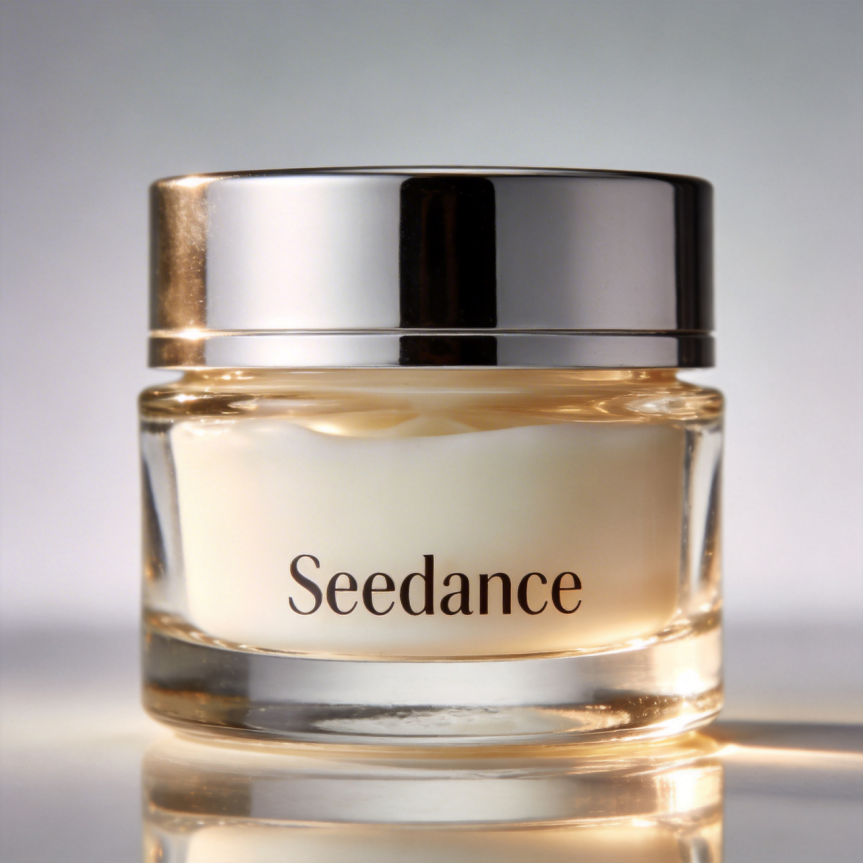
【Edit Goal】
Edit @Video1 to replace <original object> with <target object>.
【Original Video Responsibility】
@Video1 is the sole master, owning the original scene, camera position, motion, action path, occlusions and event order.
【Target Asset Responsibility】
@Image1 supplies the <target object>'s <appearance, structure or material>. Do not adopt <unrelated background, characters or composition>.
【Edit Scope & Range】
Modify only <the explicit object and region>. The clip contains <count> target objects. Do not modify <content that must remain>.
【Timeline Inheritance】
The target object inherits the original object's appearance, motion, occlusion and exit timing, duration, path and speed variation.
Outside the above explicit edits, all other characters, props, scene content, camera motion, transitions and event order in @Video1 remain unchanged.
Example: Yellow Folding Lamp → White Folding Lamp
【Edit Goal】
Edit @Video1 to replace the yellow folding lamp with the white folding lamp from @Image1.
【Original Video Responsibility】
@Video1 is the sole master, owning desk, books, hand action, camera position, camera motion, occlusions and event order.
【Target Asset Responsibility】
@Image1 only supplies the white folding lamp's appearance, structure and material. Do not adopt its background, composition or other objects.
【Edit Scope & Range】
The clip contains exactly one white folding lamp throughout. Replace only the original yellow folding lamp. Do not modify books, desk, hands or background.
【Timeline Inheritance】
The white folding lamp inherits the original yellow lamp's appearance, arm rotation, hand-occlusion and exit timing, path and speed variation.
Outside the above explicit edits, all other characters, props, scene content, camera motion, transitions and event order in @Video1 remain unchanged.
@Video1 is the sole master, owning characters, foreground objects, action, composition, camera motion and event order.
@Image1 only supplies the daytime glass greenhouse's spatial layout, depth, environmental color and light direction. Do not adopt any characters in this image.
Replace only the area outside the character silhouette in @Video1 — the light-grey background — with the daytime glass greenhouse from @Image1.
Preserve character identity, facial features, hair, clothing, expression, position, size and the raised-hand action from @Video1.
Outside the above explicit edits, all other characters, props, scene content, camera motion, transitions and event order in @Video1 remain unchanged.
Dialogue, language, voice timbre, background music and SFX can be handled separately. State who is speaking or which sound category, what the target change is, and whether other sounds are preserved.
Edit @Video1 to remove the original background music only. Preserve dialogue, lip-sync, ambience and action SFX. Visuals, camera and editing rhythm remain from @Video1.
Edit @Video1 to change the docent's dialogue language to natural American English. Keep the line content and timing. Other character sounds, music, ambience and visuals remain from @Video1.
Video extension continues creation beyond the original clip's boundaries. Backward extension must open on the original clip's last frame; forward extension must close on the original clip's first frame. Beyond the boundary frames, also maintain continuity of characters, props, background, motion trend and sound.
@Video1 is the original video to extend backward.
Extend @Video1 backward. The first frame of the extended segment must directly follow @Video1's last frame: keep <subject pose and facing>, <prop position>, <background and spatial relationships>, <camera position and composition>, <lighting>, <sound state> and <motion trend> continuous.
Then <describe the new action, event, camera motion or sound to extend>.
Throughout the extension, keep <character identity and clothing>, <key props>, <background layout>, <camera axis> and <original sound environment> continuous.
The same subject remains a single continuous entity throughout — no duplication or splitting. The character's appearance and the object's part count remain stable.
Example: Paper Plane Glides Out the Window
@Video1 is the original video to extend backward.
Extend @Video1 backward. The first frame of the extended segment must directly follow @Video1's last frame: keep the same locked medium shot, the orange paper plane's position and facing, the classroom window-side background, the afternoon light and the rightward flight trend continuous.
Then let the orange paper plane keep gliding right and out of the frame. The white window curtain sways gently.
Camera and classroom background remain in the last-frame state of the original.
@Image1 defines <Character A>'s facial features.
@Image2 defines <Character A>'s clothing.
@Image3 defines <key prop>'s structure and material.
@Video1 is the original video to extend backward.
Extend @Video1 backward. The first frame of the extended segment must directly follow @Video1's last frame: keep <boundary frame and sound state> continuous.
Then <Character A's new action or event using the key prop>.
Throughout the extension, keep <character identity and clothing>, <key props>, <background layout>, <camera axis> and <original sound environment> continuous.
The same subject remains a single continuous entity throughout — no duplication or splitting. The character's appearance and the object's part count remain stable.
Example: Gardener Places a Wicker Basket
@Image1 defines the gardener's facial features.
@Image2 defines the gardener's light-green work apron.
@Image3 defines the wicker basket's structure and material.
@Video1 is the original video to extend backward.
Extend @Video1 backward. The first frame of the extended segment must directly follow @Video1's last frame: keep the greenhouse workbench, the gardener's stance and the wicker basket's position continuous.
Then the gardener lifts the wicker basket with both hands and places it on the middle shelf behind them.
Throughout the extension, keep the gardener's face, apron, greenhouse layout and camera direction continuous.
First describe what happens before the original clip starts, then write the original clip's first frame as the explicit end state of the extension. Merely writing "then continue the original clip" may cause the model to introduce subsequent characters or effects too early, or to change the image again after reaching the target state.
@Video1 is the original video to extend forward.
Extend @Video1 forward. Before the original video starts, <describe the pre-action, event, camera motion or sound>.
The final frame of the extension must naturally meet @Video1's first frame: <subject pose and facing>, <prop position>, <background and spatial relationships>; keep <camera position and composition>, <lighting>, <sound state> and <motion trend> consistent with @Video1's first frame.
Throughout the extension, keep <character identity and clothing>, <key props>, <background layout>, <camera axis> and <original sound environment> continuous.
The same subject remains a single continuous entity throughout — no duplication or splitting. The character's appearance and the object's part count remain stable.
Declare each asset's role one by one, and specify which assets are used in the forward extension vs. only after the original clip starts. This reduces the risk of later characters, props or effects leaking into the pre-segment.
@Image1 defines <Character A>'s facial features.
@Image2 defines <Character A>'s clothing.
@Image3 defines <key prop>'s structure and material.
@Image4 defines two <exhibition assistants>' grey workwear.
@Image5 defines <exhibition prep room>'s space and lighting.
@Video1 is the original video to extend forward.
Extend @Video1 forward. Before the original video starts, the curator walks to the workbench, picks up the closed wooden display case and opens its lid.
The final frame of the extension must naturally meet @Video1's first frame: the curator stands in the center of the frame, holding the open wooden display case with both hands; the two exhibition assistants stand behind, one on each side. Keep the vertical front medium shot, workbench position, prep-room background and left-side morning light consistent with @Video1's first frame.
<Assets that only appear after the original video starts> must not appear in the forward extension.
Boundary frames should look visually continuous — not pixel-identical. Volume may shift slightly between the extension and the original. Extending video that was itself generated by Seedance 2.5 usually produces smoother visual and audio continuity. During review, check both the boundary transition and the full extended segment.
Original asset: Seed Germination Video
Building on @Video1, extend the clip by 5 seconds. A bee flies in and lands on the flower. The camera pushes in for a macro close-up of the bee's legs and abdomen covered in golden pollen grains. The bee takes off; the camera tracks it to another flower of the same species. In slow motion, pollen falls from the fuzzy body and lands precisely on the stigma — the pollination moment magnified.
Note: choose MOV as the output format for tighter audio/video continuity.
Seamless transitions generate the connective tissue between two video clips. The prompt must first declare which clip is before and which is after, then specify the trigger action, camera motion, how the frame transforms, the arrival state and the sound handoff.
Pre-clip -> Post-clip -> Trigger action -> Camera motion -> Frame morph -> Arrival state -> Sound
|
Transition |
Writing Focus |
|
Dive or bounce-back |
State camera direction, speed change and when to enter the next scene |
|
Character spin |
State character pose, rotation direction, and how clothing/background transforms continuously |
|
Foreground occlusion |
State when the occluder covers the full screen, and the composition that appears after |
|
Object morph |
State the shape, material and morphing process of the before/after objects |
|
Push/pull or focus shift |
State camera motion, focus subject and the continuous relationship between before/after spaces |
@Video1 is the pre-transition clip. Use its <tail subject, action, composition, camera direction and sound>.
@Video2 is the post-transition clip. Use its <opening subject, composition, camera direction and sound>.
Preserve <character identity, product structure, scene and main action> from @Video1 and @Video2.
In @Video1's tail, <subject or foreground element> triggers the transition via <action>.
Camera <direction and speed change>; <shape, material, lighting or space> in the frame gradually transforms into the <corresponding element> at @Video2's opening.
At the transition's end, naturally arrive at @Video2's opening composition, keeping <subject position, camera direction and motion trend> continuous.
Sound smoothly transitions from <pre-clip sound> to <post-clip sound>.
Example: Rainy Street -> Exhibition Hall Skylight
@Video1 is the pre-transition clip, featuring a rainy-night street, red umbrella, slow forward push-in and rain ambience.
@Video2 is the post-transition clip, featuring a circular skylight in an exhibition hall, upward tilt and quiet indoor reverb.
Preserve characters, street, hall structure and main action from both originals.
In @Video1's tail, the red umbrella approaches the camera and gradually fills the frame, triggering the transition.
Camera keeps pushing forward; the umbrella's circular edge becomes the hall skylight's metal ring; the red canopy fades into the skylight's white daylight.
At transition's end, naturally arrive at @Video2's opening low-angle composition; camera smoothly switches from forward push to upward tilt.
Rain ambience gradually fades into the hall's footstep echo.
Example: Mahjong Tiles -> Skyscrapers (Real Case)
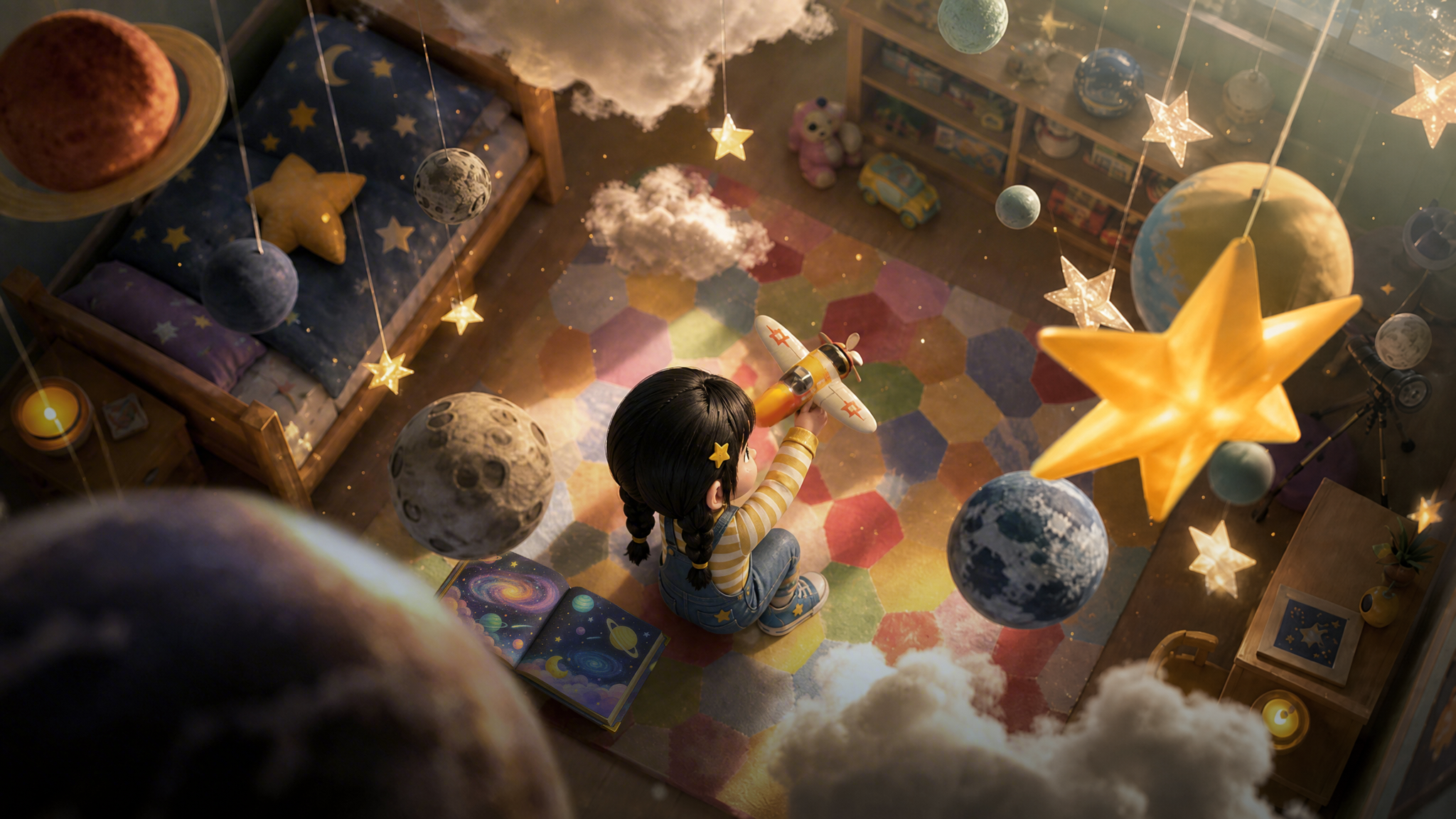
Stitch @Video1 and @Video2 together. @Video1's viewpoint rushes upward to the top and bounces back, diving straight down, then seamlessly transitions into @Video2. During the switch, the mahjong tiles morph into skyscrapers.
The whole scene transforms accordingly. Do not alter the two source videos themselves.
When the story is dense, break it into consecutive stages. Each stage has one main state change, and you must describe the visibly observable state at the end of that stage.
【Generation Goal】
Generate a <video type>. Core subject is <subject>. Main event is <story summary>.
【Stage 1】
Start: <initial state of characters, props and scene>.
Main event: <one main action or event>.
End: <character position, prop ownership or visual state>.
【Stage 2】
Carry-over from previous stage: <state to preserve>.
Main event: <one main action or event>.
End: <observable state>.
【Stage 3】
Main event: <closing event>.
End: <final visual state>.
【Stay Consistent】
Keep <character identity, count, clothing, prop ownership, spatial direction and sound relationships> stable.
Example: Florist Order Wrapping Flow
【Generation Goal】
Generate a florist order-wrapping flow demo. The florist and the clerk complete bouquet prep, wrapping and handoff together.
【Stage 1】
Start: the florist stands behind the workbench. Loose stems, scissors and wrapping paper sit on the table.
Main event: the florist arranges stems and trims them.
End: the bouquet is held in the florist's left hand; the scissors are placed back on the right side of the table.
【Stage 2】
Carry-over: both keep the same identity and clothing; the bouquet remains in the florist's hand.
Main event: the clerk unfolds wrapping paper; the florist places the bouquet in and ties a green ribbon.
End: the wrapped bouquet lies flat at the table's center, the ribbon knot facing the camera.
【Stage 3】
Main event: the clerk picks up the bouquet and places it on the pickup shelf.
End: the bouquet sits alone at the pickup shelf center; the two stand behind the workbench inspecting the finished piece.
【Stay Consistent】
Keep the florist's and clerk's identity, clothing, workbench orientation, scissors position and bouquet ownership stable.
For ordinary narrative, prefer "stages". Only use 1-second timestamp expressions for key handoffs, entrances/exits, transitions or explicit beats.
|
Format |
Example |
|
Time range |
`0–3s ... 3–7s ... 7–12s ...` |
|
Explicit time point |
At 5s, the camera quickly whips left and completes the transition. |
|
Relative time |
3 seconds after the character presses the button, the room lights gradually dim. |
0–5s: Show an empty wooden display stand; a hand places a white ceramic plate; at end the hand has left and only the white plate remains in the center.
5–10s: Remove the white plate, place a transparent glass; at end only the transparent glass remains.
10–15s: Remove the transparent glass, place a green ceramic vase; at end only the green vase remains.
Time ranges must be continuous and non-overlapping. A time range is a budget for an event, not a precise edit point. Too little content in a range gives the model more room to improvise; too much can cause over-cutting or missed story beats. Do not use timestamps to control frequencies like "shake head three times in one second".
Seedance 2.5 combines images, videos and audio. With many assets, the prompt's job is not to mention them all in one breath, but to define the mapping between characters, props, scenes, actions and sound. Recommended ordering:
Per-asset role -> Subject mapping -> Group by type -> Subject definitions -> Per-scene calls
<Character A> corresponds to @Image1. Adopt only appearance, hair and clothing.
<Character B> corresponds to @Image2. Adopt only appearance, hair and clothing.
<Prop A> corresponds to @Image3. Adopt only structure, material and color.
<Scene A> references @Image4. Adopt only spatial layout, architecture and light. Do not adopt any character from this image.
【Characters】
The restorer corresponds to @Image1. Adopt only appearance, hair and clothing.
The recorder corresponds to @Image2. Adopt only appearance, hair and clothing.
The installer corresponds to @Image3. Adopt only appearance, hair and clothing.
The docent corresponds to @Image4. Adopt only appearance, hair and clothing.
The four characters' appearance, clothing, action, blocking and dialogue do not swap between them.
【Props】
The sample box corresponds to @Image5 and belongs only to the restorer.
The recording board corresponds to @Image6 and belongs only to the recorder.
【Scenes】
The restoration room references @Image7. Adopt only space, material and light.
The exhibition hall references @Image8. Adopt only space, material and light.
【Action and Sound】
@Video1 supplies the restorer's box-opening action. Do not adopt its characters or scene.
@Audio1 supplies the docent's voice timbre and assigned dialogue.
【Subject Definition: Restorer】
Appearance and clothing: @Image1.
Fixed prop: the sample box from @Image5.
Appears in: the restoration room and the exhibition hall.
Action references: box-opening from @Video1, sample placement from @Video2.
Excludes: clothing from other characters; never holds the recording board or docent equipment.
Scene One - Restoration Room Inspection
Uses: restorer, sample box, restoration room and the box-opening action from @Video1.
Event: the restorer opens the sample box at the workbench and inspects its contents.
End: the restorer stops inside the workbench; the sample box remains by the restorer's right hand — i.e. on the left side of the frame.
Scene Two - Exhibition Hall Registration
Uses: recorder, recording board and exhibition hall.
Event: the recorder checks the numbers on the recording board beside the display case.
End: the recorder keeps holding the board with both hands; no other character enters the display case area.
The goal of multi-asset composition is to let the model pick the correct assets for each scene — not to require every asset to appear simultaneously.
One-click reel packages multiple images (or images plus a style reference video) into a coherent video with unified rhythm and packaging. The prompt must describe each asset's role, image order, motion amplitude, edit rhythm, visual packaging and sound. Don't just write "make a video from these assets".
Asset roles -> Image order -> Motion amplitude -> Edit style -> Visual packaging -> Sound
【Asset Roles】
@Image1 is used for <character, product, scene or opening frame>.
@Image2 is used for <character, product, scene or process frame>.
@Image3 is used for <character, product, scene or closing frame>.
@Video1 is used only for <edit rhythm, transition, subtitle packaging or music style>. Do not adopt its characters or scene (optional).
【Arrangement】
Images appear in <upload order, specified order or free themed order>.
<Describe relationships to preserve among characters, products, locations and events>.
【Frame Dynamics】
Each image uses <subtle live motion, parallax, push/pull, lateral move or partial action>.
Keep <subject appearance, product structure, text or background relationship> stable.
【Reel Style】
Adopt <edit rhythm, transition style, subtitle or graphic packaging, color treatment>.
【Sound】
Includes <dialogue, ambience, SFX or music>.
Example: Six-Image Night-Market Travel Reel
【Asset Roles】
@Image1 is used for the night-market entrance and opening environment.
@Image2 is used for the <traveler> walking along the street.
@Image3 is used for lantern stalls and craft details.
@Image4 is used for the three friends dining around a table.
@Image5 is used for the riverside night view and reflections.
@Image6 is used for the closing frame of the three friends posing by the bridge.
@Video1 is used only for the lively edit rhythm, hand-drawn stickers and transitions. Do not adopt its characters or locations.
【Arrangement】
The frames appear in the order of @Image1 through @Image6, forming the full arc of "arriving at the night market, strolling, dining, walking, taking a group photo".
Keep the three friends' appearance and clothing stable; do not swap them.
【Frame Dynamics】
Environmental images use slow push-in and slight parallax; character images only add natural blinks, head turns, toasts and clothes swaying in the wind.
Keep stall structure, table position and bridge railing stable.
【Reel Style】
Adopt a brisk travel-vlog rhythm; connect scenes with natural occlusion and harmonious color palettes; hand-drawn stickers appear only at the frame edges.
【Sound】
Keep night-market chatter, light cutlery clinks and riverside breeze, paired with brisk but unobtrusive instrumental music.
This example combines multi-grid storyboard, subject references, environment references, dialogue, timestamps and photography terminology.
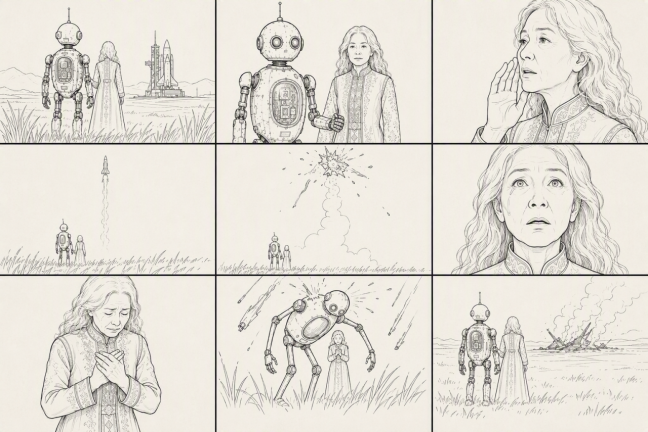
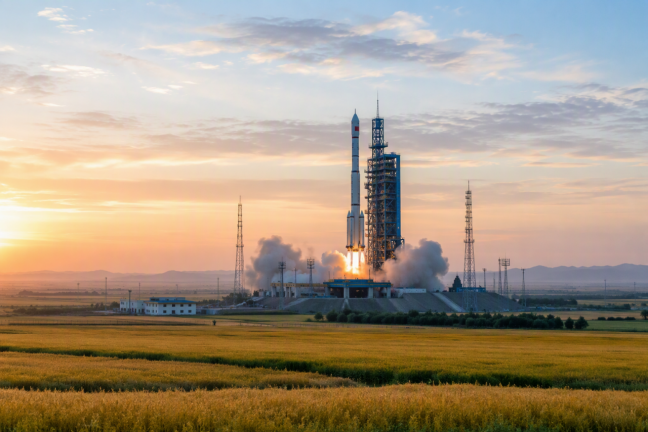
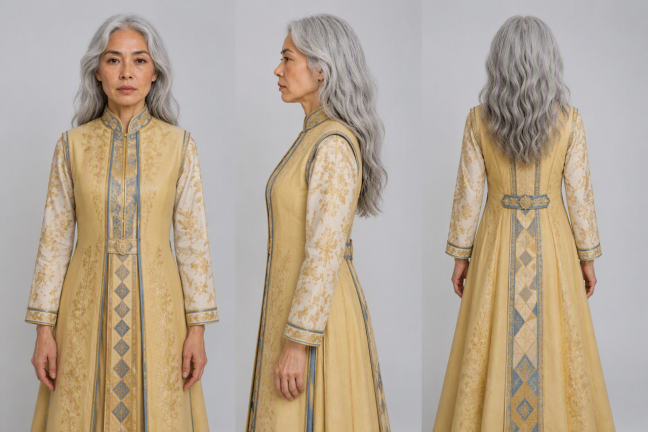
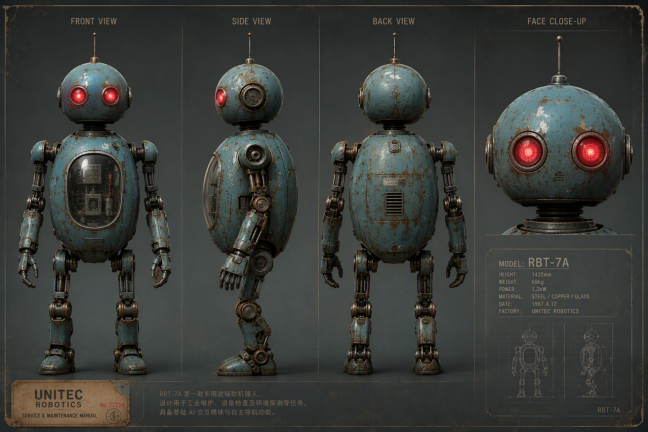
image1: nine-cell storyboard reference, supplying the overall shot structure, shot sizes and camera rhythm.
image2: rocket launch site dusk-grassland real-shot reference, supplying environmental composition, warm gold sunset and cool dusk blue photographic palette.
image3: Subject 1 (guardian robot) appearance reference.
image4: Subject 2 (grandmother) appearance reference.
【Subject Definitions】
Subject 1 (Guardian Robot): referencing image3, a near-future distressed retro robot with distressed blue-green metal body, mottled rust, dome head, two glowing red round machine eyes, slim antenna and slender jointed limbs. Tall — about twice human height.
Subject 2 (Grandmother): referencing image4, a petite elderly woman, silver hair in a low bun, deep wrinkles, bright golden floor-length dress with gold-blue embroidered bodice, reluctant expression; reaches only the robot's chest.
Environment (Dusk Grassland · Launch Site): referencing image2, near-future dusk grassland, sky shifting from warm gold to cool blue, distant launch pad with a white rocket and rising vapor, knee-high grass swaying in the wind, vast and open.
【Overall Style】
Live-action photographic color feature film. Photo-real texture throughout, color 35mm film grain, rich cinematic grading, IMAX large-format feel; handheld breathing shake, shallow DOF wide aperture, persistent drifting grass leaves, sparks and ash in foreground, slight Dutch tilt, strong contrast between warm gold sunset, cool dusk blue and explosion warm orange. 16:9 widescreen. Near-future warm-disaster tone: quiet, solemn, protective and reluctant.
【Strict Exclusions】
Black-and-white, monochrome, grayscale, desaturated; hand-drawn, sketches, line art, illustration, comic, animation; storyboard / sketch drafts; tilt-shift miniature, doll-like, plastic CGI, greasy overexposed CGI.
【Shots】(shot structure references image1 nine-cell, 9 shots ≈ 30s)
Shot 1 (0–3s): Extreme wide, super-low angle flat on the ground looking up, slow handheld dip. Following image2's grassland composition, the dusk grassland stretches vast, foreground knee-high grass blurs and sways with warm gold flare. Two tiny figures sit in the lower third — robot supporting the yellow-dress grandmother, backs to camera, looking toward the distant white rocket venting vapor on the horizon. The massive dusk sky fills most of the frame. SFX: wind, grass rustle, distant engine rumble rising.
Shot 2 (3–6s): Front medium shot, eye-level with slight handheld breathing. Subject 1 (robot) red eyes dimly glowing, metal hand lightly touching Subject 2 (grandmother)'s arm, reaching only her chest; wind stirs her yellow dress and silver hair; both gaze up at the sky. Shallow DOF, blurred sparks drifting in the foreground. SFX: wind, rising engine rumble. Dialogue (robot, deep warm, English): "I'm right here. I won't let go."
Shot 3 (6–10s): Face close-up, low-angle slight tilt, handheld breath. Subject 2 (grandmother) wrinkles gilded by sunset, eyes full of reluctance and hope, lips softly murmuring, sad smile forming, realistic skin texture and tear highlights visible, soft flare at edges. Dialogue (grandmother, choked whisper, English): "Fly safe, my child. Come back to me."
Shot 4 (10–14s): Extreme wide, low angle slow tilt up, handheld. Two tiny figures at the frame's bottom edge looking up, distant horizon white rocket ignites and lifts, flame tears the dusk sky, trailing thick white smoke straight up. Far between characters and rocket; camera follows rocket with unstable upward tilt, foreground grass and flare sweep past, smoke trail motion blur. SFX: rumble peaks then gets pulled back and muffled. Dialogue (grandmother, breathless hope, English): "There he goes... there he goes."
Shot 5 (14–18s): Extreme wide, camera jolts hard with the shockwave, extremely unstable handheld. Distant high-altitude rocket explodes violently mid-air, body bursting into flying wreckage and thick black smoke — not fireworks, but a tragic, brutal sight; warm orange blast light, blinding foreground flare and scattered sparks, sudden film-grain surge, foreground two figures frozen helplessly looking up. SFX: one muffled explosion then sudden silence. Dialogue (grandmother, gasping, faint, English): "No... no, no—"
Shot 6 (18–22s): Face extreme close-up, shaking camera slowly stabilizes into uneasy stillness. Subject 2 (grandmother) pupils shrink, an expression of empty disbelief freezes for a beat, then a tear slowly rolls down her wrinkled cheek, lower lip trembles, residual cold-warm light reflected in her tears, shallow DOF, fine film grain. Dialogue (grandmother, hollow disbelief, English): "...he was almost there."
Shot 7 (22–25s): Close-up to medium shot, handheld trembles with sobs. Subject 2 (grandmother) collapses in full crying, mouth open but silent, trembling hands clutching her chest, tears streaming, shoulders heaving violently with sobs, yellow dress covered in residual ash, foreground flare and ash drifting. Dialogue (grandmother, broken sobbing, English): "Bring him back! Please— bring him back!"
Shot 8 (25–28s): Super-low angle near vertical tilt-up, camera jolts violently with falling debris. Bottom foreground blurred grass, Subject 1 (robot) bends and wraps its slender arms entirely around Subject 2 (grandmother), shielding her like a protective dome; burning debris falls like fiery rain from the dark sky trailing orange-red tails, robot's back spattered with sparks and scorching flare, debris heavy motion blur, extremely unstable handheld. SFX: whistling debris, metallic thuds. Dialogue (robot, protective resolve, English): "Don't look up. I've got you."
Shot 9 (28–30s): Wide back shot, super-low angle flat on the ground, shake gradually steadies into a slow pull-back. Foreground blurred grass and warm gold residual flare, Subject 1 (robot) and Subject 2 (grandmother) cling tightly in the dim grassland, she nestles into its slender arms; horizon retains thin smoke, embers fade like fireflies, the last strand of dusk light freezes them into a tender silhouette; camera slowly pulls back and holds. SFX: wind returns, a single light piano note closes the scene. Dialogue (robot, gentle, English): "I'm still here. I'll stay... as long as you need."
Basic cinematic language and popular camera moves can be written directly into prompts. When a term is uncommon, ambiguous or requires precise visual control, specify who it applies to, how the frame changes and what you want to see.
|
Category |
Supported Common Terms |
|
Shot size |
Extreme wide / wide / medium / close-up / extreme close-up |
|
Camera motion |
Push / pull / pan / track / dolly / orbit / dive / pull-back / tilt-up / handheld shake |
|
Camera position & angle |
Low angle / overhead / first-person |
|
Camera Technique |
Writing Tip |
|
One-take continuous |
State the subjects, spaces and event order the camera passes through continuously |
|
Hitchcock zoom |
State the subject's maintained size and how the background is pulled in or pushed away |
|
Aerial view |
State overhead altitude, motion direction and the environment to show |
|
FPV |
State first-person flight or traversal path, speed and turn direction |
|
Bullet time |
State the frozen or slowed action and the camera's orbit direction |
|
Handheld |
State the follow target and shake degree; avoid only "handheld feel" with no clear camera target |
|
Speed ramp |
State the action's acceleration, deceleration or rebound point and final rest state |
Aperture, focal length and shutter values can be written into prompts, but the visible result on screen is usually more specific than any single number:
Example 1. Shallow-DOF portrait: the baker's eyes and face stay sharp; background jars and lights blur into soft round bokeh.
Example 2. Tracking shot: camera moves horizontally at the same speed as the skateboarder; subject stays sharp, street walls form a right-to-left horizontal motion blur.
Example 3. Golden hour: warm low-angle sunlight enters from the climber's rear left; mountain ridge casts long shadows.
Example 4. Natural vignette: the four corners gradually darken; the central pianist's brightness and skin tone remain normal, no black border appears.
Example 5. Whip-pan transition: at 5s the camera quickly whips left; switch to the next scene when the foreground bookshelf fully occludes the screen, and after the switch the camera keeps moving left at a similar speed.
Just writing emotion words like "tense", "warm", "oppressive" lets the model grasp the overall direction, but it leaves more room for interpretation in performance. To stabilize character acting, describe eyes, brows, mouth corners, breathing, gaze and hand actions — things you can actually see or hear.
A single emotional turn usually needs only 2–4 clearly observable cues. Only when the emotion has multiple turns do you need to break it into trigger-event stages.
The overall emotion shifts from <starting emotion> to <ending emotion>.
After <trigger event>, the subject first shows <immediate observable reaction>.
Then <eyes, brows, mouth corners, breathing, gaze or hand actions> gradually undergo <changes>.
Finally, the subject expresses <target emotion> through <restrained or explicit outward behavior>.
When they hear or see <first trigger event>, the subject shows <first observable reaction>.
When <second trigger event> appears, the subject's expression, gaze or breathing changes.
After confirming <key information>, the subject's attempt to <restrain or hide emotion> gradually surfaces through <observable cues>.
Finally, the subject's <final action, expression or way of speaking>.
Example: A young actor's restrained smile after the curtain call
Applause for the end of the show drifts from backstage. The young actor's fingers clutching the program freeze; her gaze slowly turns toward the curtain; her shoulders stay tense.
After confirming the bow, she lets out a soft breath, shoulders gradually relax, a restrained smile forms at her mouth corners, her eyes slowly well up — but she never turns to leave.
Two important lessons from S3:
· Action: prefer broad descriptions (e.g. "did several sets of high-knees and flips", "the two sides engaged in close combat"). Only spell out specific details for the few memorable beats. Do not repeat the same action.
· Expression: use descriptive sentences; avoid Chinese idioms. For example, instead of "津津有味地吃饭" (eating with great relish), write "face shows a satisfied smile, eating with big bites".
Seedance 2.5 natively outputs 4–30s single clips at a fixed 24fps cinematic frame rate, exporting both MP4 and MOV. Supports 21:9 / 16:9 / 4:3 / 1:1 / 3:4 / 9:16 mainstream aspect ratios.
Use @Video1 as base footage, keep the sofa design, color palette, lighting and camera motion identical.
Seamlessly extend the clip to a cozy living room scene.
A woman in off-white knit loungewear sits on the sofa, covered with cream throw blanket while reading.
She gently sets a coffee mug on the side table. A cat jumps onto the sofa, then a child runs in
and leans against her as she smiles softly.
Night falls, floor lamp turns on, the child and cat cuddle quietly together.
Camera slowly pulls back, leaving clean negative space at the end for brand logo display, total runtime 30 seconds.
Extend the @Video1 seed germination footage by 5 seconds.
A bee flies in and lands on the flower.
Camera pushes in for macro close-up of golden pollen grains covering its legs and abdomen.
The bee takes flight, camera tracks it to another flower of the same species.
Slow-motion shot captures pollen falling from fuzzy body and landing precisely on flower stigma to visualize pollination.
Viddo.ai's integrated Seedance 2.5 accepts up to 50 mixed reference assets per generation:
|
Asset |
Limit |
Size / Duration |
|
Reference images |
0–30 files |
Each ≤ 30 MB |
|
Reference videos |
0–10 files |
Each MP4/MOV ≤ 200 MB, 2–30s |
|
Reference audio |
0–10 files |
Total combined runtime with video ≤ 30s |
After upload, the platform auto-assigns unique IDs (e.g. `@Image1`, `@Video1`, `@Audio1`). Standard practice: follow each ID with a one-line usage description to lock the visual binding.
Standard correct syntax example
immersive concept short film, use @Image1 seaside villa as scene reference to lock building architecture;
slow handheld push-in camera movement, lighting shifts with natural morning daylight.
Use @Image1, @Image2, @Image3, @Image4 as structural reference assets,
generate full assembly animation of the house from base framework to finished build,
consistent proportions and textures across all frames.
Seedance 2.5 is the industry's first model with native audio-only-driven visual generation. Upload background music or ambient sound as `@Audio` references and the model auto-matches shot rhythm, edit points and color grading to the audio beats. Perfect for music videos, atmospheric shorts and soundtrack-aligned commercials.
Seedance 2.5 preserves the original camera framing, motion and overall rhythm, only modifying the specified visual regions. Four core workflows: partial repaint, subject replacement, global lighting rework, add/remove visual elements.
Keep all camera timing and framing from @Video1 unchanged,
sequentially switch visual styles:
American gritty photorealism, Chinese ink wash animation, black-and-white vintage comic, Japanese anime.
All character proportions and body forms remain identical throughout style shifts
Rewrite harsh midday overhead lighting from @Image1 reference footage
into soft sunset side backlight,
add natural ambient diffuse reflection, realistic layered skin shading for human subjects.
Remove the drone and edge tracking vehicle in the bottom-left frame,
fill empty space naturally with matching savanna, tree branches and golden sunset backlight.
Keep giraffes, distant landscape, sunset rim light and original camera composition fully intact.
No distortion or unnatural visual artifacts after filling.
Preserve all camera framing, lighting and performance timing from @Video1.
Gradually age the female lead from her 20s to 60s;
shift her reserved sad emotion into gentle warmth,
tears roll down eye corners,
she slowly lifts the corners of her mouth and reveals a relieved smile through soft tears.
Seedance 2.5 no longer relies on simple filter-based lighting — it fully simulates real-world light physics: directional falloff, surface bounce, contact shadows and environmental reflection layers.
· Transparent, natural eye highlights without artificial plastic feel
· Layered contact shadows, environmental bounce light and reflective surface rendering
· Consistent light logic for outdoor sunrise/sunset, indoor floor lamps and studio softboxes
Full cinematic camera execution with zero jitter, frame loss or shot drift:
· Basic moves: push / pull / horizontal pan / vertical tilt / object tracking
· Compound moves: crane lift / orbital rotation / multi-path follow
Two young children walk side-by-side across wild highland terrain.
Distant strange sound echoes, they stop and slowly look upward to the sky with tense, uneasy expressions.
A shooting star streaks across the sky, camera pans smoothly following its trajectory,
then pulls back wide to watch the star vanish over the horizon.
Young East Asian woman sits by study window at dusk,
slow push-in close-up shot capturing the full emotional shift from teary eyes to soft smile
as she reads a letter.
Letter focus gradually blurs in sync with emotional beats.
30s 16:9 Furniture Ad Template
30-second 16:9 sofa advertisement, first 15 seconds feature product close-ups in white studio lighting,
second half shifts to warm cozy living room environment.
Cast includes one woman, one child and a cat, soft natural photorealistic lighting.
Lock sofa product design via @Image1 reference, consistent material and color across all frames,
clean logo placeholder at the end frame.
Reusable SKU Product Reel Template
Use @Image1 soda beverage as core product reference,
@Image2 indoor lifestyle scene as environment reference.
Generate sequential shot list: product macro close-up -> medium handheld shot -> wide lifestyle layout shot.
Maintain 100% consistent soda packaging across all frames with smooth camera transitions
for bulk e-commerce listing videos.
3D Animated Snack Commercial Template
Bright, transparent 3D cartoon visual style,
starring an expressive desert horned lizard with detailed fur texture and dreamy shallow depth of field.
Opening scene on hot desert sand, lizard flicks tongue for playful interaction,
soft natural diffused lighting,
blending photorealism and childlike whimsy for snack promotional reels.
|
Parameter |
Seedance 2.5 Specification |
|
Aspect ratio |
21:9 / 16:9 / 4:3 / 1:1 / 3:4 / 9:16; editing/extension tasks inherit original asset ratio automatically |
|
Resolution |
480p, 720p; higher resolution coming in future updates |
|
Frame rate |
Fixed 24fps cinematic frame rate |
|
Video duration |
Integer 4–30 seconds; edited clips inherit source runtime |
|
Output format |
MP4 and MOV dual output |
|
Concurrent render limit |
Personal accounts: 3 concurrent; enterprise commercial accounts: 10 concurrent |
|
Render speed |
Personal: 180 frames per minute; enterprise: 600 frames per minute |
|
Max reference assets |
50 mixed files: 30 images + 10 videos + 10 audio clips |
Q1: How many reference images can I upload to Seedance 2.5?
A: Up to 30 reference images per generation, paired with up to 10 reference videos and 10 audio clips — 50 multi-modal assets in total. Audio-only reference mode is supported for sound-driven visual creation.
Q2: What is the maximum video length Seedance 2.5 can generate?
A: Native single-shot generation supports up to 30 continuous seconds. Short clips can be extended via timeline extension tools for complete TVC and short-drama content.
Q3: How do I use the @ reference syntax inside Viddo.ai?
A: After uploading media to your asset library, the platform auto-assigns unique IDs like @Image1 or @Video1. Add a sentence explaining each asset's purpose right after the ID to lock consistent visual identity.
Q4: Does Seedance 2.5 support non-English prompts?
A: The model natively supports 10+ global languages including Chinese, English, Japanese, Korean and Southeast Asian languages. No translation middleware required, with vastly improved complex-prompt comprehension accuracy.
Q5: Can I partially edit finished AI-generated videos?
A: Yes. Local editing tools support partial repainting, subject replacement, lighting rework and unwanted object removal. Original camera framing, shot timing and scene composition stay fully locked without full re-rendering.
· ☐ Have you clearly stated the subject and main action or event?
· ☐ Does each reference asset specify what to adopt and what to exclude?
· ☐ Are different characters, products and props named individually and bound to assets?
· ☐ Are multi-assets selected per scene rather than forced to all appear at once?
· ☐ Does each long-video stage have only one main change with an explicit end state?
· ☐ Are character count, clothing, prop ownership and spatial relationships stable?
· ☐ Does video editing specify a single master, edit range, target count and preserved content?
· ☐ Do abstract emotions and photography terms map to actually observable cues?
· ☐ Are first/last frames and multi-keyframes documented one by one, with first and last frames using the same aspect ratio?
· ☐ Does the storyboard clarify inherited structure; does the gray model declare coarse or fine-grained and the timing/structure/material/style to inherit?
· ☐ Do video editing, first/last-frame generation and video extension follow the auto-locked ratio and duration rules?
· ☐ Does video extension verify boundary frames, motion trend and sound continuity together?
· ☐ Does one-click reel specify asset roles, image order, motion amplitude, edit style and sound?
· ☐ Does a seamless transition declare both clips' roles, trigger action, transition process and arrival state?
· Timestamps allocate event rhythm only, not frame-accurate edit points.
· Video editing prompts can improve alignment probability with the source video but cannot guarantee frame-perfect replication.
· Multi-asset composition is about choosing and combining assets correctly, not making every asset appear simultaneously.
· Hard-accuracy subtitles, formulas, signage, product parameters and frame-accurate time points should be done through pre-composited assets + video generation + post-production.
· Video editing locks the input video's ratio and base duration; both are non-configurable. Output duration may differ by up to ~0.3s from the input.
· First-frame or first/last-frame generation locks the ratio to the first frame; duration can be set. Different ratios between first and last frames may stretch the last frame.
· Video extension locks the input video's ratio; extension duration can be set. Volume in the extended segment may shift slightly relative to the original.
· In one-click reel, if image order or character-to-character mapping matters, you must specify it explicitly in the prompt.
· Seamless transitions aim for visual and sound continuity, not pixel-identical preservation of the two source clips.